
The popular advice is simple: accept every digital method and forget the physical card reader. That advice doesn't fit every Singapore SME. PayNow, SGQR, contactless cards and mobile wallets have changed the checkout counter, but they haven't removed the need to assess how customers pay, how staff process orders, and how reliably the hardware works with the existing POS.
A USB card reader can still make sense for a fixed retail counter, clinic, salon or café that needs dependable card-present acceptance without replacing its computer or POS software. It can also be the wrong purchase for a mobile operator, a QR-led hawker business or a merchant whose payment provider already supplies a standalone contactless terminal.
The practical question in 2026 isn't whether digital payments are mainstream. They are. The question is whether a dedicated USB connection adds useful control, compatibility and reliability to the merchant's complete acceptance stack.
Singapore merchants now operate in a market where QR payments and contactless transactions are routine. PwC's Singapore payments overview reports that 92.0% of digital payments were adopted in Singapore in 2025 (PwC's payments state of play). That makes QR-only acceptance viable for some businesses, but it doesn't make every customer equally comfortable with QR, and it doesn't remove the value of card acceptance.
The decision depends on the business model. A small takeaway counter with low-value, local transactions may function well with SGQR and PayNow. A boutique serving tourists, a clinic collecting a larger bill, or a salon where customers expect to tap a card or phone may need a broader choice. Singapore's card ecosystem remains established. One market overview reports 62,551 POS terminals per million inhabitants in 2025, while card penetration sits above 90% and contactless NFC usage is among the highest in Asia (Singapore payment market overview).
A USB reader becomes relevant when the merchant wants the checkout software on a laptop, tablet or POS computer to communicate directly with a physical card interface. It may reduce manual steps and keep the payment action beside the sales record. A QR-only setup can be simpler, but staff may need to confirm payment separately, and customers must use a compatible banking or wallet app.
Singapore's move towards electronic acceptance has also created mature customer expectations. MAS reported that more than 32,000 SGQR codes had been deployed by 2019, covering hawker centres, retail stores, F&B outlets, supermarkets and healthcare outlets, and representing about 20% of retail acceptance points nationwide (MAS parliamentary reply on e-payments). By 2024, card payments at Singapore POS reached SGD 148.91 billion, according to the dataset referenced in the same market context.
| Business Type | Primary Need | USB Reader Relevant? |
|---|---|---|
| Boutique or retail shop | Card, contactless and wallet choice at a fixed counter | Often relevant |
| Café with small, fast orders | Speed and low-friction payment | Depends on POS integration |
| Salon or clinic | Reliable payment linked to a customer bill | Often relevant |
| Hawker or mobile seller | Lightweight QR acceptance | Often unnecessary |
| Gym or studio | Mixed counter and membership payments | Depends on software workflow |
Practical rule: A USB reader isn't automatically necessary, but card acceptance remains valuable when the business serves tourists, card-preferring customers or higher-value purchases.
A USB card reader acts like a secure bridge between a payment card and the merchant's computer. Instead of asking staff to type card information, the device reads the supported card interface and passes transaction data to compatible payment software. The payment application then handles authorisation, receipts and settlement through the provider's processing environment.
That distinction matters. A reader isn't a complete payment service by itself. The merchant still needs a payment provider, an approved application and an operating system that recognises the hardware. A reader may connect physically but still fail operationally if the POS software doesn't support its protocol, the provider hasn't certified the model, or the device requires a driver unavailable on the chosen platform.
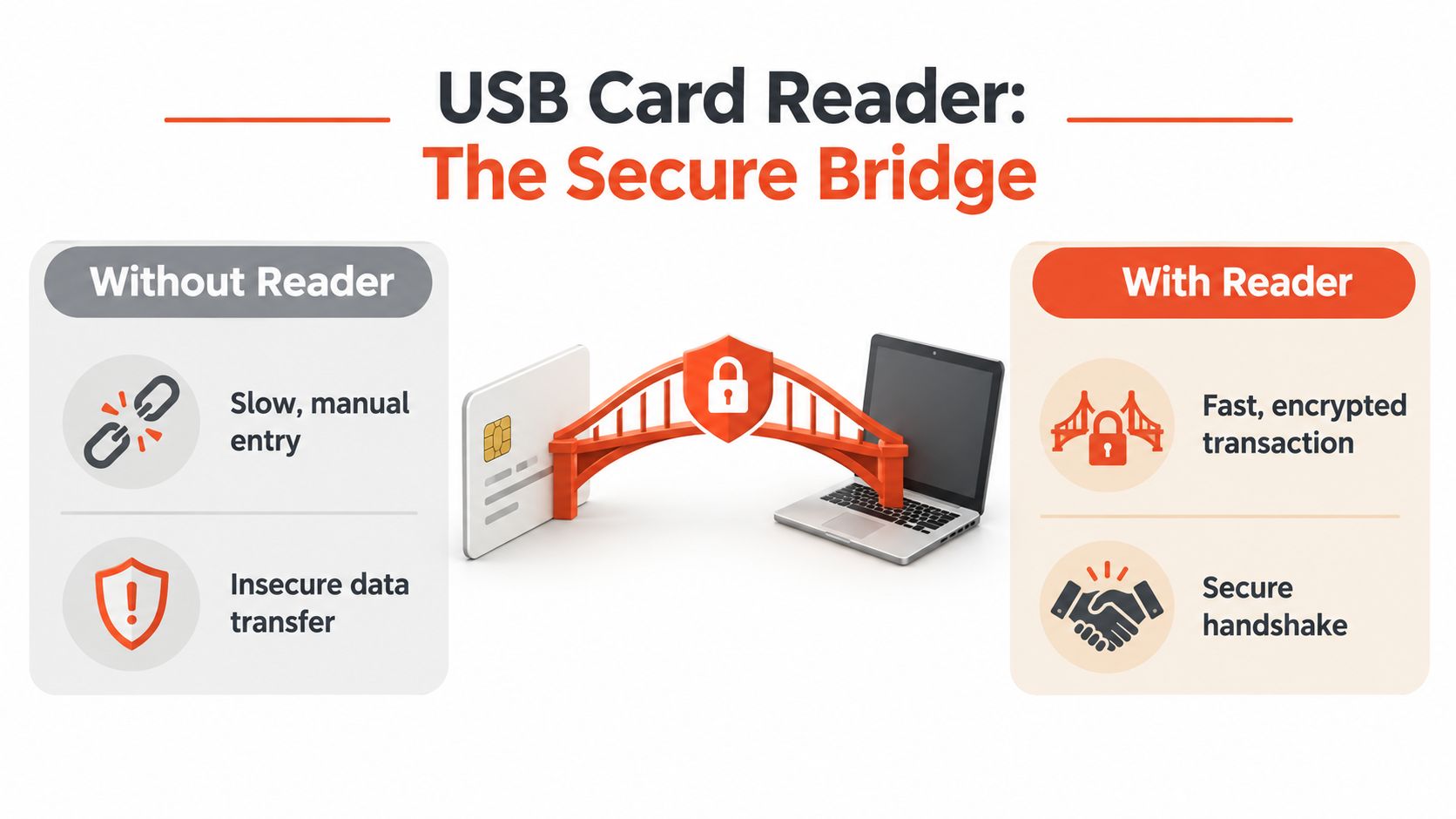
Many modern terminals use Wi-Fi, Bluetooth or mobile data, so a USB reader can look old-fashioned. Its strength is predictability at a fixed workstation. A direct cable avoids battery management, wireless pairing and some connectivity variables. It also keeps the reader in a known position beside the till, which can help staff follow the same payment routine during busy periods.
The cable doesn't make every transaction faster. USB contact smart-card readers commonly use CCID over USB 2.0 full-speed, a 12 Mbps host link, while the ISO/IEC 7816 card interface is typically capped at about 600 kbit/s, with clock frequencies up to 5 to 12 MHz depending on card class and device (Cloud 2700R smart-card reader specifications). In practice, card I/O and authorisation usually matter more than raw USB bandwidth.
| Type | Connectivity | Best For |
|---|---|---|
| Compact external reader | USB-A or USB-C | Laptop or fixed-counter POS |
| Integrated payment terminal | USB, network or mobile connectivity | All-in-one counter operation |
| Mobile or wireless terminal | Wi-Fi, Bluetooth or mobile data | Tableside, events and mobile service |
| Built-in reader | Internal connection | Dedicated hardware with controlled software |
A compact reader suits a merchant that already owns a suitable computer and wants to add card acceptance. An integrated terminal is more self-contained. The correct choice depends less on the connector and more on who controls the software, support and payment certification.
Card payments require more than a working connection. A merchant should treat the reader, the POS device, the payment application and the provider's backend as one security boundary. EMV support helps the terminal process chip and contactless transactions through recognised card-payment standards, while PCI requirements govern how payment data environments are protected and managed.
A useful starting point for owners and operations managers is this plain-language PCI security standards guide. It can help explain why a compliant payment flow is preferable to storing or manually handling sensitive card information.
A certified reader can reduce exposure by handling card interaction inside the payment flow rather than sending staff towards manual entry. That doesn't make the surrounding computer safe. Malware on the POS, unauthorised software, weak administrator access or an unmanaged USB port can still create risk.
Singapore's guidance makes the endpoint responsibility clear. IMDA's technical requirements for connected devices emphasise randomised and unique credentials, minimum password strength, disabled vulnerable interfaces, automatic firmware updates and authenticated management access (IMDA cybersecurity requirements). CSA also advises organisations to keep work and personal USB drives separate to reduce malware spread.
That guidance applies to the complete deployment, not just the reader. The merchant should ask the provider:
A USB reader should never become an excuse to plug unknown storage devices into the same checkout computer. The payment provider should also confirm whether the model is approved for the intended card-present workflow. Some Singapore suppliers publish readers with EMV 2008/2011 Level 1 compliance and bus-powered operation, but compliance claims still need to match the provider's supported configuration.
Merchants comparing acquiring and support options can review Sambapay's merchant services in Singapore alongside other providers. The key comparison is operational, covering onboarding, device management, support and settlement, rather than hardware alone.
Buying a reader is easy. Making it work during a real sale is the difficult part. A USB device can be recognised by a laptop yet remain unusable in the POS because the application doesn't support CCID, the provider requires a proprietary integration, the USB-C port is restricted, or Android permissions prevent the software from accessing the reader.
The first compatibility question is where the payment logic runs. A Windows or macOS POS may support a reader through an approved driver or browser-based integration. An Android POS may require a provider-specific application and certified accessory. A standalone terminal may not accept an external USB reader at all because its payment software is closed.
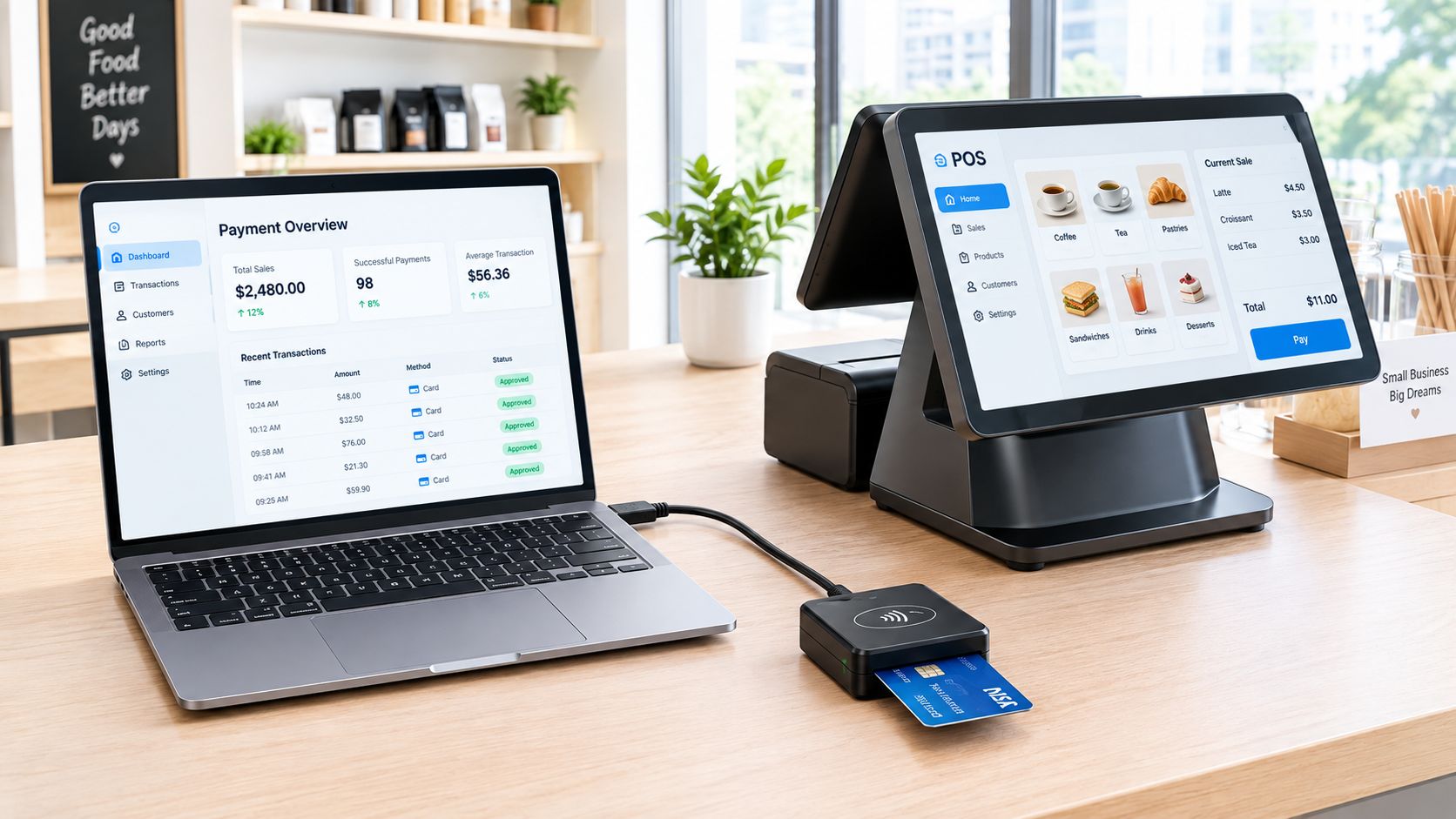
A modern Singapore counter may accept NFC cards, Apple Pay, Google Pay and QR methods. Local guidance on cashless acceptance also stresses that a complete setup often combines NFC and QR rather than relying on a standalone reader (Singapore cashless payment methods for businesses). The merchant should therefore test the sales workflow from item selection to receipt, not just whether a card can be tapped.
Important checks include:
An integrated payment flow can reduce duplicate entry and improve order reconciliation. Merchants assessing that principle can read OrderOut's guide to boost sales with integrated payments, while businesses using Android hardware can compare the workflow against an Android POS system for Singapore merchants.
The reader should fit the chosen stack, not dictate it. If staff must enter the amount twice, verify payment on another screen and reconcile separate reports, the low hardware cost may create a larger operational burden.
A USB reader is strongest when the merchant already has a reliable computer-based checkout and needs card acceptance at a fixed location. A clinic receptionist, salon counter or small shop may prefer a compact accessory that stays beside the workstation. The merchant gets a physical card interface without adding a separate battery-powered computer, display and operating environment.
The limitation is dependence. A USB reader generally needs a host device, compatible software and a stable connection. If the laptop restarts, the POS application freezes or the cable is damaged, the payment device may stop working as part of the sale. An integrated Android terminal puts the payment application and reader into a more controlled package, although it introduces a larger hardware commitment and a different support relationship.
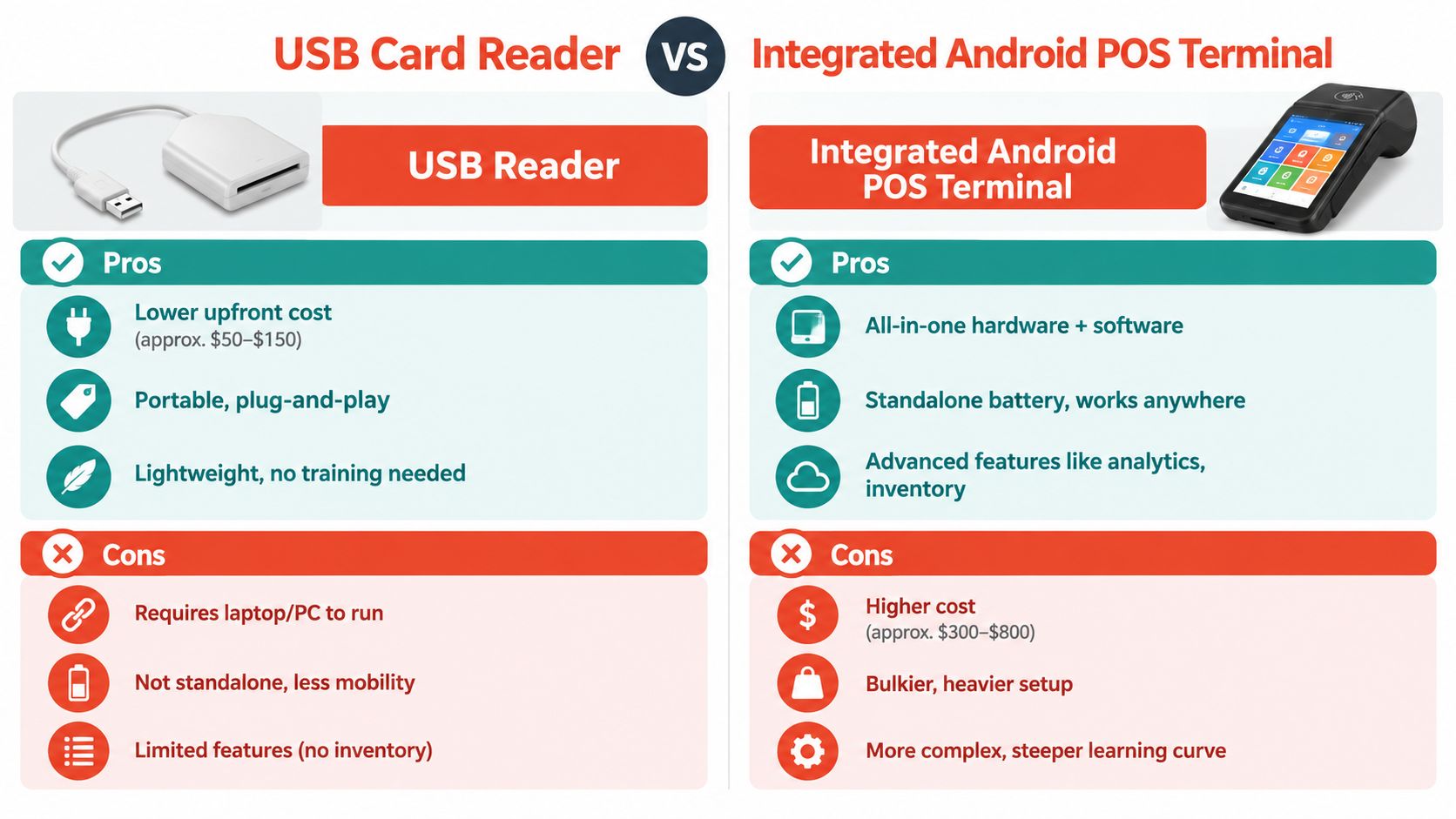
For a high-frequency fixed counter, a USB setup can be efficient if the existing POS is already central to ordering, inventory or customer records. The reader occupies little space and can remain plugged in. For tableside service, pop-ups or businesses that need to move around the premises, a wireless or integrated terminal is usually more practical.
| Attribute | USB Card Reader | Integrated Android POS |
|---|---|---|
| Host device | Requires a laptop, tablet or POS computer | Built into the terminal |
| Counter footprint | Compact accessory | Larger all-in-one unit |
| Mobility | Limited by the host and cable | Designed for movement when supported |
| Software dependency | Depends heavily on POS compatibility | Usually controlled by the provider |
| Maintenance | Cable, ports, drivers and application | Battery, network, software and terminal support |
| Best fit | Fixed counters with existing systems | Merchants wanting a self-contained payment workflow |
The cheapest reader isn't the cheapest checkout if staff have to repeat payment details or reconcile separate systems.
The USB option doesn't provide inventory, analytics or order management by itself. Those functions come from the host POS, so the merchant must evaluate the computer and software as part of the purchase. An Android terminal may offer a more complete interface, but the extra functionality can bring more training, configuration and maintenance.
For merchants choosing between the two, the decisive issue is operational ownership. A USB reader suits a business comfortable managing its computer-based POS. An integrated terminal suits an owner who wants the payment provider to supply a more unified device and support path.
Start with the payment mix. If customers mostly use QR and the business has a simple fixed counter, a USB reader may add unnecessary hardware. If customers regularly tap cards or phones, or if the merchant needs payment status tied directly to a sale, a card-capable device deserves serious consideration.
Then check the operating environment:
A merchant considering a compact solution can compare the role of a card reader for small business with a standalone Android terminal. The right purchase is the one that keeps the payment step reliable without forcing the business to rebuild its entire counter.
Sambapay offers Singapore SMEs modern POS terminals that support card acceptance and selected digital wallets, with onboarding, installation and local support. Merchants comparing a USB reader with an integrated setup can visit Sambapay to review the available payment hardware and discuss a configuration suited to their counter workflow.