
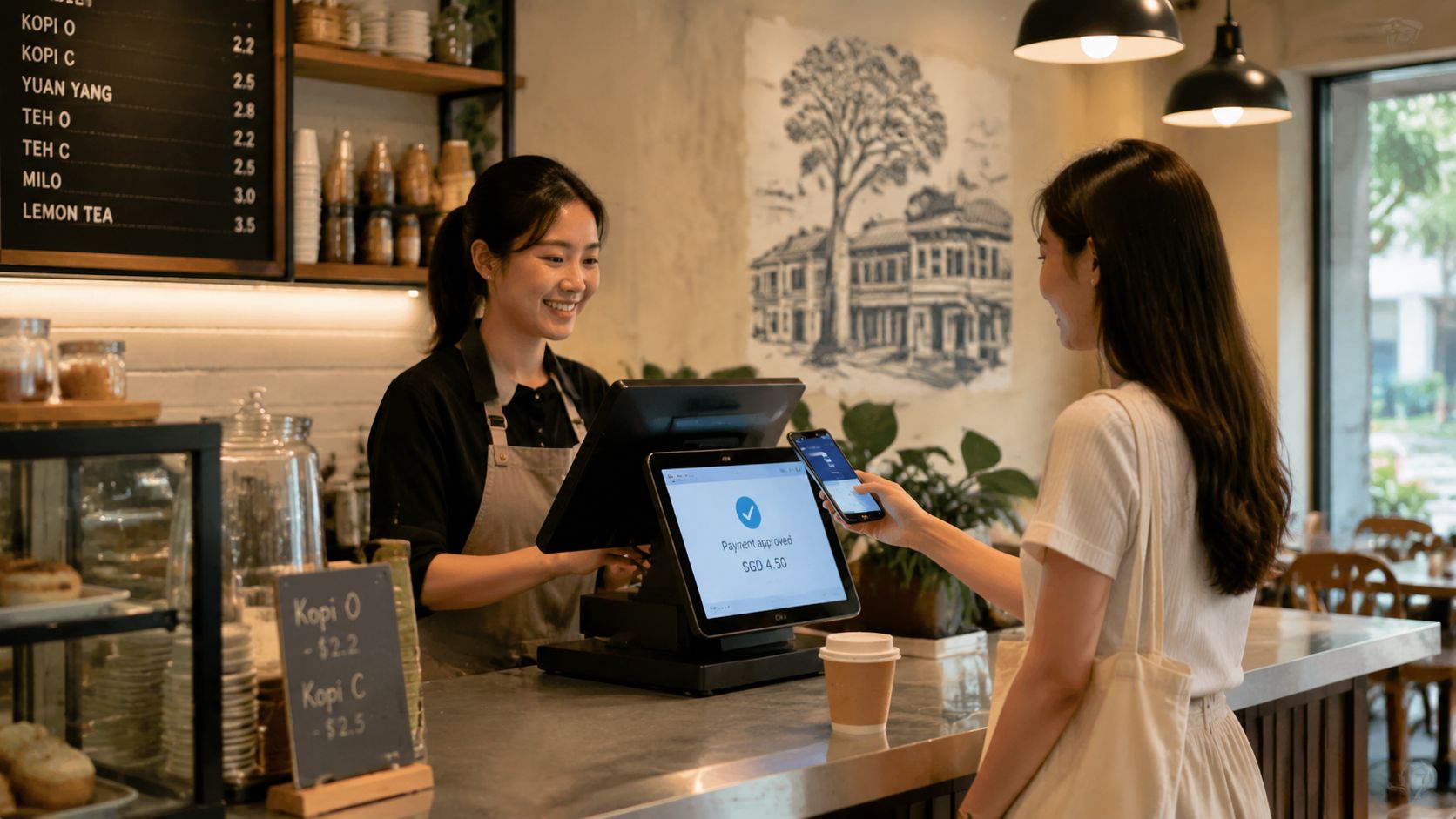
A customer at a Tiong Bahru café taps a phone against the counter while the barista watches a payment confirmation appear on a compact screen. Behind that simple gesture, the checkout may be recording the order, applying prices, accepting a card or wallet, sending the request through a payment network, and preparing a receipt. For a Singapore SME, an Android POS system brings those tasks into one operating flow, but it isn’t automatically the right choice for every counter.
The decision depends on the business’s actual payment mix and working conditions. Singapore’s digital payments adoption stood at 92.0% in 2025, while POS card payments reached SGD 148.91 billion in 2024, according to PwC Singapore’s payments overview. That combination points to a practical question: should a merchant use a dedicated Android terminal, or would a lighter SoftPOS app on an existing Android device handle the job well enough?
An Android POS system is best understood as a smart checkout device, not just a cash register with a touchscreen. It runs Android, the same broad operating environment found on many personal phones, but the device is configured with payment, retail, restaurant, or service-business software.
At the café counter, a staff member can tap an item such as kopi, change the quantity, add an option, and show the final amount. The customer can then tap a contactless card or phone, scan a QR code, or use another supported payment method. The same device may print a receipt or send one digitally, depending on the setup.
The Android element matters because the interface feels familiar. Staff usually work with app icons, menus, swipe gestures, and touchscreen buttons, rather than learning a specialised mechanical till. That familiarity can make training easier, especially in businesses with part-time staff or changing shifts. It also lets a merchant add software for stock, loyalty, tables, appointments, or reporting, subject to what the chosen POS application supports.
Practical rule: A familiar screen doesn’t guarantee a good deployment. The payment app, terminal hardware, network connection, and acquiring arrangement must work together at the counter.
The device can replace several separate pieces of equipment, although the exact combination varies. A dedicated terminal might combine the display, payment reader, printer, and sometimes a barcode scanner. A tablet-based system might use Bluetooth or Wi-Fi accessories instead. A SoftPOS arrangement can reduce the hardware further by using an Android phone as the contactless acceptance device.
This is why an SME owner shouldn’t judge an Android POS system by its screen alone. The useful question is what happens from item entry to settlement. If the cashier must move between separate apps, manually re-enter totals, or switch devices for card and QR payments, the system may create more work rather than remove it.
An Android POS stack has several layers. Each layer performs a different job, much like a smartphone depends on its physical components, operating system, apps, and network connection.
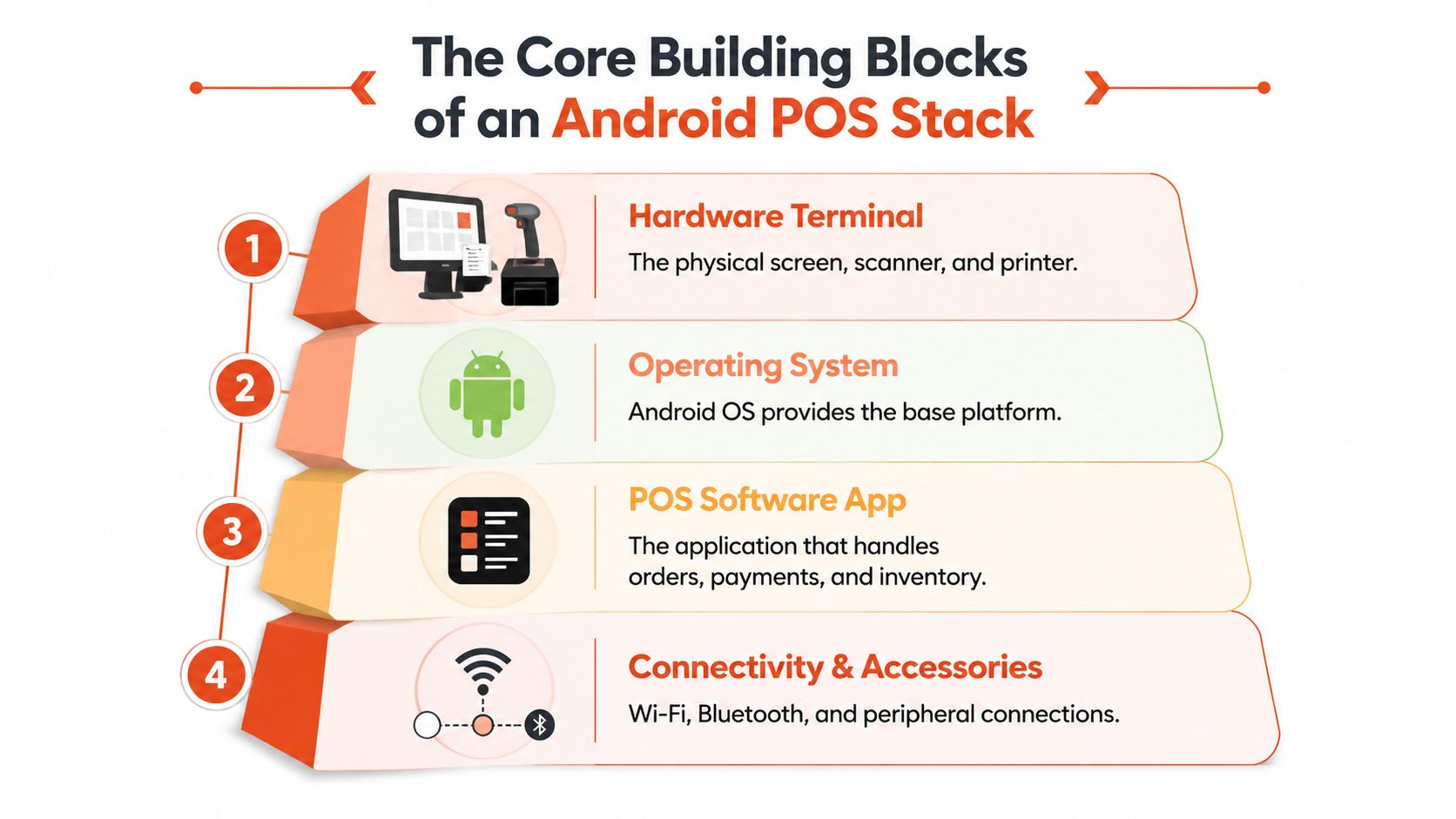
The first layer is the hardware terminal. It may include a touchscreen, contactless reader, barcode scanner, receipt printer, battery, and ports for accessories. A fixed café counter may favour an integrated unit, while a salon or mobile service may need something lighter.
Hardware determines how staff interact with the payment. A built-in contactless reader can keep the tap area clear and visible. An integrated printer can help where customers expect a paper receipt. A separate tablet may offer a larger display, but it also introduces more cables, mounts, and connection points.
The operating system provides the environment in which the POS app runs. It manages the screen, device permissions, updates, connectivity, and communication with supported accessories. The smartphone analogy helps here: Android is the base platform, while the POS application is the business tool installed on top.
The OS version also affects compatibility. For example, DBS MAX notes that full SoftPOS functionality requires Android OS 12 and above, as stated in the NETS SoftPOS announcement. A merchant therefore needs to check the exact device model and OS version before committing to a phone-based setup.
The application handles the cashier workflow. It may manage menus, products, discounts, tables, stock, staff permissions, refunds, and reports. A payment component then passes the transaction to the relevant acquiring connection.
Two devices can look almost identical but behave very differently because their software differs. One app may support restaurant modifiers and kitchen tickets, while another may focus on simple card acceptance.
The final layer is the secure connection that authorises the payment. If the hardware works but the payment application can’t reach its acquirer, the transaction may stall. If the app works but the printer connection fails, the sale may complete while the receipt workflow breaks.
That dependency makes vendor support important. An SME should ask who supports the terminal, who supports the POS application, who handles payment disputes, and who investigates failed settlement. A single contact point is easier to manage than a chain of separate suppliers.
Singapore counters often need to handle more than one payment behaviour. A customer may tap a card, use a phone wallet, scan a QR code, or still prefer cash. The useful feature set is therefore the one that keeps those choices inside a clear cashier workflow.
A bright retail shop or mall kiosk needs a responsive touchscreen that remains readable under strong lighting. A café needs quick item selection and modifiers. A boutique needs barcode lookup and inventory updates. A clinic may care more about deposits, refunds, digital receipts, and staff permissions than about rapid menu entry.
| Feature | What It Does | Why It Matters in Singapore |
|---|---|---|
| Touchscreen interface | Lets staff select products, services, discounts, and payment actions | Familiar gestures can reduce friction during staff training |
| NFC contactless reader | Accepts contactless cards and compatible phones or watches | Supports tap-based checkout across card and wallet users |
| QR scanning or display | Reads QR payments or presents a merchant QR flow | Useful for merchants serving customers who prefer QR payments |
| Barcode scanner | Looks up products and prices | Helps boutiques and convenience retailers avoid manual entry |
| Receipt options | Prints a thermal receipt or sends one digitally | Lets the merchant match customer preference and reduce paper handling |
| Staff profiles | Restricts functions through PINs or other controls | Helps separate cashier, supervisor, refund, and reporting permissions |
| Split bills | Divides one order into several payments | Practical for cafés and restaurants serving groups |
| Refund workflow | Records and processes returned payments | Reduces manual corrections and creates a clearer audit trail |
Contactless compatibility deserves close attention. Visa explains that mobile payments replace the underlying card number with a virtual account number, so the full card details aren’t exposed to the merchant device, while transactions move through VisaNet with real-time fraud scoring and NFC-based secure interaction. The Visa explanation of mobile contactless payments provides useful background on this tokenised model.
For a Singapore merchant, the practical test is whether the chosen arrangement supports the cards, wallets, and QR methods customers use. A terminal that accepts only one payment route can force staff to explain workarounds during a busy queue.
A paper receipt still has a place in some shops, but email, SMS, and app-based records can suit customers who don’t want printed slips. Staff profiles also matter. A junior cashier may need to take payment but not reopen a closed sale or approve a refund.
The best feature list is the one tied to the counter’s real sequence. A salon should test appointment deposits and partial payments. A restaurant should test modifiers, split bills, voids, and kitchen routing. A retailer should scan actual product labels and verify that price changes reach the till correctly.
At a busy Singapore drink stall, one customer taps a card while another scans a wallet QR code. The cashier needs a payment setup that handles both without turning the counter into a troubleshooting desk. That is the practical choice between a dedicated Android POS terminal and SoftPOS on a phone.
A dedicated terminal is built for payment acceptance. It usually combines a contactless reader with a controlled Android environment, clear payment prompts, and optional receipt printing. Like a fixed checkout lane, it stays ready for repeated transactions. This suits a busy café, retail shop, or service counter where staff need a consistent device.
A SoftPOS setup uses an app to turn a compatible Android phone or tablet into a contactless payment device. NETS says its Android-based SoftPOS supports contactless cards, QR, and mobile payments on most Android devices. Actual compatibility still depends on the handset model, operating system, and provider configuration. A home-based service, pop-up, mobile appointment, or small stall may prefer this arrangement when it does not need a printer or permanent till.
Singapore merchants should assess the full payment mix rather than treat Android POS as a universal upgrade. PwC recorded digital payments adoption at 92.0% in 2025, and 2024 POS card payment value at SGD 148.91 billion, covering credit cards, debit cards, and e-money. The same overview records ATM withdrawals at SGD 55.14 billion, or 39.18% of POS transaction value. The operational lesson is simple: customers may arrive with different payment preferences, so acceptance routes and counter workflow both matter.
| Dimension | Dedicated Android POS Terminal | SoftPOS on Android Phone |
|---|---|---|
| Hardware | Purpose-built payment device, often with payment accessories | Existing compatible phone or tablet |
| Counter use | Stable for a fixed checkout | Portable for line-busting or mobile service |
| Printing | May include or support receipt printing | Usually needs a separate printer for paper receipts |
| Deployment | Requires ordering, configuration, and installation | Reduces extra hardware, subject to app approval and compatibility |
| Staff workflow | Consistent device with controlled functions | Staff must keep a phone charged, available, and suitable for payments |
| Best operational fit | Busy retail, F&B, and fixed service counters | Pop-ups, mobile services, low-footprint businesses, and backup acceptance |
| Main risk | Hardware and terminal support dependency | Compatibility, battery, phone availability, and app reliability |
A wider comparison of checkout platforms appears in this POS and EPOS 2026 guide overview. For a purpose-built Android example, the PAX A920 Pro in Singapore shows the format an SME may assess.
The decision also includes compliance and dispute handling. Ask the provider which controls it manages, what device restrictions apply, and how a failed or disputed transaction is investigated. SoftPOS can reduce dedicated hardware, but it still requires a supported handset, stable connectivity, staff controls, and a second device if the main phone becomes unavailable.
At lunchtime in a busy Singapore café, a payment delay rarely has one obvious cause. The terminal may have power, but the Wi-Fi may be congested. The app may be responsive, but the acquirer may be slow. A receipt printer may be offline even though the transaction has already succeeded.
Reliability starts with the connection plan. A merchant should test the primary Wi-Fi or wired route, then ask whether the terminal can use a 4G SIM as failover. Basement units, mall counters, and older shop lots can have different coverage and network conditions, so a vendor’s demonstration on a strong office connection doesn’t prove performance at the actual site.
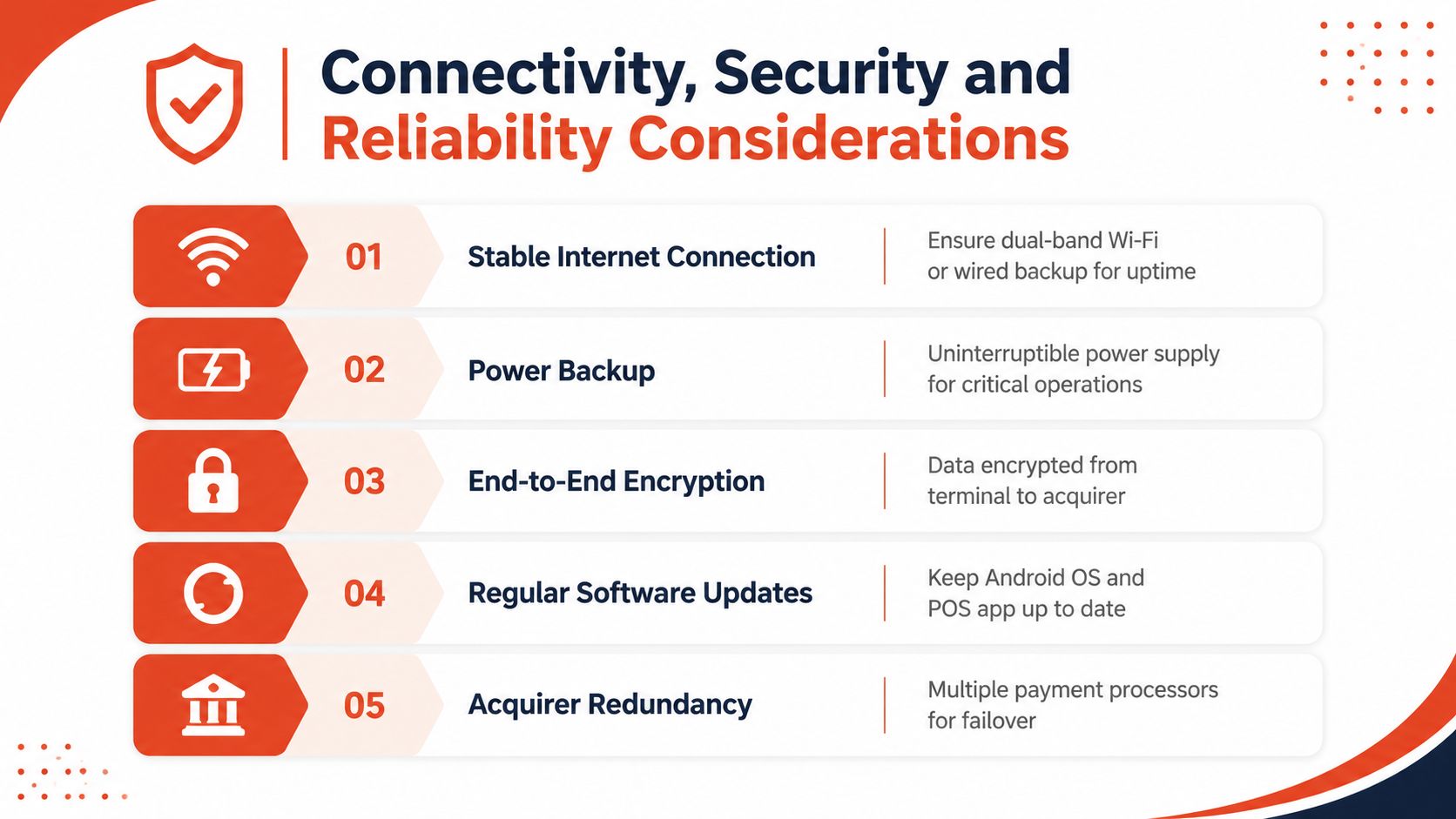
Tokenisation helps reduce the exposure of primary card details. As described earlier, mobile payments can use a virtual account number instead of passing the underlying card number to the merchant device. A dedicated payment terminal should also use appropriately protected PIN-entry hardware and an encrypted path between the payment reader and acquiring infrastructure.
The merchant still has responsibilities. Staff shouldn’t install unrelated apps on a payment terminal, share supervisor credentials, or delay security updates. A controlled device configuration limits the chance that a retail or payment application interferes with the payment environment.
A vendor should demonstrate what happens when the network drops, a payment times out, or a customer receives no printed receipt. The system should make the transaction status clear so staff don’t accidentally charge twice. It should also show how the team reprints a receipt, checks a completed sale, and records a refund.
For merchants considering mobile acceptance, the SwiftNet Wifi guide to multi-carrier SIM connectivity offers background on why network resilience matters when a business depends on wireless devices. A merchant assessing card acceptance can also review how to pay by credit card through a payment terminal before testing the full workflow.
Vendor test: Ask the provider to unplug the primary connection, restart the terminal, process a test payment, reprint the receipt, and explain the settlement result. A reliable demonstration is more useful than a general uptime promise.
A practical pressure test should cover:
An Android POS system becomes more valuable when it connects the counter to the rest of the business. The connection doesn’t need to be complicated, but the owner should identify the information that must move automatically and the tasks staff can still handle manually.
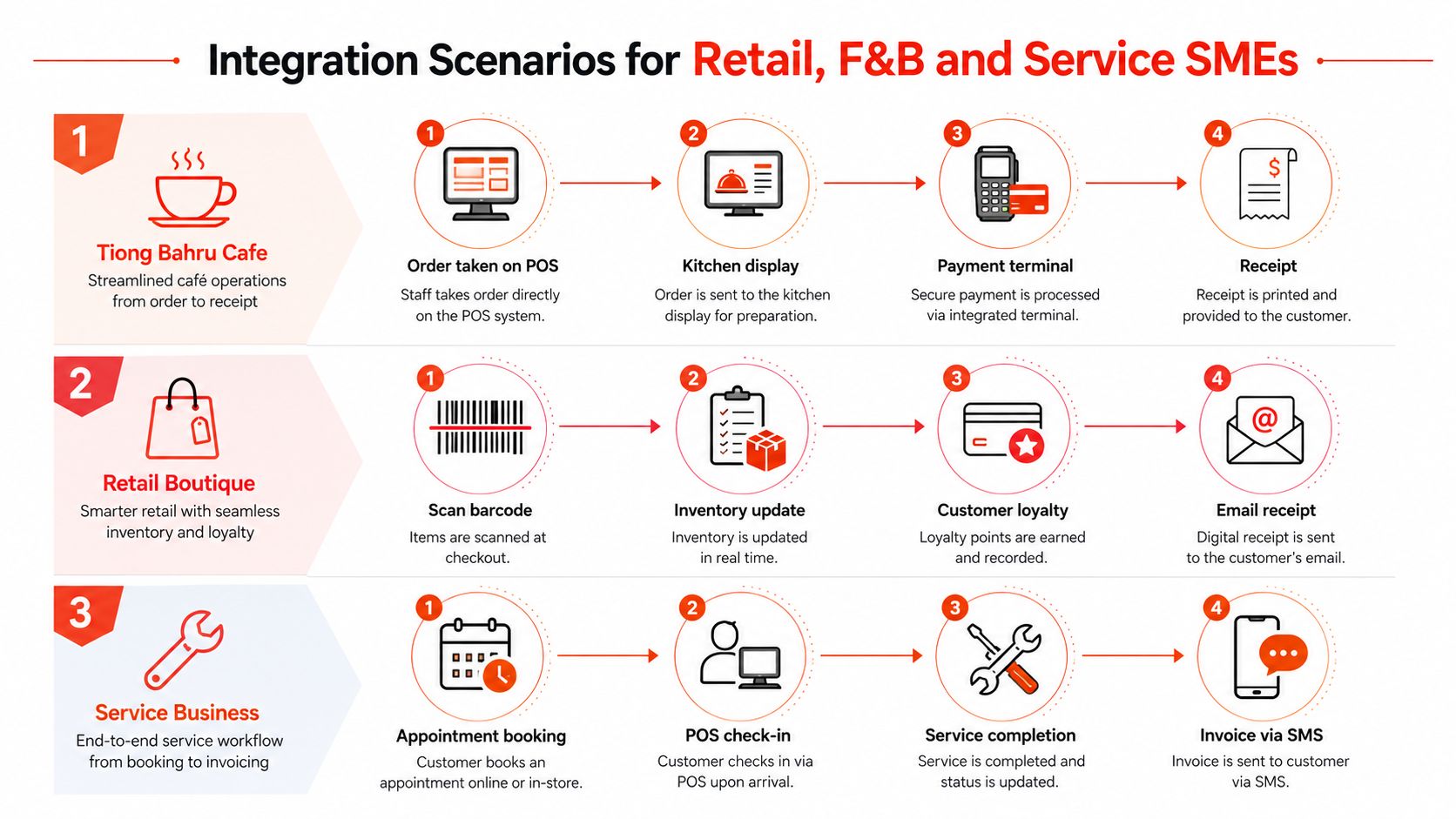
A Tiong Bahru or Tampines café may take orders at the counter, on a tablet beside a table, or through delivery channels. A suitable setup can send the order to a kitchen display, keep the payment status with the order, and route delivery orders into the same preparation queue where integrations are available.
The café owner should check whether GrabFood and Foodpanda connectors are native features or require middleware. PayNow QR and NETS contactless may sit side by side at the counter, but staff still need a clear way to match each payment to the right order. Split bills, voids, refunds, and end-of-shift reconciliation deserve live testing rather than assumptions.
A multi-store boutique has a different priority. Staff scan a barcode, the POS reduces the available stock, and the business may need that inventory reflected on Shopee, Lazada, or another online channel. Loyalty points may live in a separate membership platform, while accounting staff need clean exports for financial reporting and GST work aligned with the business’s obligations.
Native connectors can reduce manual entry, but an API or middleware layer may be necessary when the POS, e-commerce store, loyalty platform, and accounting package come from different suppliers. The owner should ask how quickly stock changes sync, what happens when an integration fails, and whether duplicate customer records can be corrected.
A dental or aesthetics clinic usually has fewer walk-in transactions than a busy café, but each payment may involve a deposit, a balance, a refund, or a scheduled service. The POS should connect sensibly with appointment or patient-management software without exposing information unnecessarily to front-counter staff.
Stored-card tokenisation may support recurring billing where the provider and business process allow it, but the clinic should confirm consent, dispute handling, and cancellation procedures. A digital receipt by SMS or email may fit better than a printer, especially where the counter is designed for privacy and appointment administration.
A broader cloud POS integration guide can help an owner frame the discussion around data flows rather than device specifications. The key question remains simple: which system owns the product, customer, payment, appointment, and accounting record?
Integration checkpoint: Every connector should have an owner, a failure procedure, and a way to reconcile records. Automation without reconciliation can hide mistakes until the end of the day.
Government support or grant claims also need separate verification. A POS supplier may assist with documentation or onboarding, but eligibility depends on the relevant scheme and the business’s circumstances. The merchant should never treat a software integration claim as proof of grant eligibility.
The right setup starts with the counter, not the product brochure. A hawker stall with limited space and occasional card payments may value a portable SoftPOS device. A café with several staff members and a steady queue may need a dedicated terminal with a visible reader, fast item entry, and dependable receipt handling.
List the customer’s actual journey. Does staff scan products, select menu modifiers, take deposits, split bills, issue refunds, or send digital receipts? Then identify the payment routes that must work together, including contactless cards, mobile wallets, QR payments, and any cash process the business retains.
Singapore’s unified POS history shows why integrated acceptance matters. The Monetary Authority of Singapore says UPOS terminals, which accept major debit and credit card brands, including smartphone-based payments, have been widely deployed since 2017, as described in Singapore’s integrated POS rollout coverage. The choice today is less about adding a fashionable device and more about removing unnecessary handoffs.
A dedicated terminal usually suits a permanent counter with power, a fixed cashier workflow, and repeated transactions. A SoftPOS app can suit a mobile therapist, pop-up seller, or small service provider, provided the Android device is compatible, charged, secure, and available for payment use.
The owner should ask:
A clinic may prioritise appointment deposits, privacy, refunds, and digital receipts. A retail shop may prioritise barcode scanning, stock accuracy, multi-outlet reporting, and online-channel synchronisation. Both can use Android, but they shouldn’t choose the same workflow without testing their own daily operations.
For a broader local comparison of requirements and providers, an SME owner can review this guide to POS systems in Singapore. Shortlisting should end with a live trial at the actual counter, using real products, real staff roles, the intended network, and every payment method customers are likely to request.
Sambapay supplies smart Android POS terminals for Singapore SMEs and supports card acceptance across major schemes alongside selected digital wallets, with onboarding, installation, migration support, and local assistance. Merchants comparing a dedicated terminal with SoftPOS can visit Sambapay to discuss a setup matched to the business’s counter workflow, payment mix, and settlement requirements