
A retail counter in Singapore can look calm and still be expensive. The card tap works, the queue moves, and the receipt prints, but the wrong provider leaves the owner guessing about fees, waiting too long for settlement, and dealing with a terminal that becomes a problem the moment lunch rush starts.
A POS system for retail store should be judged on how much friction it removes from the till. The issues are blunt, unclear fees, slow payouts, fragile hardware, switching pain, and support that disappears when something breaks.
| Provider type | Hardware | Payment coverage | Settlement | Contract terms | Best fit |
|---|---|---|---|---|---|
| Independent sales organisation | Flexible, usually merchant-facing Android setups | Broad card and wallet acceptance depends on the acquirer bundle | Often clearer and faster if the merchant agreement is built that way | Usually more negotiable | SMEs that want practical support and fewer layers |
| Bank-linked acquirer | Tends to be stable, but less custom in day-to-day use | Strong core card acceptance, often narrower on extras | Can be solid, but onboarding and servicing may be slower | More rigid | Cost-sensitive merchants that want a bank relationship |
| Payment aggregator | Lightweight hardware and quick start-up | Usually broad digital-payment coverage | Can vary by structure | Can be simple, but terms need reading closely | Small shops that value speed over deep customisation |
| Software-led platform | Strong software, hardware may be separate | Good when online and offline are tied together | Depends on the processing partner | Can involve multiple contracts | Retailers with inventory and e-commerce complexity |
The right buying mindset is simple. The provider should make the counter faster, the paperwork cleaner, and the cash flow easier to live with. If it adds confusion, the brochure is doing better work than the product.
Saturday afternoon in a Singapore shop tells the truth fast. A customer reaches the counter with one small item, another asks to split payment, and a third wants contactless because they are in a hurry. The staff member needs the terminal to work, the payment to authorise quickly, and the day's takings to reconcile without drama.
That is where a provider gets exposed. A slick demo means very little if the terminal freezes, the settlement timing is vague, or the merchant spends more time calling support than serving customers. The owner feels every second of that.
Practical rule: if a POS choice creates more work for staff than the old process, it is the wrong choice.
A good POS system for retail store has to answer five merchant problems cleanly. Fees need to be understandable before signing. Payout timing has to be predictable enough for stock purchases and rent planning.
Hardware reliability matters because a dead terminal is lost sales, not a small inconvenience. Onboarding and switching must not drag the shop through avoidable downtime. Day-to-day support has to be reachable by someone who knows the merchant setup, not a call centre script that starts over every time.
That is why the checkout lens beats the feature checklist. A long list of functions means little if the counter still jams on a busy day. A provider that keeps the line moving is already doing the most important job.
For merchants comparing contactless setups, a practical starting point is a simple contactless payment terminal. The useful question is not whether the device looks modern, but whether it keeps the queue moving when the store gets busy.
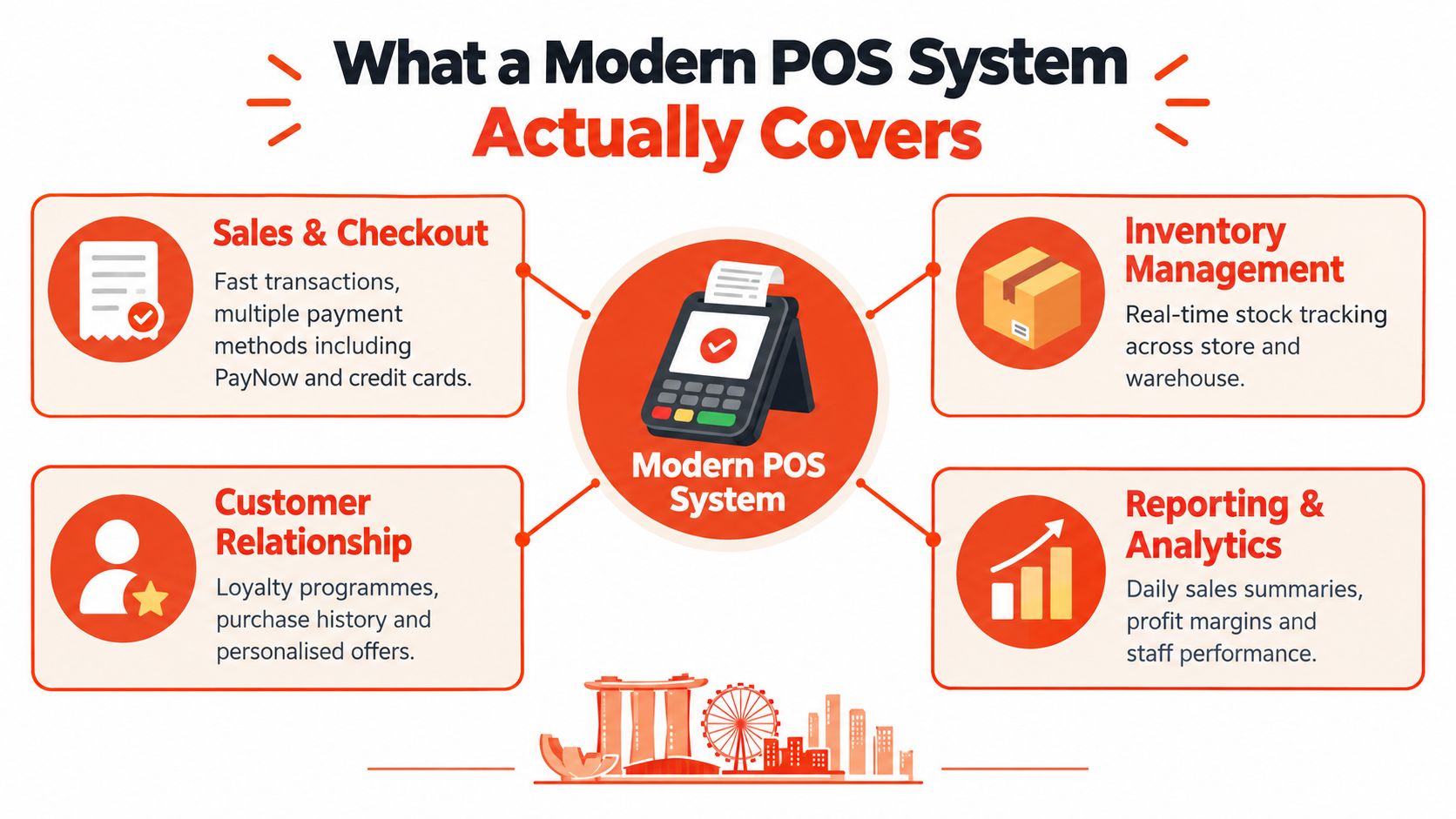
A modern retail POS is four layers working together. The hardware sits at the counter, the software runs the sale, the payment rail moves the money, and the support layer keeps the merchant from getting stranded when something breaks.
Start with the terminal hardware. In Singapore, that usually means an Android-based device, not an old box that only handles swipe cards. The difference shows up in staff training, interface speed, and how well the device handles contactless use at a busy retail counter.
Then look at the merchant software. Sales, refunds, basic reporting, and cashier controls belong here. A retail team needs a clean interface, not a crowded one, because the cashier should not be hunting through menus while a customer waits. For a closer look at what a full POS point of sale setup includes, compare the layers against your current counter.
The third layer is the acquiring and processing side. It routes the transaction to the card networks and other accepted payment methods. The fourth layer is support, which covers installation, onboarding, migration, troubleshooting, and after-sales service. A provider that separates those layers clearly is easier to run than one that hides them behind marketing language.
For merchants who want a broader view of the software side, retail point-of-sale solutions are worth studying because they show how checkout, stock, and reporting are usually structured. Keep one thing straight. Nice software does not fix weak payments, and strong payments do not fix clumsy software.
A good setup keeps the counter moving, records the sale cleanly, settles the money on time, and gives support that knows the merchant's setup. Staff should be able to use it on a crowded day without thinking about the system at all.
A quote can look cheap until the extra layers appear. That happens because many providers lead with the headline rate and bury the rest in hardware charges, admin fees, and contract terms that only hurt later.
Start with hardware purchase or rental. A monthly rental may look harmless, but it can drag on the business for as long as the contract lasts. A direct purchase is easier to understand, even if the upfront hit is larger.
Then look at processing pricing. A blended, transparent structure is easier to model than a quote that shifts by card type, wallet type, and settlement path. The merchant should know what the transaction will cost before the month ends, not after a statement arrives.
The hidden layers usually sit in statement fees, cancellation charges, installation costs, migration costs, and any penalty tied to a binding period. A low teaser rate stops being low once the shop is paying for extras that were never obvious at the start. That is where many owners get trapped, because the first offer sounded reasonable and the full one only appears after paperwork is signed.
If the provider cannot explain every recurring charge in plain language, the merchant should assume the pricing model is designed to be confusing.
The best commercial setup is usually the one that keeps pricing visible and contract terms simple. The owner should push for clarity on the full lifetime cost, not the first month's number. A POS system for retail store should reduce financial surprise, not create it.
For merchants comparing pricing structures, a useful reference point is merchant discount rate Singapore. The point is not the label itself, but whether the provider can explain the cost without drift, add-ons, or vague answers.
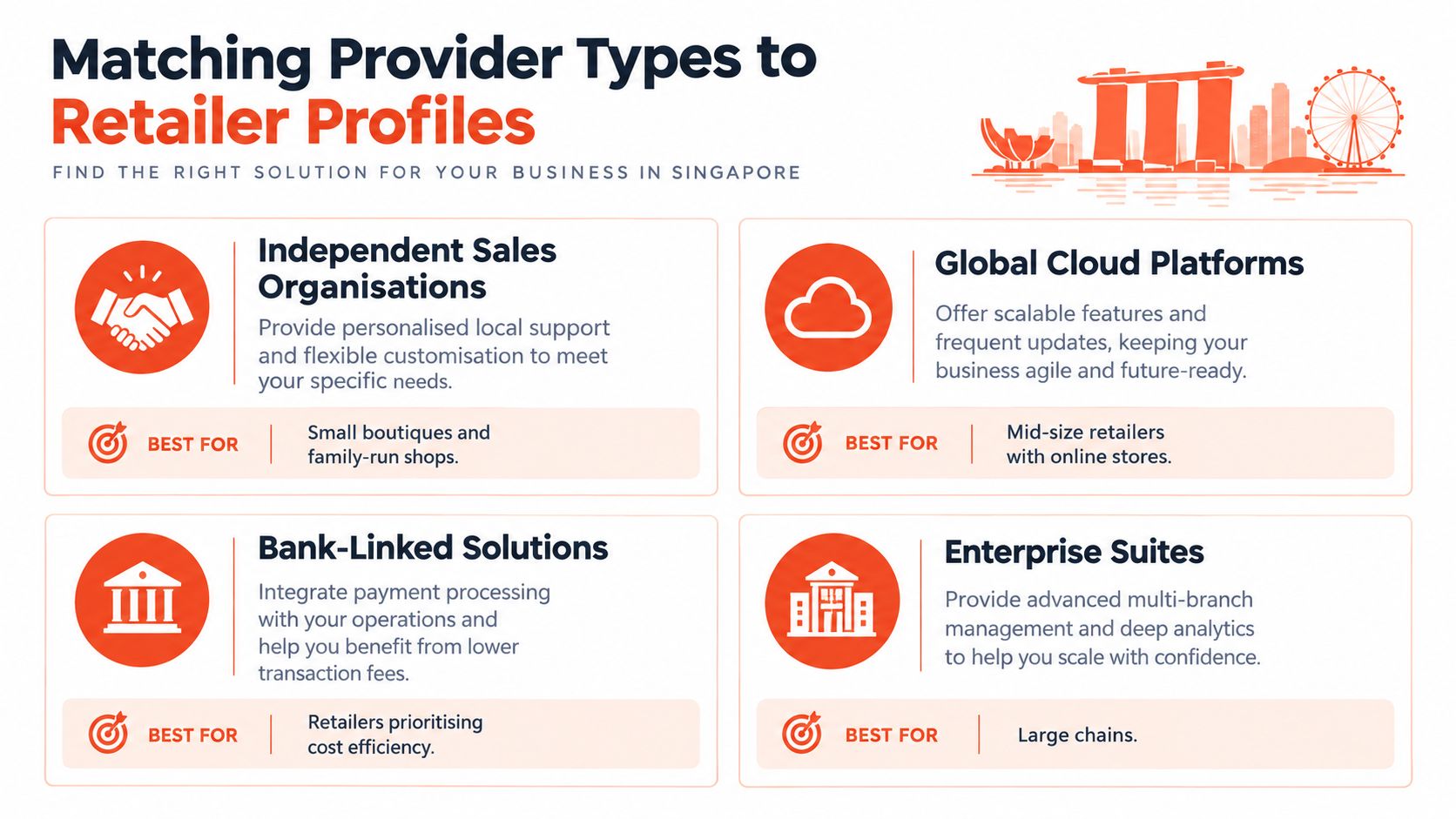
The four provider archetypes from the opening map onto four retail profiles in different ways. The question is not which provider sounds strongest on paper, but which one fits your checkout pressure, payout tolerance, and hardware risk.
A neighbourhood retail shop should keep it simple. One or two counters, a small terminal footprint, and straightforward card acceptance are enough. If staff are still calling for help every time a refund or split payment appears, the setup is too heavy. Skip the oversized stack and choose the option that gets cash in, settles cleanly, and does not turn daily trading into admin.
A multi-counter boutique needs tighter control. It benefits from clearer user permissions, cleaner reporting, and terminals that do not slow down during peak footfall. If different staff handle the same till, the provider should make it easy to separate voids, refunds, and approvals. This profile is where weak workflows become expensive very quickly, so service quality and operational discipline matter more than glossy feature lists.
An F&B-heavy mix puts the pressure on speed and resilience. Small-ticket payments, frequent order changes, and busy periods expose fragile hardware fast. Choose a setup that can handle rapid taps, quick reversals, and staff turnover without constant reconfiguration. A clinic or salon usually needs the opposite balance, calmer checkout, cleaner staff access controls, and settlement that is easy to reconcile at day's end. The more complex catalogue is not the point.
A software-led platform makes sense only when the retailer is already wrestling with stock, online orders, and repeat customer records. If the business still runs from a single shop floor, basic reporting is enough. If inventory, refunds, and channel data are already colliding, a stronger software layer earns its keep.
Sambapay sits in the independent sales organisation bucket, with Android POS terminals, card processing, settlement from as early as T+1, and Singapore-based support. That is a practical fit for merchants who want fewer layers between the counter and the payout, not more.
Singapore retailers are not all pure walk-in businesses anymore, but that does not mean every shop needs a full integration stack. A small retailer can live quite happily with basic sales export, stock counts, and a clean in-store terminal if online volume is still modest.
The line changes when stock errors, returns, or duplicate records start eating staff time. At that point, separate systems stop being “simple” and start becoming messy. The shop pays for that mess in manual checks, reconciliation work, and customer frustration.
The practical threshold is operational, not fashionable. If online sales stay occasional, the retailer can keep e-commerce and POS separate while exporting sales data regularly. If online orders begin creating recurring stock mismatches or refund confusion, then real-time inventory sync and unified returns become worth the extra cost.
Singapore's retail mix makes that judgement harder, not easier. Online sales were 14.8% of total retail sales in December 2025, while the share for computer and telecommunications equipment reached 56.5% and furniture and household equipment 33.4% (Singapore retail sales data). The message is simple, online matters, but not equally across every category.
The better question is this, does the business need stock to move as one system, or is a separate checkout and online setup still manageable? Retailers that sell low volumes online can skip the expensive integration tax. Retailers with constant stock movement cannot.
For teams trying to join e-commerce and store operations without overbuilding the stack, a control centre for retail orders can help frame the operational side. The point is not to buy every tool, but to connect the ones that solve a real problem.
A secure terminal does not make a secure retail business. The risk usually shows up somewhere else, a staff login shared too casually, a network that mixes guest Wi-Fi with payment traffic, or a vendor relationship where nobody can explain who owns which responsibility.
Singapore Business Federation survey data from 553 businesses in September to October 2025 showed that 37% of businesses identified high implementation and maintenance costs as a cybersecurity challenge, 30% cited limited employee awareness, and 25% cited risks from third-party service providers (SBF survey PDF). That is the merchant problem, the weak point is often the operating model, not the device.
Plain truth: PCI-compliant processing does not remove the merchant's responsibility for staff access, device handling, or basic operational discipline.
A retailer should verify role-based access, so cashiers, supervisors, and owners do not share the same permissions. The shop should also ask who owns software updates, because a terminal is only as good as the patching discipline behind it.
Network segmentation matters, since payment traffic should not sit casually beside guest devices. Offline fallback procedures matter too, because a brief connectivity issue should not shut the counter completely. The owner also needs incident contacts, dispute and chargeback responsibilities, and a clear answer on data retention terms before signing anything.
For a practical retailer checklist, the vendor should be able to explain what data is stored, who can access it, and what happens if the terminal or provider fails. The owner should also ask whether any third party can touch merchant credentials or transaction data without direct approval.
A store that wants good payments and weak governance is setting itself up for avoidable pain. Retailers should take the time to read the contract, test the fallback plan, and ask the uncomfortable questions before the till is live.
For merchants who want an additional security reference point, secure your store with Wisenet offers useful context around broader retail protection. The takeaway is still the same, security has to sit across the operation, not just inside the terminal.
Pick the provider by the merchant pain it removes. If your business just needs a simple till and steady walk-in trade, do not pay for an oversized stack. If reconciliation is messy, cash flow is tight, or the shop keeps breaking under pressure, a basic terminal will only hide the problem.
Answer three questions in order. How many counters run at peak? Does online stock need to match in-store stock every day? Who closes the till and checks the numbers at night? The answers point to the right provider type. A simple checkout setup fits low complexity. A tighter operation needs cleaner reporting and better control. A business with live stock syncing across channels needs a system that can keep up without constant manual fixing.
A merchant that wants plain terms and local support can look closely at an independent provider like Sambapay. A retailer with heavy multi-channel stock, more complex software, or stricter operational needs may need a bank-tied or software-led option instead.
The wrong POS choice fails at the counter. It shows up when the queue grows, the payout slips, or nobody can fix the issue fast enough.
If a retail owner wants cleaner payment handling, simpler terms, and local help that understands Singapore counter operations, visit Sambapay and judge the options against those five checks. Choose the setup that cuts friction at the till, not the one that only looks good on paper.