
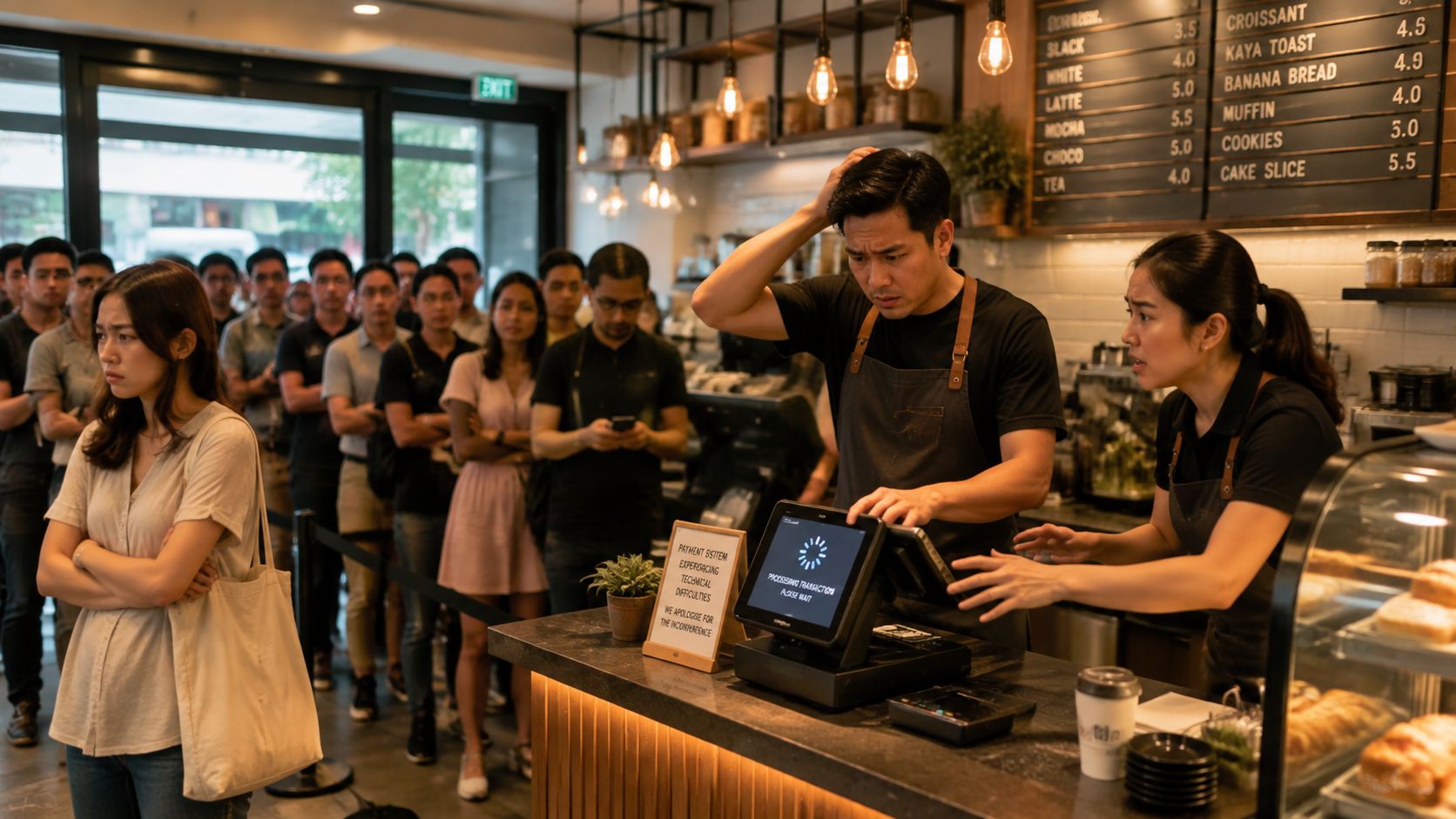
Friday night in a Singapore café can turn ugly fast. The queue grows, a customer taps their card, the terminal freezes, and the owner starts rebooting while another five people stare at the counter and rethink their order. That kind of delay is not just a payments hiccup, it’s a lost sale, a stressed team, and a noisy reminder that the POS machine for small business is part of daily operations, not just a card reader on the counter.
A good setup keeps the line moving, updates stock cleanly, and makes closeout less painful at night. A poor one creates manual re-entry, messy reconciliation, and avoidable arguments when staff are rushing through refunds or split bills. The practical question isn’t whether card acceptance matters in Singapore, it’s whether the terminal and software fit the way the shop runs, especially in a market where card use at point of sale remains embedded in checkout flows and digital payments are now the norm (MAS retail payment statistics H1 2025, PwC Singapore payments review).
A terminal that looks fine in a sales brochure can still be the wrong fit once the lunch rush starts. The true test is whether staff can take payment, complete the sale correctly, and finish the shift without spending an hour fixing totals. That’s why the right pos machine for small business should be judged by workflow, not by the lowest headline fee.
Fast card approval helps, but speed means little if the rest of the process is clumsy. If a cashier has to key in products manually, search through awkward menus, or fix inventory after every shift, the queue still slows down. In retail, that means stock errors. In F&B, it means order mistakes and remakes.
The hidden cost is staff time. A system that new hires can learn quickly reduces the corrections senior staff must make, and it lowers the pressure that builds during peak hours. That matters because the counter is where customer experience, staff discipline, and cash flow meet.
A cleaner checkout flow also protects margins. If staff spend less time second-guessing entries, they make fewer avoidable mistakes with discounts, split payments, and refunds.
Practical rule: if the terminal makes closeout messy when closing out, it usually makes the whole business more expensive to run.
A sensible POS setup does more than accept payment. It helps the owner reconcile sales against deposits, spot unusual voids, and see whether the team is overusing discounts or manual overrides. Those errors rarely look serious on their own, but they add up when there is no clean trail.
The pain gets worse when the system does not fit the business model. A shop that takes deposits, partial payments, or table-side orders needs different controls from a simple counter sale. A clinic or salon needs a clearer record of appointments, invoices, and paid balances. If the system cannot support the workflow, staff will create workarounds, and workarounds are where errors start.
Settlement timing matters too. If card funds land later than expected, or if refunds and voids are hard to trace, cash planning gets harder even when sales look healthy. Terminal rental terms can also trap owners into paying for hardware long after the device has stopped fitting the business. Migration downtime is another cost that buyer guides often skip. A switch that interrupts service, slows training, or forces manual re-entry will show up fast in daily operations.
For that reason, the buyer should treat the POS as part of business infrastructure, not a device purchase. The rest of this guide focuses on the decisions that reduce friction at the counter and keep the admin side from swallowing the day.
Different formats solve different problems, and that’s where many buyers overspend. A fixed counter shop does not need the same hardware as a pop-up kiosk. A café with table service needs a different workflow from a boutique that only needs a clean front counter and simple stock control.
A traditional countertop terminal suits fixed registers, especially where the payment point stays in one place and staff need a stable, always-on device. It works well for retail counters, clinics, and any setup with predictable traffic and room for accessories such as a cash drawer or receipt printer. This is usually the least fussy option when the checkout lane doesn’t move.
An mPOS device is better for mobility. Pop-up stalls, delivery-heavy F&B concepts, and businesses that take payment away from the main counter need a handheld unit that can travel with staff. Battery life and connectivity matter here, because a portable terminal is useless if it runs flat halfway through service or loses signal in a crowded venue.
A smart POS system is more than a card terminal, it’s a more complete operating device for order entry and front-of-house control. Restaurants often benefit from this style because they need modifiers, split bills, item routing, and a cleaner service flow. It’s the right choice when the checkout screen also has to support ordering logic.
A cloud-based tablet POS works well for boutiques and flexible retail layouts. It gives the business a lighter footprint, and it can be easier to reconfigure when the floor plan changes or staff need to move the terminal to a different spot. The key trade-off is accessory support, because tablet setups vary widely in their compatibility with printers, scanners, and drawers.
| POS Terminal Type Compared for Singapore SMEs | Best For | Connectivity | Typical Monthly Cost (SGD) |
|---|---|---|---|
| Countertop terminal | Fixed retail counters, clinics | Wi-Fi or wired network | Varies by provider and contract |
| mPOS device | Pop-ups, mobile F&B, curbside sales | Bluetooth, Wi-Fi, 4G SIM on some units | Varies by provider and contract |
| Smart POS system | Restaurants, multi-step ordering | Wi-Fi, sometimes Ethernet | Varies by provider and contract |
| Cloud-based tablet POS | Boutiques, flexible retail layouts | Wi-Fi, some support backup links | Varies by provider and contract |
For a more technical comparison of Android-based setups, see the practical breakdown of Android POS system options. And for operators who are thinking about how terminal choice affects broader workflow, a useful cross-check is this guide on automate billing with Fitness GM, which shows how billing and front-desk logic need to fit the actual service flow.
A cheap-looking quote can turn expensive after the contract is signed. The usual mistake is focusing on merchant discount rate alone, then discovering rental, support, and settlement terms that change the actual monthly burden. A real cost comparison has to include the hardware model, the fee structure, and the effect on cash flow.
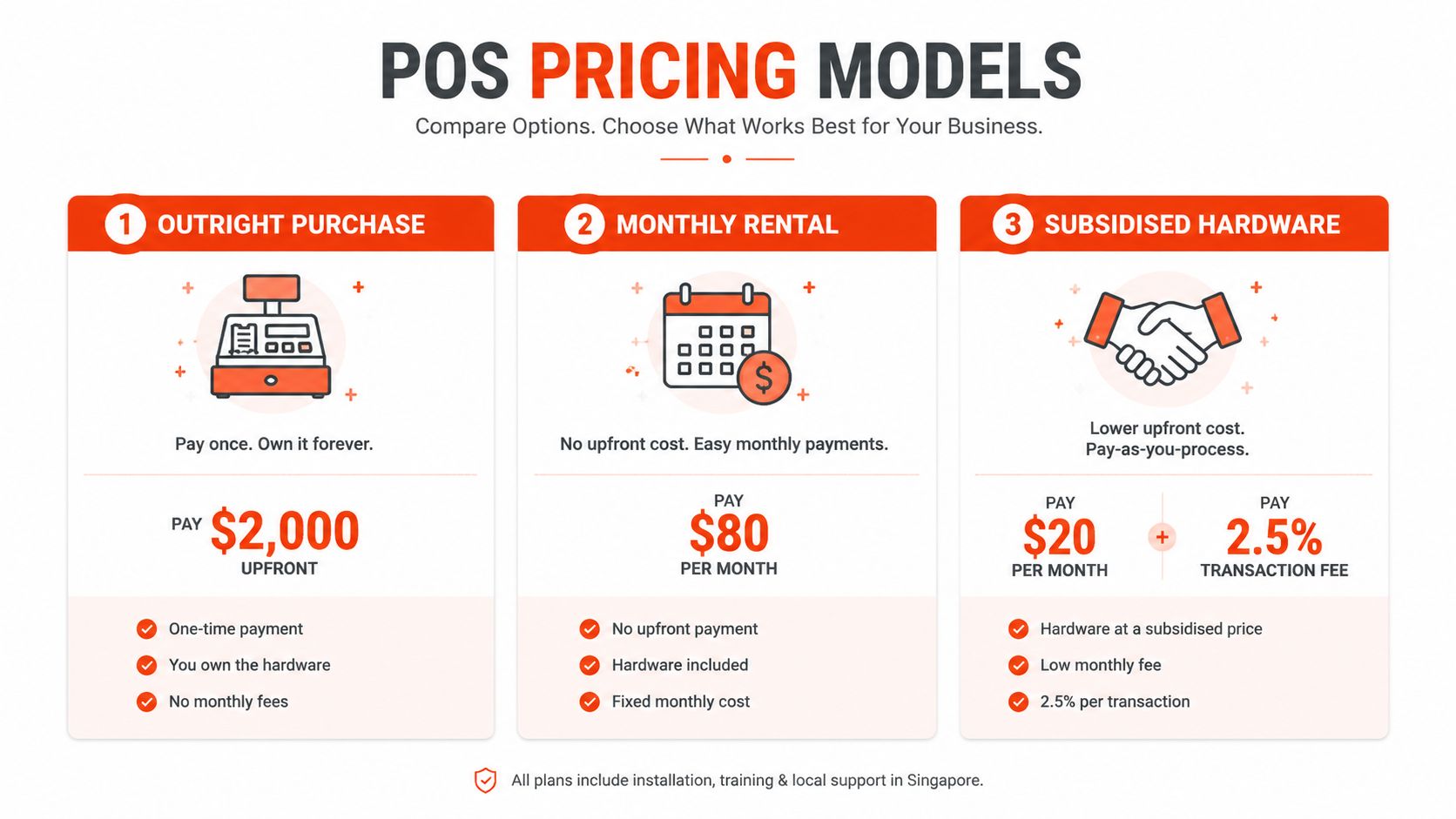
The first model is outright purchase. The business pays more upfront, owns the device, and avoids ongoing terminal rental. That can suit operators who want control and don’t want to be tied to a provider’s equipment cycle.
The second model is monthly rental. It sounds attractive because the upfront cost is lower, but the owner needs to read the contract carefully. Rental can escalate after a promotional period, and the terminal often still sits inside a wider processing agreement that limits switching flexibility.
The third model is subsidised hardware bundled with processing. This can help with cash preservation early on, but the merchant needs to check whether the lower hardware price is being repaid through a higher fee structure or longer commitment.
Watch the contract, not the headline. A low quoted rate means little if the terminal is rented, the settlement is slow, and the business pays more to access its own cash.
A practical example makes the trade-off clearer. Provider A advertises 1.6% MDR, but adds SGD 80 per month for terminal rental and settles on T+3. Provider B charges 2.0% MDR, no rental, and settles next day. For businesses processing under SGD 15,000 per month, the second option can be cheaper once rental and working capital pressure are included, even if the card fee looks higher on paper. That logic matters because cash access is part of cost, not just a back-office detail.
The cleanest way to compare any proposal is to ask for the same inputs every time. Use this formula:
True monthly cost = processing fees + hardware rental or financing + support or compliance fees + penalty exposure + cash flow cost from settlement delay
That last part is the most ignored. If payouts land later, the business has less room to restock, pay suppliers, or absorb a busy weekend without strain. For small businesses, that timing can matter more than a tiny difference in card fee.
A terminal that shows every payment type on the spec sheet can still slow a counter if receipts print late, stock counts drift, or refunds take too many steps. The better question is which functions cut friction at checkout and which ones create work after closing.
The first test is payment acceptance that keeps the line moving. Contactless, QR, and mobile wallets all matter in Singapore because customers expect fast, familiar checkout flows.
Inventory sync is the next item that separates a useful POS from a clumsy one, especially for retail and many F&B setups. Without it, staff sell out-of-stock items, patch quantities by hand, or spend time fixing spreadsheets after closing. Digital receipts matter too. They reduce paper clutter and make returns and reconciliations easier to trace.
A few functions matter more than flashy add-ons:
For many service businesses, invoice generation and payment links matter more than a heavy retail catalogue. For retail, barcode scanning and variant handling usually matter more than table logic. The right system is the one that removes the steps staff dislike most.
| POS Feature Priority Matrix by Business Type | Retail Priority | F&B Priority | Service Priority | Why It Matters |
|---|---|---|---|---|
| Contactless and wallet payments | High | High | High | Speeds checkout and matches customer preference |
| Barcode scanning | High | Low | Low | Reduces entry errors and speeds item lookup |
| Split bills | Low | High | Low | Helps service teams handle shared tables |
| Inventory sync | High | Medium | Low | Keeps stock accurate without manual counts |
| Accounting integration | High | High | High | Cuts reconciliation work at the end of day |
| Offline mode | Medium | High | Medium | Prevents downtime when connectivity is weak |
| Appointment or invoice tools | Low | Low | High | Fits salons, clinics, and professional services |
Sambapay offers smart Android POS terminals, payment acceptance across major card schemes and selected digital wallets, and settlement options from as early as T+1 depending on the merchant agreement. It is one option among several for merchants who want a local provider with direct onboarding support.
The most expensive part of switching POS providers is often not the new contract. It’s the disruption that happens when the old system and the new one are not aligned, staff haven’t trained properly, and the final payout hasn’t cleared yet. A clean migration protects revenue, but only if the handover is managed with discipline.
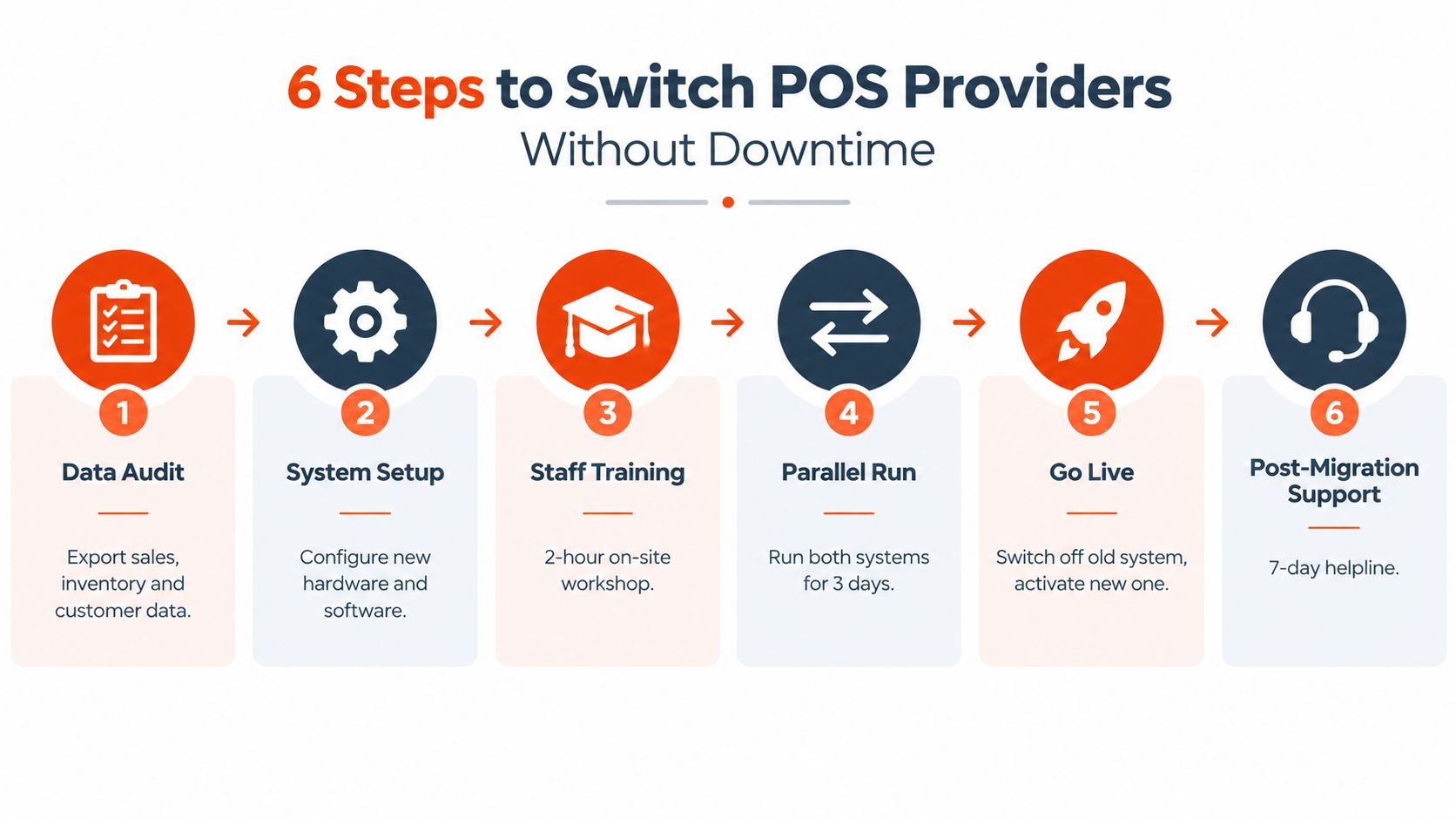
The first task is a data audit. Product lists, menu items, customer records, pricing rules, and historical reporting all need to be checked before anything goes live. If the legacy system exports a messy catalogue, staff will spend hours cleaning up names, variants, and tax settings after the new terminal arrives.
Then comes system setup. Hardware provisioning, payment configuration, and accessory testing should happen before any public cutover. The mistake many small businesses make is assuming the device will work out of the box with the exact same logic their old provider used. That’s rarely true.
For a practical switching checklist, the merchant onboarding guide at how to switch POS solution for your store is worth reviewing before any migration date is locked in.
A safer approach is to run the old and new systems in parallel for a short window. That gives staff a chance to test live payment flows, confirm receipts, and check whether reports match expectations. It also creates room to spot issues with menu mapping, cash handling, or device placement before the old provider is turned off.
Training should happen before the cutover, not after. Staff need to know how to process a normal sale, a refund, a split payment, and an end-of-day closeout. The less they have to think during service, the fewer mistakes they make when the counter gets busy.
Good migrations are boring. They are planned around low-traffic periods, checked line by line, and supported long enough for the team to settle in.
Settlement continuity matters too. If the old provider still owes a payout, the owner should make sure that money lands before the new system takes over. Otherwise, the business can face an avoidable cash gap right when stock needs replenishing.
Generic buying advice breaks down fast in Singapore because different sectors feel the pain in different places. A café, a salon, and a boutique can all accept cards, but they don’t need the same menu logic, reporting, or hardware footprint. The useful approach is to map configuration to workflow.
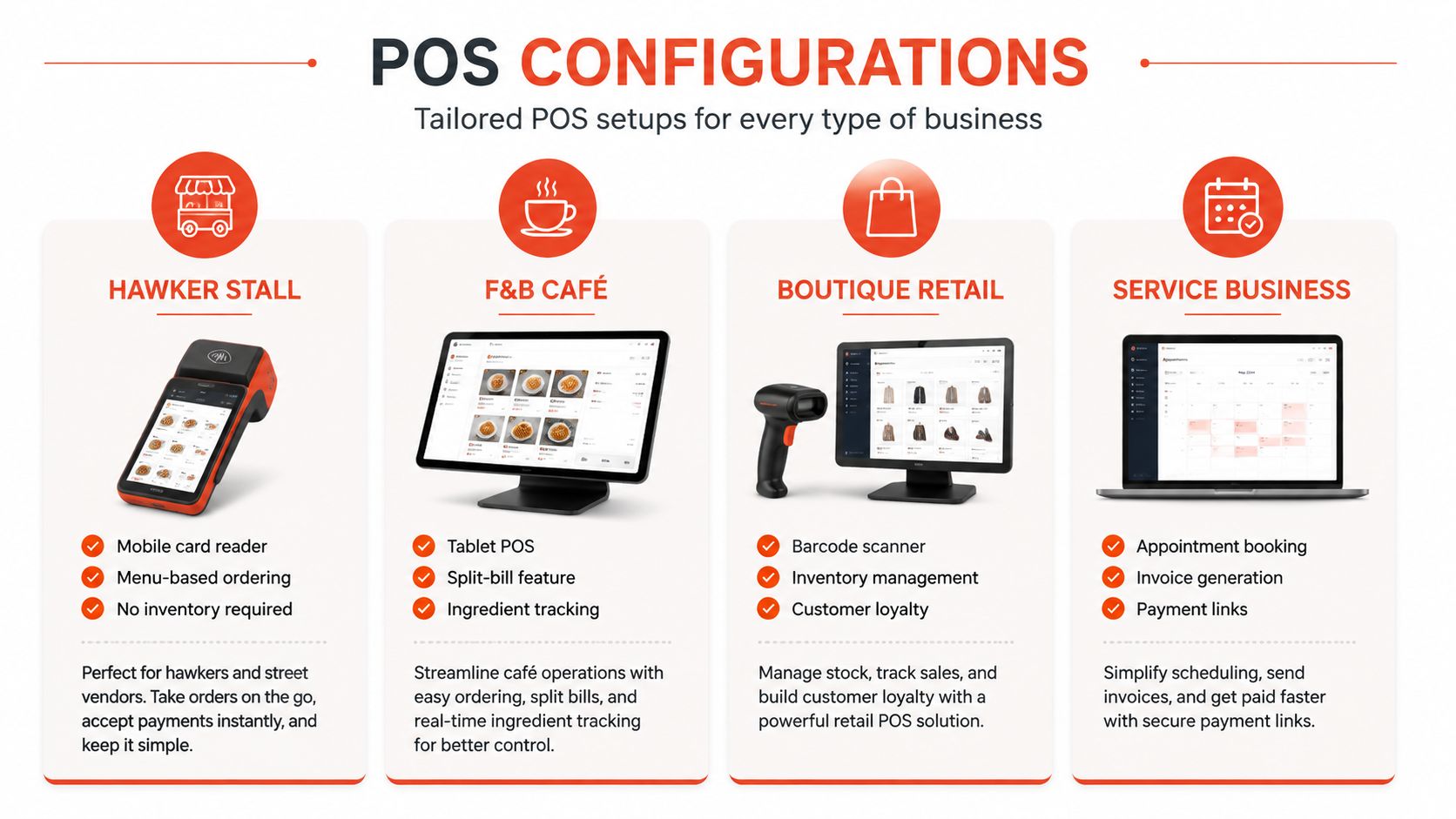
A hawker stall or quick-service outlet usually needs a mobile card reader or lightweight countertop device, with menu-based ordering and fast contactless payment. Inventory tracking can stay simple if the menu is limited, but speed and connectivity are essential. A setup like this works when the checkout is short, repetitive, and tightly tied to throughput.
An F&B café benefits from a tablet POS or smart terminal with split-bill capability, table-side flexibility, and better order handling. Ingredient tracking becomes more useful here because staff need a clearer handle on stock tied to daily menu movement. This is the kind of business where the front counter and the kitchen both feel the effect of bad order flow.
A boutique retail shop needs barcode scanning, inventory management, and customer history or loyalty functions if repeat visits matter. Product variants, returns, and visual merchandising all become easier when the terminal supports item lookup without awkward steps. A clean catalog matters more than raw hardware power.
A service business such as a salon, spa, or clinic usually needs appointment booking, invoice generation, and payment links more than a heavy retail terminal. Deposits and final balances can be handled more cleanly when the payment flow is tied to the booking workflow. That keeps admin from scattering across separate tools.
For merchants comparing providers in this space, a helpful starting point is the Singapore-specific overview at best POS system Singapore. It’s especially useful when the owner wants to compare features against the actual operating model instead of generic brochure language.
The decision then becomes straightforward. Match the machine to the way staff work, not to the most impressive demo screen. A lighter setup that staff use correctly is usually worth more than a heavy one that needs constant supervision.
A good POS quote should pass five gates before anyone signs.
The cheapest headline rate is often the most expensive operating choice. Slow settlement, awkward offline mode, and proprietary hardware can all create drag that never appears in the first quote. That’s why the final test should always be a live demo using the merchant’s actual products, typical basket sizes, and peak-hour traffic patterns.
Ask the provider to prove the system in the conditions that matter, not in a polished sales presentation.
Sambapay helps Singapore SMEs evaluate in-store card acceptance, terminal options, and onboarding with a local team that understands retail and F&B workflows. If the current setup feels slow, opaque, or hard to switch, visit Sambapay to review how its POS and payment options fit your checkout, settlement, and migration needs.