
Most advice on the best POS system Singapore merchants can buy starts in the wrong place. It begins with rate sheets, then treats the terminal as a commodity, even though the actual cost usually shows up later in slower settlement, awkward checkout flows, and staff wasting time on workarounds.
Singapore already behaves like a mature cashless market. Card payments reached SGD 148.91 billion in 2024, with POS card payments alone contributing SGD 54.54 billion in credit and charge cards and SGD 28.52 billion in debit cards, alongside 2.286 billion transactions across the year, according to MAS retail payment statistics MAS retail payment statistics. In that kind of environment, the right system is the one that keeps staff moving, customers paying, and cash flow predictable.
The shortcut is to treat POS choice like buying office stationery. The better frame is closer to buying cheap vs buying once, because a low sticker price can be expensive if it creates friction every day.
| Provider Type | Pricing Model | Settlement Speed | Hardware | Local Support |
|---|---|---|---|---|
| Bank-backed terminal | Usually bundled or blended | Often stable, sometimes slower | Traditional countertop devices | Often local, with bank processes |
| Fintech aggregator | Often transparent, sometimes usage-based | Can be faster for some merchants | Smart terminals or app-led setups | Usually responsive, varies by provider |
| Independent acquirer | Can be blended or tailored | Can support quicker settlement options | Broad hardware range | Often stronger direct merchant support |
A low headline rate looks attractive until the merchant starts counting the hidden drag. A system can be cheap on paper and still cost more through slower settlement, extra rentals, chargeback handling, or support that only replies after lunch. For a Singapore SME, that matters because the POS sits in the middle of sales, stock, receipts, and cash flow.
Practical rule: judge a POS by the work it removes, not the rate it advertises.
Cash flow timing is usually the first trap. If funds land later than expected, a business ends up bridging inventory, wages, and supplier bills with its own reserves. Settlement speed matters as much as the transaction fee itself, especially for retail shops, cafes, salons, and clinics that turn inventory and appointments quickly.
Checkout friction is the second trap. A cheap reader that lags, drops connection, or handles only one payment lane forces staff to slow down and customers to queue. In Singapore, that is a poor fit because consumer behaviour is already habitual and card-led. Visa’s Singapore study found cards were used by 97% of consumers versus 82% for cash, with more than 95% using credit or debit cards, and 82% using contactless Visa Singapore consumer study.
Payment coverage is the third trap. A system that handles cards but not QR, PayNow, or wallets may look functional and still lose transactions at the counter. The test is workflow fit. That includes how fast a customer can tap, how quickly the cashier can confirm payment, and how easily the owner can reconcile the day.
The cheapest POS is often the wrong choice when the business is busy, mixed-payment heavy, or short on admin bandwidth. The better frame is closer to buying cheap vs buying once, because a low sticker price can still create a hidden tax on staff time and working capital.
| Provider Type | Pricing Model | Settlement Speed | Hardware | Local Support |
|---|---|---|---|---|
| Bank-backed terminal | Usually bundled or blended | Often stable, sometimes slower | Traditional countertop devices | Often local, with bank processes |
| Fintech aggregator | Often transparent, sometimes usage-based | Can be faster for some merchants | Smart terminals or app-led setups | Usually responsive, varies by provider |
| Independent acquirer | Can be blended or customized | Can support quicker settlement options | Broad hardware range | Often stronger direct merchant support |
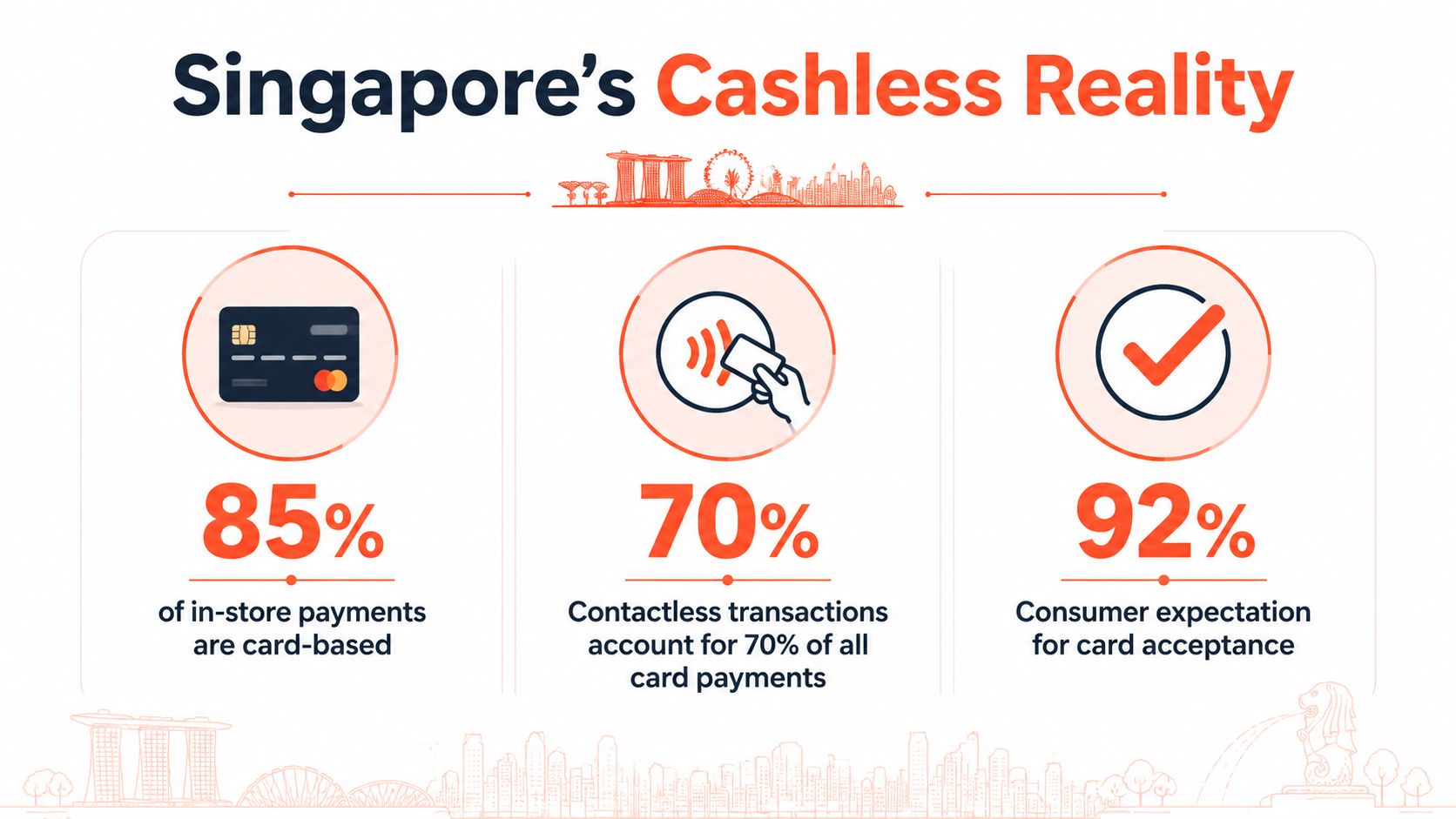
Singapore merchants are not picking between cash and cards anymore. The question is whether the terminal can handle high traffic, mixed payment methods, and a checkout flow that stays fast when the queue builds. A recent retail payments overview points to a market where cashless use dominates store counters, which is why feature depth matters more than basic card acceptance alone Singapore retail payments overview.
That changes what good POS hardware looks like. A terminal needs fast authorisation, stable connectivity, and reporting that makes end-of-day checks simple, because a slow approval or messy reconciliation costs staff time. MAS data shows the scale of card usage at the counter, with 328 million POS card payments in H1 2025, so reliability is a working requirement, not a nice extra MAS H1 2025 retail payment statistics.
Customer behaviour points the same way. Visa’s Singapore study found card payments were used by 97% of consumers, cash by 82%, and contactless by 82%, with strong use in convenience stores, retail shopping, and supermarkets Visa Singapore consumer study. Merchants feel that at the till. Customers expect tap-first checkout, and staff need terminals that keep pace without slowing the line.
A practical terminal for Singapore also has to go beyond card-only acceptance. It should handle major card schemes, mobile wallets, and local rails such as PayNow and SGQR, so customers are not pushed into a payment method they no longer prefer. That matters most in real workflows, whether the device sits at a boutique counter, a cafe queue, or a clinic desk. For a plain-language overview of in-store card acceptance, pay with credit card is a useful reference.
The point is simple. Match the payment mix customers already use, then make it quick enough to disappear into the sale.
The best comparison starts with trade-offs, not feature lists. Bank-backed terminals, fintech aggregators, and independent acquirers all promise smooth checkout, but they differ in how they price transactions, how fast they settle, how the hardware holds up under daily use, and whether support is easy to reach when something goes wrong. Those differences matter more than a glossy brochure.
Blended pricing is easier to read, while interchange-plus can suit merchants who want more visibility into the fee stack. The question is whether the merchant understands the bill before signing. Settlement speed matters too, because a terminal that authorises quickly but pays out slowly can still strain operating cash.
Hardware is another divider. Legacy countertop units can be dependable, but they often feel rigid beside Android smart terminals that handle receipts, reporting, and mixed-payment workflows on one device. Local support also separates providers quickly. When a card terminal fails at lunch, a Singapore-based team that can respond directly is more useful than a generic ticket queue.
A provider’s onboarding process says a lot about the support that follows. If installation, activation, and migration feel coordinated, the daily merchant experience usually does too.
The migration side matters more than many sales decks admit. A hurried terminal swap can leave staff unsure about refunds, split bills, or wallet payments, and that slows the counter at the worst possible time. The smoother setups are the ones that fit the merchant’s existing flow instead of forcing the team to relearn it.
Bank-backed options usually suit merchants that want familiar banking relationships and straightforward card acceptance. Fintech aggregators fit businesses that care about multi-rail acceptance, fast rollout, and app-led operations. Independent acquirers can be a strong match for SMEs that want pricing, direct support, and terminals built around real in-store workflows.
For merchants comparing software-led systems, a useful cross-reference is compare Square and Clover POS, because it shows how platform design changes the day-to-day experience. The point is not to copy a foreign model wholesale. It is to see how different providers balance simplicity, control, and operational depth.
Sambapay fits into this as a Singapore-based option focused on in-store card acceptance, smart Android terminals, major card schemes, selected wallets, and settlement options from as early as T+1 depending on the merchant agreement. That matters for SMEs that care more about checkout flow and cash flow timing than about a long feature checklist.
The best POS provider is the one whose pricing, payout timing, terminal quality, and support model match the way the business runs. Anything else is just a demo.
A POS quote can look tidy and still bury real cost. Read it line by line, the same way you would review a lease, because the visible rate rarely tells the full story. Merchants who compare only the transaction percentage usually miss the fees that matter most to cash flow and day-to-day operations.
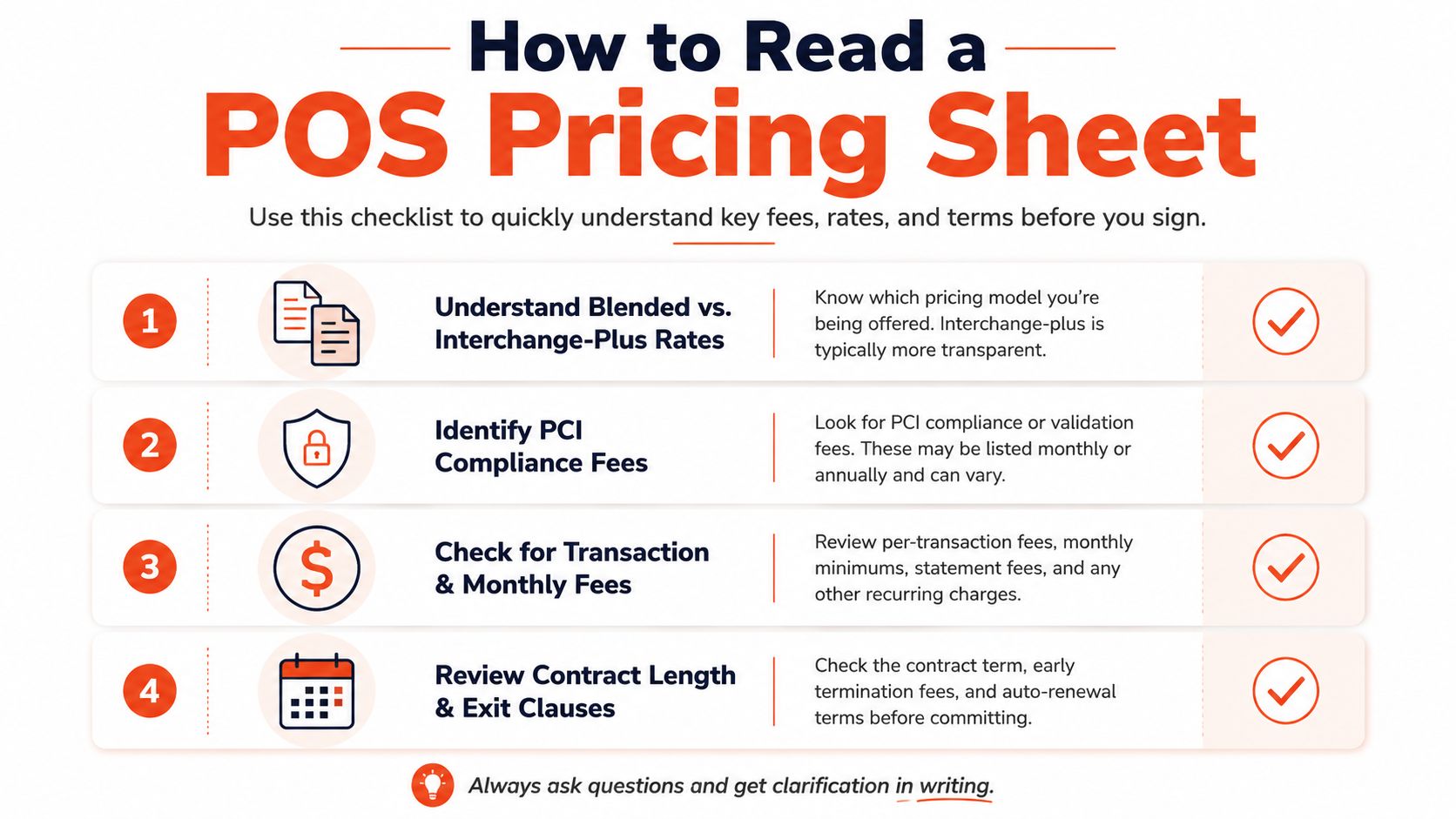
The first question is whether the provider uses a blended rate or interchange-plus. Blended pricing is easier to forecast, which suits many SMEs that want predictable monthly planning. Interchange-plus gives more transparency, but only if the merchant is willing to read a detailed statement and check that the add-ons stay reasonable.
Then look for monthly minimums, terminal rental, PCI compliance charges, and early termination fees. These are the items that often turn a low rate into a higher true cost. If the provider offers a teaser rate for the first period and changes it later, that needs to be clear before signature, not after the first few statements.
Ask whether the rate is fixed or variable, whether cancellation carries a penalty, and whether settlement timing changes by card type or volume. Two providers can quote the same headline rate and still behave very differently once fees, payout timing, and support are all included. A quote that looks cheaper can still be worse for working capital.
For a clearer breakdown of pricing structures, the explainer on blended rate vs interchange plus Singapore is a useful reference when comparing statements. It helps merchants focus on the actual structure rather than the sales pitch.
A good rule is straightforward. If the pricing sheet needs a sales rep to interpret every line, slow down and ask for a plain-English breakdown. The right provider will not mind.
Different Singapore businesses need different strengths from the same POS category. A boutique, a cafe, a clinic, and a gym all accept payments, but they do not stress the system in the same way. The wrong match usually shows up as awkward workflows, not just missed features.
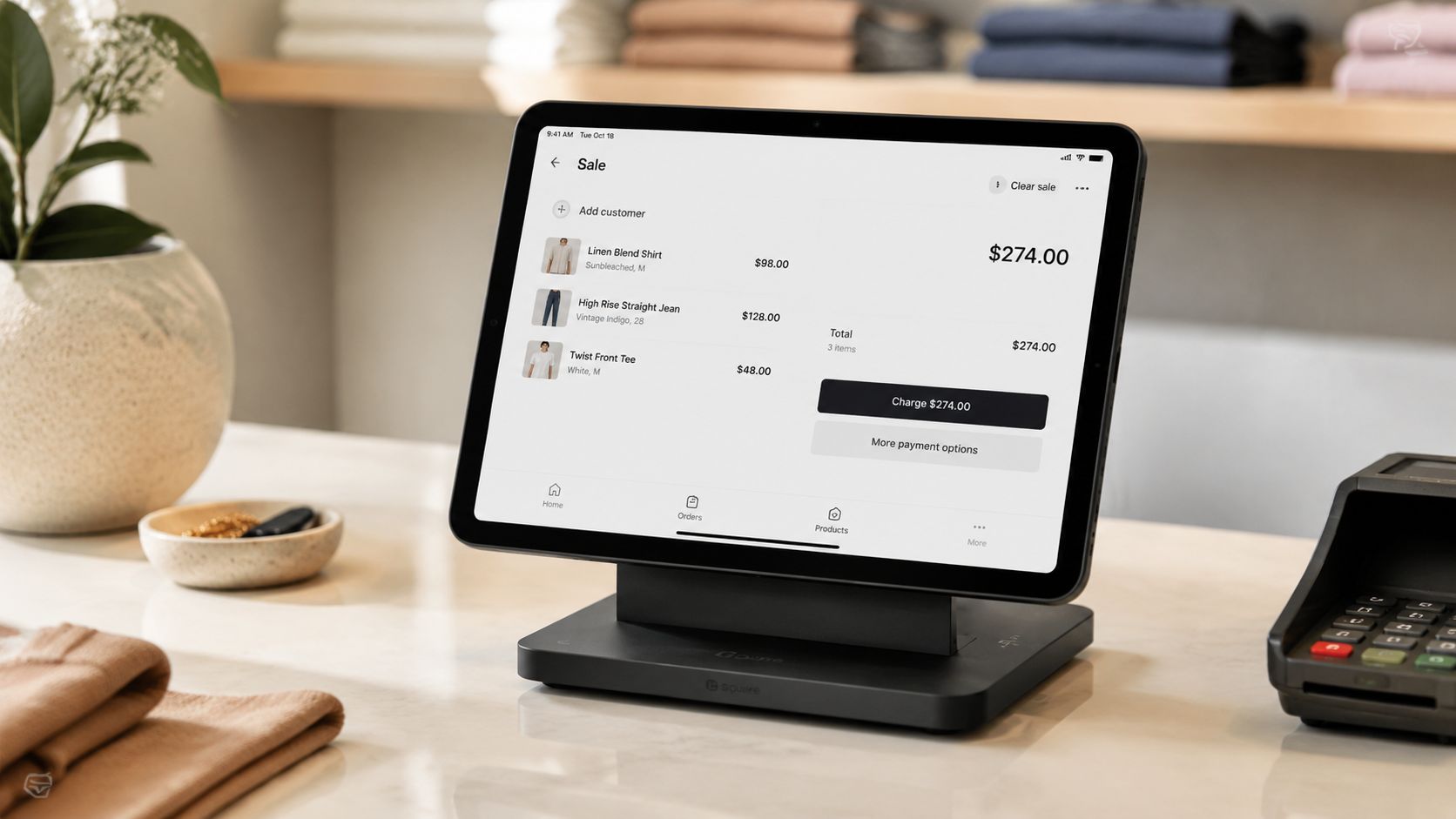
Retail shops and boutiques need clean item lookup, barcode handling, and fast counters. A system that slows down during peak browse-and-buy periods creates queues and lost sales. For these merchants, the terminal should make checkout feel almost automatic.
Restaurants and cafes care more about table-side speed, quick tap-and-go, and the ability to split attention between service and payment. Staff need a device that is light enough to move and reliable enough not to interrupt the flow of orders. In that setting, the terminal is part of service delivery, not just a payment device.
Medical and dental clinics need a stable desk setup and dependable settlement, especially where consultation values are higher and admin time is scarce. Beauty salons and spas often need compact hardware that does not crowd the counter, plus smooth card and wallet acceptance so checkout doesn’t break the customer experience. Gyms and fitness studios usually want recurring-friendly workflows, easy front-desk use, and the ability to handle walk-in payments without a long training curve.
The right feature set depends on the daily rhythm of the business. A merchant who books appointments all day needs different support from one who serves a lunch rush or handles a queue at closing time.
Useful filter: if a feature does not reduce staff steps, shorten the queue, or speed up reconciliation, it is probably optional.
Singapore merchants should also be wary of systems that look advanced but are difficult to maintain. A long feature list means little if the staff never use half of it and the owner still has to reconcile sales manually at night. The better choice is the POS that fits the business’s actual counter habits, not the one with the biggest brochure.
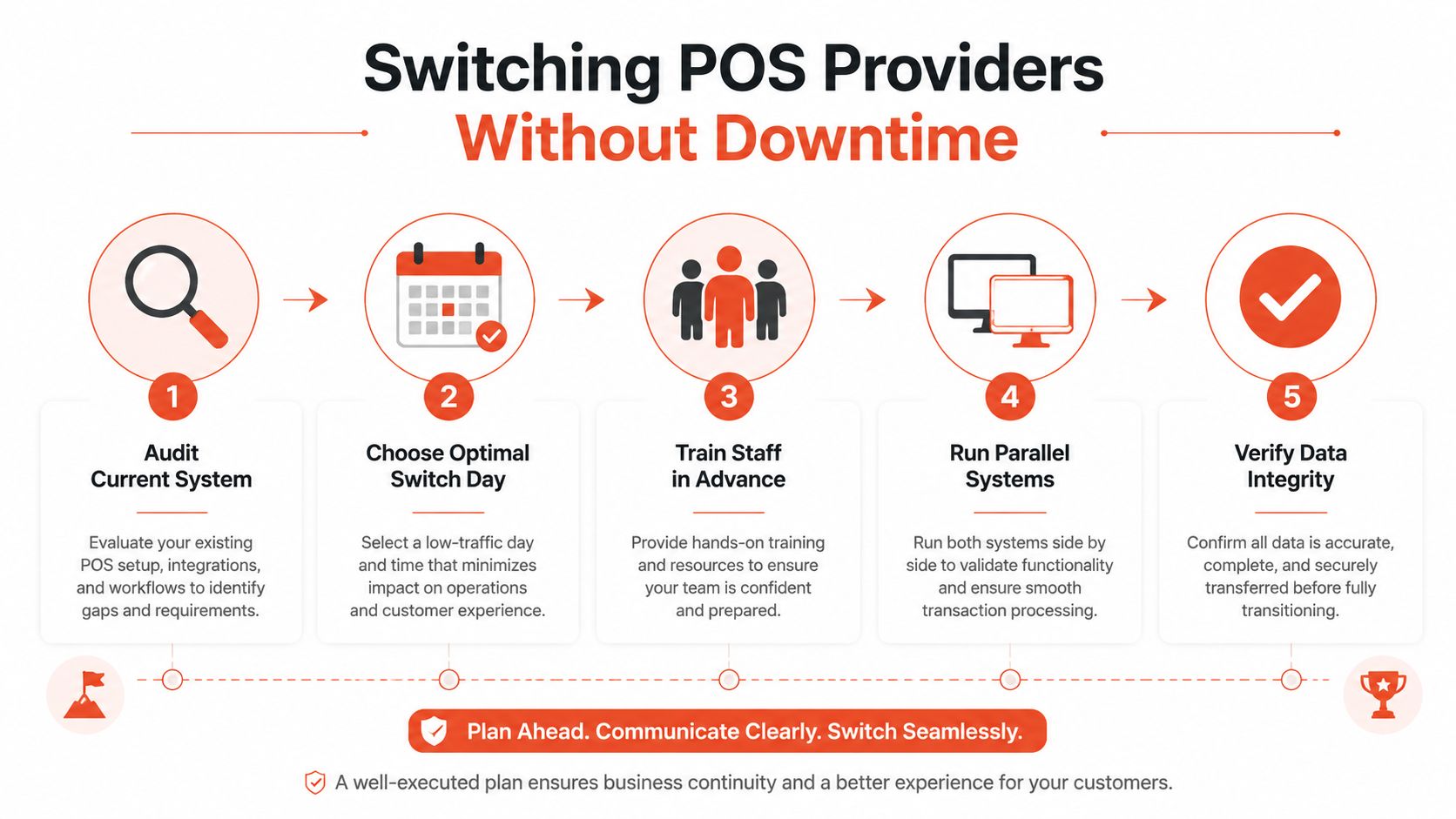
Changing POS providers feels risky because the worst-case scenario is obvious, a counter that can’t take payment. The fix is to treat migration like an operational project, not a sales sign-up. The provider’s process should make the switch boring.
Audit the current setup. List terminals, payment methods, reporting needs, and any integrations the team uses. That stops the new system from being chosen around assumptions instead of daily reality.
Pick a low-risk switch day. Avoid peak trading periods, payroll week, or major promotional events. The wrong timing creates avoidable stress even when the installation goes well.
Train staff before cutover. Cashiers, managers, and anyone who reconciles payments should know the new device flow before the first live transaction. Staff confidence matters because checkout delays are often people problems, not hardware problems.
Run parallel systems briefly if needed. A staged switch reduces disruption when the business has multiple counters or complex payment flows. It also gives the owner a chance to verify that receipts and settlement reports line up.
Check data and close the loop. Confirm that settlement reports, transaction logs, and receipt settings match the new process. That is the point where hidden errors usually surface.
A provider that offers coordinated activation, installation, and direct support during the switch is sending a clear signal about its operational maturity. For a practical migration reference, the guide at how to switch POS solution for your store is useful for merchants planning a move with minimal downtime.
The hidden advantage of a smooth migration is trust. If the switch feels controlled, the system is more likely to stay manageable after go-live. If the switch is messy, the merchant will keep paying for it later in manual work and staff frustration.
The right POS choice usually comes down to three things, settlement speed, pricing transparency, and local support. Feature lists matter, but they matter less than the system’s ability to fit the merchant’s payment mix, cash flow, and day-to-day workflow. A glossy terminal that causes reconciliation pain is still the wrong buy.
Singapore SMEs should shortlist two or three providers, then ask for quotes based on real transaction mix, average ticket size, and the payment methods customers use. That exposes whether the provider is offering a workable operating model or just a polished sales deck. It also makes hidden trade-offs easier to spot before signing.
The final test is onboarding. If a provider explains pricing clearly, activates cleanly, and handles migration without drama, there is a good chance the support will remain practical after launch. If the process feels vague from the start, the merchant should keep looking.
For Singapore owners who want in-store card acceptance with transparent commercial terms, Sambapay offers modern POS terminals, selected digital wallet support, settlement options from as early as T+1 depending on the agreement, and local support from a Singapore team. Visit Sambapay to review the setup that fits your counter, your cash flow, and your merchant workflow.