
Digital payments have made the smartphone look like the obvious answer to every point-of-sale problem. For a Singapore SME, however, the cheapest device to start with isn't always the most reliable device to run a busy checkout. A phone can accept a tap, but a payment operation also needs clear staff ownership, dependable battery life, fallback input, receipt handling, and a workflow that doesn't collapse when the queue grows.
The right card reader for Android depends less on the operating system than on the way the business takes payment. A solo professional with occasional transactions may prefer tap-to-phone software. A café, boutique, clinic, or salon with several staff members may need a dedicated Android POS terminal that remains available for payments throughout the working day.
The popular advice is simple: download a tap-to-phone app and avoid buying a terminal. That advice is useful for some merchants, but it treats payment acceptance as a software installation rather than an operational function. A personal smartphone can process a contactless payment, yet it may also be the manager's communication device, the staff member's camera, the ordering device, and the only handset available when something goes wrong.
Singapore's digital payment adoption reached 92.0% in 2025, according to PwC's Singapore payments analysis. That level of adoption makes digital acceptance essential, but it doesn't make every form factor equally suitable. The practical question is whether the phone remains available, charged, connected, and in the right hands at every checkout moment.
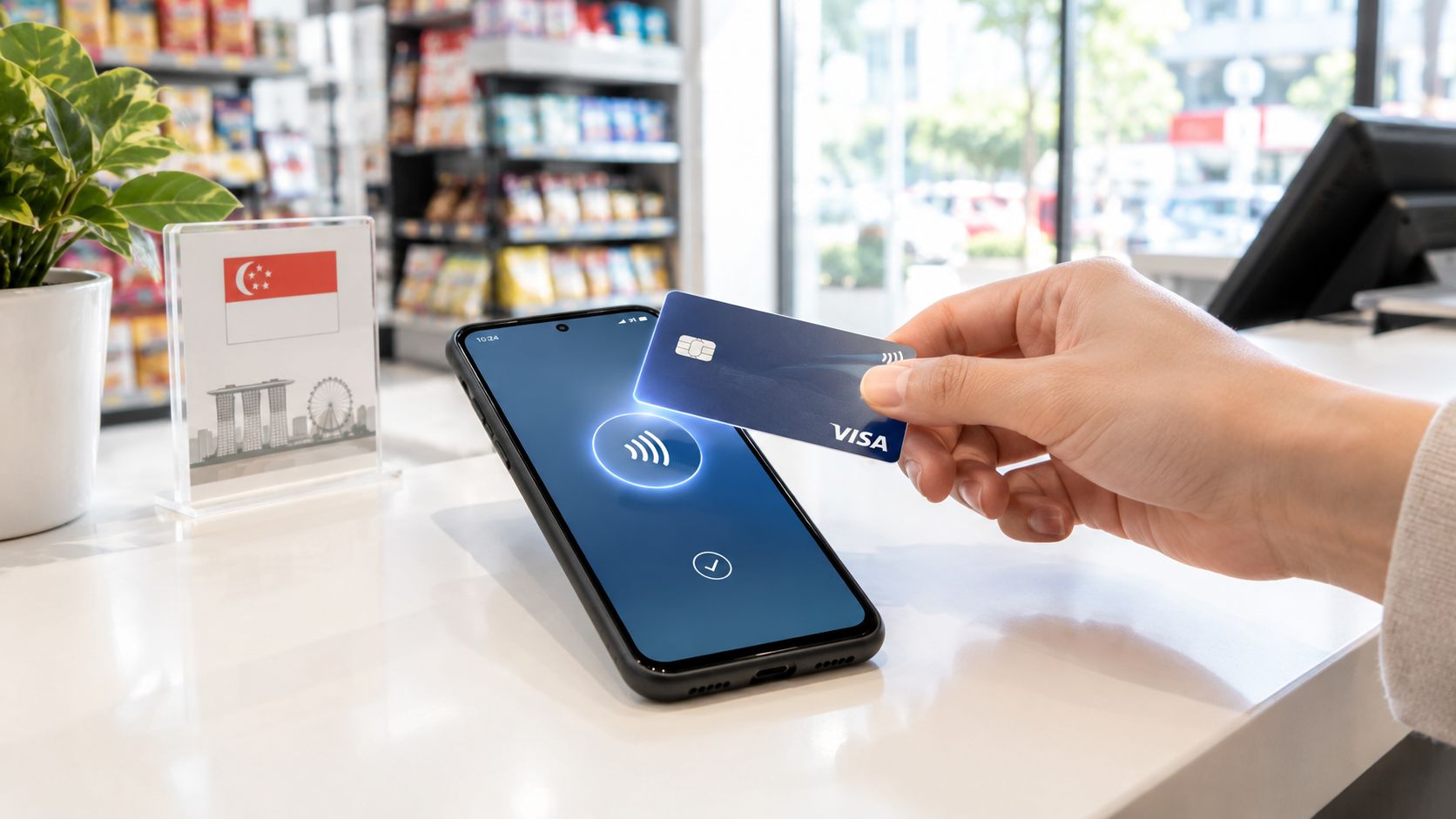
A phone-based terminal creates a single point of dependency. If one employee is using it to answer a supplier message, check an order, or move between service stations, the next customer may need to wait before paying. That delay is easy to dismiss during quiet periods and frustratingly visible during a lunch rush or a retail promotion.
The staff workflow also changes. A dedicated terminal has an obvious purpose, a predictable position, and controls designed around taking payments. A personal phone requires staff to open the correct application, confirm that the device is ready, manage notifications, and keep the handset available for the next transaction. The merchant may save on hardware while adding small interruptions to every shift.
Practical rule: If more than one person needs to take payments at the same time, a shared phone shouldn't be treated as the primary terminal without testing the entire queue workflow.
Tap-to-phone software can be a sensible entry point for mobile services, pop-up sellers, or a sole operator who carries one device. It becomes less convincing when the business needs printed receipts, a fixed payment position, rapid handovers between staff, or integration with a wider till system.
A merchant comparing options should observe an actual service period, not just a demonstration. Count how often staff need the phone for something else, how customers position their cards, what happens when a higher-value tap requests verification, and whether the next transaction can begin immediately. A dedicated contactless payment terminal usually earns its place by removing those interruptions, not by offering a more impressive specification sheet.
The comparison becomes clearer when the device is judged as part of the operating model. Dedicated Android POS hardware and tap-to-phone software can both support contactless acceptance, but they allocate responsibility differently. One gives payment a dedicated physical home. The other turns an existing handset into a payment interface.
| Feature | Dedicated Android POS | Tap-to-Phone App |
|---|---|---|
| Battery during a full shift | Dedicated battery and charging routine; easier to keep ready at the counter | Shares battery with calls, messaging, camera, and other apps |
| Physical receipts | Can support an integrated or paired printer, depending on configuration | Usually relies on digital receipts or a separate printer |
| Multi-staff use | Clear handover process and shared device position | Staff must share a phone or use separate enrolled devices |
| Checkout posture | Designed for repeated taps, card insertion, and PIN entry | Depends on the handset's size, case, placement, and screen |
| Inventory or ordering integration | More suitable for a fixed POS workflow and peripheral connections | Works when the app and phone can support the required integrations |
| Best fit | Retail, F&B, clinics, salons, and other repeated in-store checkout | Mobile operators, occasional payments, and low-complexity workflows |
A phone can last through a shift only if its wider workload allows it. Navigation, calls, camera use, notifications, and poor connectivity can all compete with payment availability. Dedicated Android POS hardware gives the merchant a separate charging plan and makes it easier to keep the device at a known location.
Printed receipts aren't mandatory for every business, but they still matter in settings where customers need a physical record, staff reconcile transactions at the counter, or clinic and service workflows include paperwork. A phone app can support digital receipts, but a dedicated terminal can be configured around a printer or other accessories where the provider supports them.
A boutique with one owner may not need multiple payment stations. A busy restaurant or salon has a different problem. Staff need to know which device is active, who handles a failed payment, and whether an order has already been marked as paid. Dedicated hardware makes those responsibilities visible.
The same logic applies to integrations. A merchant should check whether the payment device can work with the existing ordering, inventory, booking, or accounting process rather than assuming that Android compatibility guarantees integration. Teams also need clear customer-facing processes, especially when payment support sits alongside automated service tools such as AI for retail customer support.
A lower hardware cost can become an operational cost if staff keep passing one phone around the shop.
A dedicated Android POS system is generally the stronger choice when payment is a repeated, shared, in-store task. Tap-to-phone software is more appropriate when portability and low setup complexity matter more than receipt printing, shared access, and a fixed counter experience.
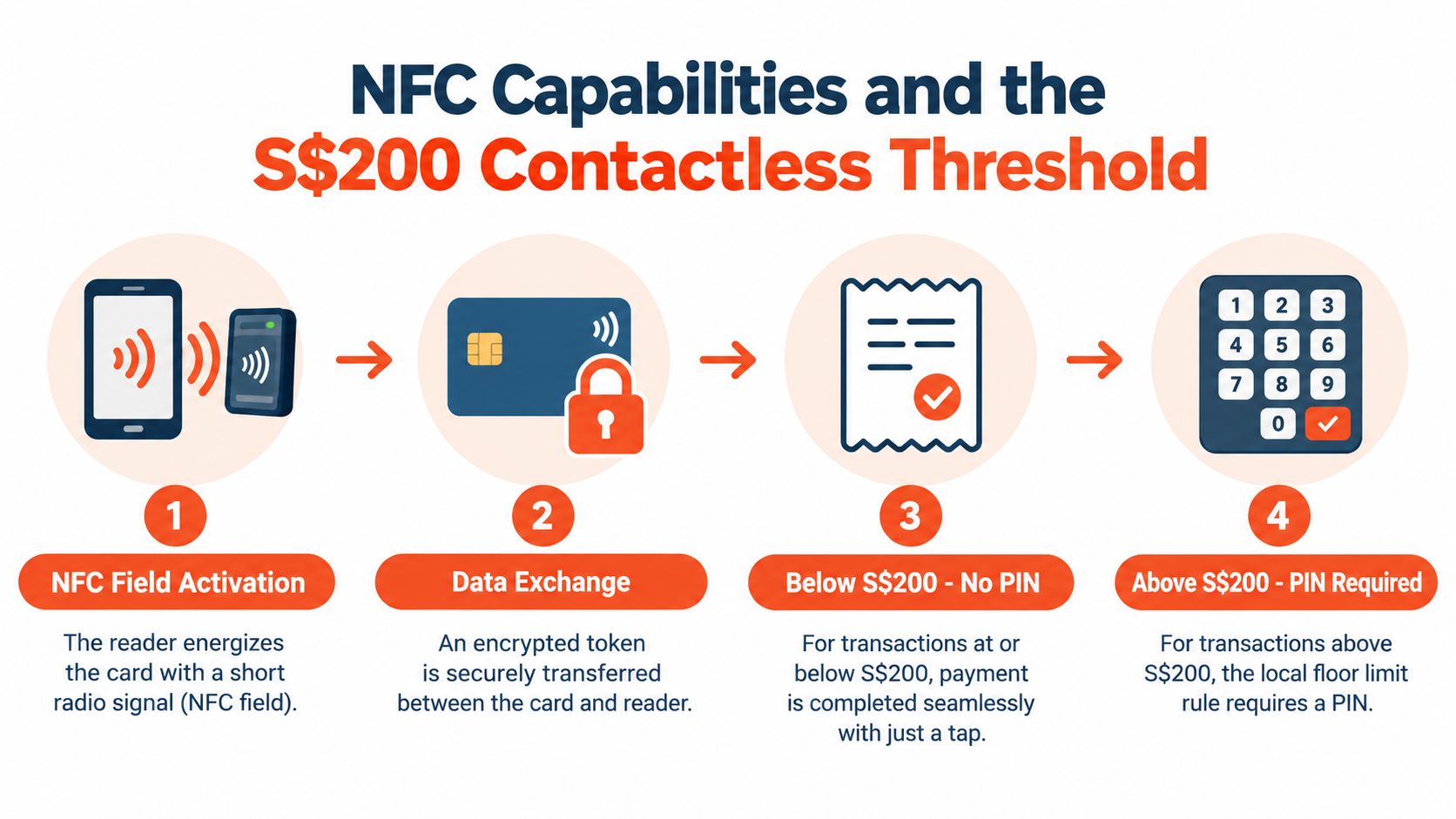
A reliable Android card reader starts with the right NFC implementation. NFC works over a very short range, so the customer needs to position a card, phone, or wearable close to the reader's active area. The terminal must detect the field quickly, establish the transaction, and pass the right information through the authorisation flow without making the customer repeat the tap.
The local checkout experience also changes at the S$200 contactless threshold. Transactions under this value are typically authorised without PIN entry, while higher-value taps trigger PIN or biometric verification depending on the wallet and terminal setup. That isn't a minor rule. It changes what the customer sees, how long the device remains in use, and whether staff need to direct the customer to another input method.
A merchant evaluating an Android payment device should test the complete path, not just whether the device has an NFC symbol.
Singapore's Android SoftPOS requirements from NETS specify a non-jailbroken Android device running OS 10 or above with NFC support, as described in this explanation of NFC payments in Singapore. For merchants using software-based acceptance, the operating system and NFC hardware are baseline requirements rather than optional extras.
The most revealing test isn't a simple low-value tap. Staff should test a transaction that requires verification, a card that needs insertion, a customer who removes the card too early, and a payment interrupted by connectivity trouble. The device should give clear instructions and return to a ready state without staff restarting the application.
A terminal with fast NFC polling but poor fallback input still creates friction. Conversely, a device with a good keypad and slow contactless response may cause customers to tap repeatedly. The checkout experience depends on both paths working together.
Security shouldn't be treated as a mysterious feature hidden behind a supplier's sales language. A merchant needs to understand what the Android card reader captures, what it sends for authorisation, and what it should not retain locally.
During a contactless transaction, the reader communicates with the card or wallet over a very short range. Singapore Android card-reader setups commonly exchange encrypted, tokenised credentials rather than the underlying card number, which reduces exposure of PAN data at the point of tap and follows the same authorisation rails used for chip-and-PIN transactions, as explained by KPay's contactless payment guide.
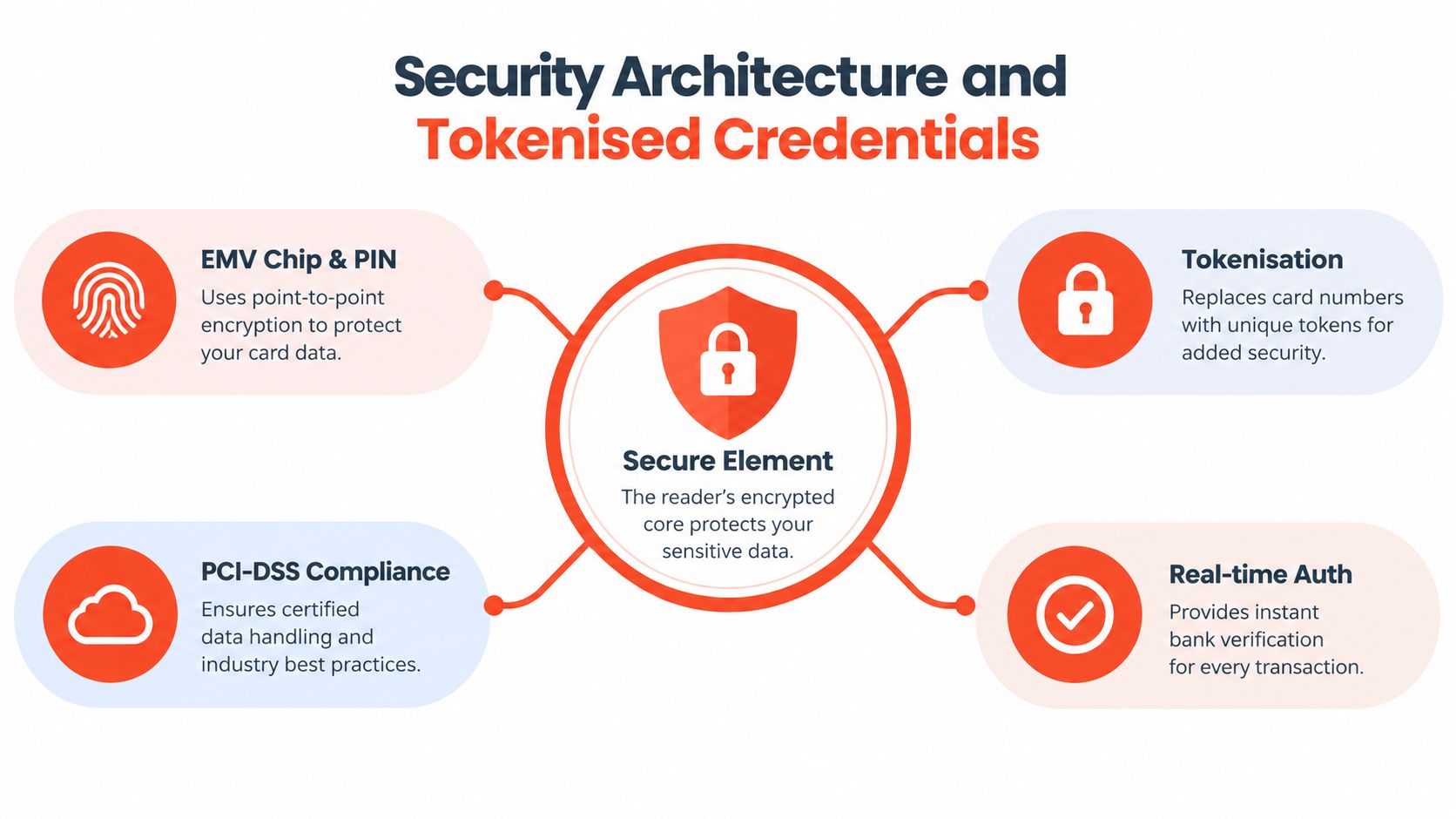
EMV-capable contactless support is the first practical requirement. The terminal doesn't merely read a tap. It helps enforce the secure exchange and routes the transaction through the acquiring network. A merchant should therefore verify that the proposed device and payment service support the relevant EMV contactless path.
Tokenisation replaces the underlying card number with a transaction credential that has less value outside the intended payment context. That limits the amount of sensitive card data exposed at the counter and supports a cleaner separation between the customer's card credentials and the merchant's local device.
PCI-DSS controls concern how payment data is handled across the broader processing environment. A merchant still needs to ask the provider how the service manages stored data, access, device configuration, software updates, and support procedures. A secure reader cannot compensate for careless staff access or poor account controls.
Real-time authorisation lets the issuing and acquiring sides assess the transaction during checkout. 3D Secure and SSL safeguards may also form part of the provider's wider security environment, especially where a payment flow extends beyond a straightforward in-store tap.
A provider should answer these questions in plain language:
The right answer isn't that the terminal is “secure” in the abstract. The answer should describe the controls, the data path, and the recovery process clearly enough for an owner to train staff.
Physical cards are only one part of the payment mix in Singapore. Customers may present a contactless card, a phone wallet, or a local digital payment method, and staff shouldn't need to guess which application to open for each one. The more payment methods a merchant accepts, the more important it becomes to give every transaction a consistent starting point.
A unified Android POS interface can reduce confusion by keeping payment initiation in one place. Staff select the order or amount once, present the device to the customer, and follow the prompt produced by the terminal. That workflow is easier to train than a collection of separate QR processes, phone apps, and manual confirmation steps.
A provider may advertise “card and wallet acceptance” without naming the schemes that matter to a particular business. The merchant should request a current acceptance list and confirm whether it covers the payment methods customers use.
For a Singapore SME, useful questions include:
Wallet support doesn't remove the need for good terminal design. A customer may hold a phone over the reader at a different angle from a plastic card. The NFC area should be easy to find, the screen should provide unambiguous prompts, and the device should return to a ready state promptly.
The customer sees an approved or declined transaction. The merchant sees a settlement record that affects reconciliation and cash planning. A provider should explain when funds become available, how weekends and holidays are treated, and whether different payment methods settle differently.
Predictable settlement matters most when the business pays suppliers, replenishes stock, or manages daily payroll obligations. Faster access to funds can't fix poor reconciliation, so reporting should separate gross transactions, refunds, fees, and net settlement in a format staff can understand.
The strongest wallet strategy is therefore operational rather than fashionable. A merchant should select the payment mix that customers request, confirm that every method follows a manageable staff workflow, and reject any setup that creates uncertainty at the counter or in the accounts.
A payment terminal's purchase price tells only part of the cost story. The commercial agreement determines whether the device remains economical after transaction volume, settlement timing, support, and optional accessories are taken into account.
Complex fee structures make forecasting difficult because the merchant may need to reconcile several layers instead of one understandable transaction charge. Monthly terminal rental, promotional rates that later change, cancellation conditions, and separate scheme or service add-ons can all affect the actual cost. A transparent blended model gives an SME a clearer basis for comparing providers, provided the quote explains what the blended rate includes.
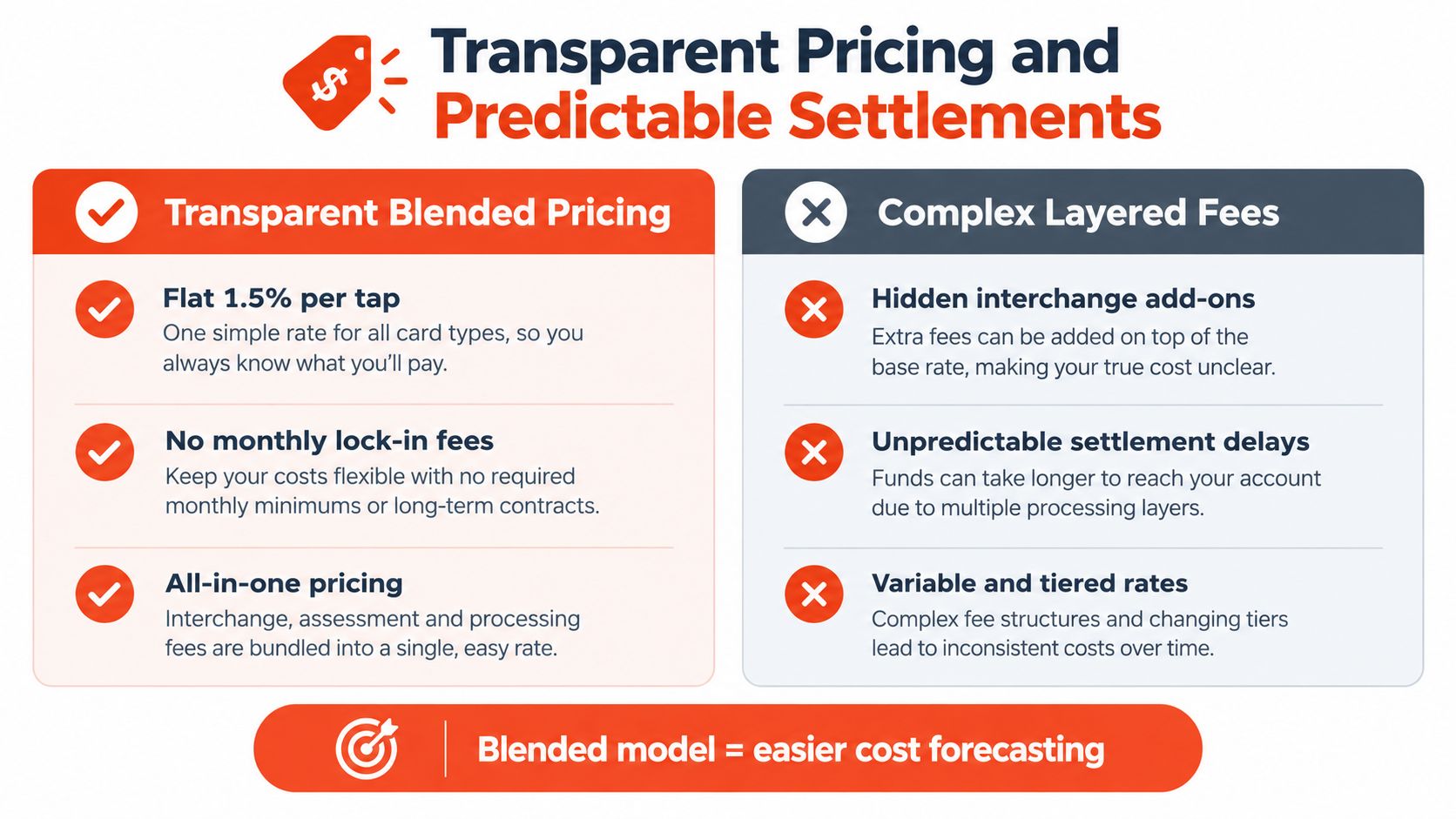
A practical quote should identify:
Merchants can use a pricing overview as a reference point for the questions a commercial comparison should answer. The objective isn't to choose the lowest headline rate. It is to understand the likely total cost under the actual business mix.
A restaurant with frequent low-value transactions experiences fees differently from a clinic with fewer, higher-value payments. A retail shop may prioritise simple reconciliation, while a mobile service provider may value portability and quick access to funds. The quote should reflect the merchant's industry, ticket profile, and expected usage rather than rely on a generic promotional figure.
Settlement options from as early as T+1, depending on the merchant agreement and operational requirements, can support cash-flow planning. The merchant should confirm the exact agreement rather than assume that every account receives the same timing. Details about card payment settlement should be read alongside the commercial quote, not treated as a substitute for it.
Commercial check: Ask for the complete cost of running the setup, not just the advertised transaction rate.
No monthly terminal rental can make a dedicated device easier to budget, but only when the merchant also checks hardware ownership, replacement terms, accessories, and support. Transparent pricing works because it reduces surprises, not because a blended rate is automatically cheaper in every situation.
Switching payment providers becomes risky when installation is treated as a single delivery event. A successful migration is a controlled operating change. The merchant needs a new account, configured hardware, trained staff, tested reporting, and a clear moment when the new device becomes the primary payment path.
Before selecting or provisioning equipment, document how the business takes payment today. A café should record counter, table-side, takeaway, refund, and receipt processes. A clinic should include deposits, final balances, split payments, and administrative reconciliation. A salon or fitness studio may need booking software, membership records, and payment confirmation to remain aligned.
The merchant should then list the devices, integrations, payment schemes, wallet methods, receipt requirements, and settlement account involved. This inventory exposes dependencies that a product demonstration rarely covers.
A written help article can't replace a person who understands the merchant's setup when the counter is busy. The provider should offer a clear escalation route, local installation coordination, and practical assistance for connectivity, configuration, refunds, and account questions.
Sambapay supplies smart Android POS terminals for Singapore SMEs, accepts major card schemes and selected digital wallets, provides guided onboarding and migration, and offers local support with transparent blended pricing. That operating model suits merchants who want dedicated hardware without managing the migration alone.
A new card reader for Android should be judged after it has handled a real shift, not when it is still in its packaging. If the device, payment methods, staff permissions, settlement reports, and support process have all been tested together, the migration can improve checkout reliability without forcing the business to pause trading.
For Singapore SMEs comparing a card reader for Android, Sambapay can match smart POS terminals to retail, F&B, clinic, salon, and fitness workflows, with card and selected wallet acceptance, coordinated migration, and transparent settlement terms. Visit Sambapay to discuss the required setup and arrange a practical onboarding plan.