
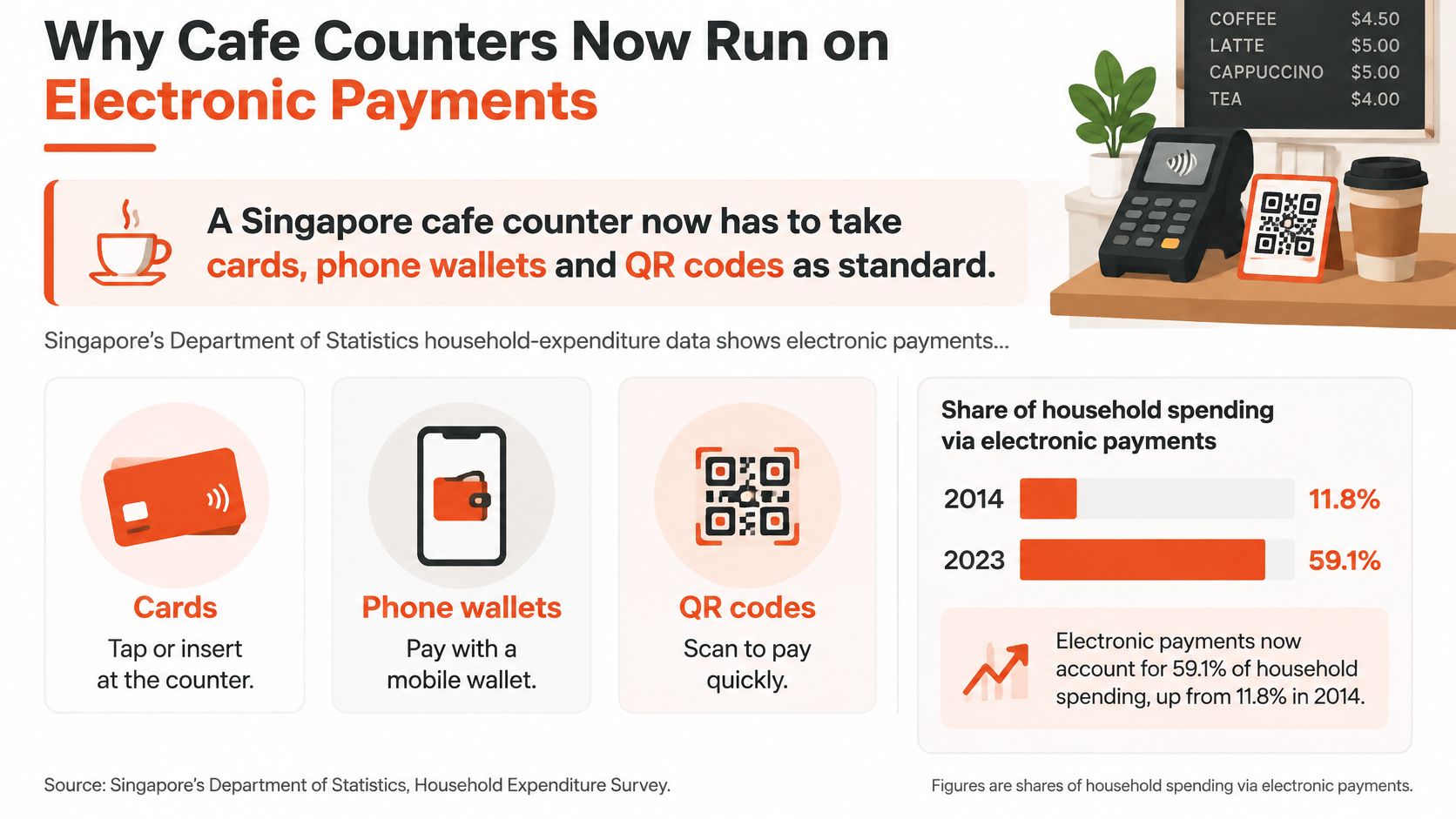
69.1% of household expenditure at Singapore's restaurants, cafes and pubs was paid electronically in 2023, up from 49.4% in 2017/18, according to the Department of Statistics' e-payment report. For an independent cafe, that makes the point of sale more than a till. It's where the team must keep orders moving, confirm that money has arrived and leave records that still make sense at closing time.
A Singapore cafe counter needs to accommodate cards, phone wallets and QR payments as part of its normal service design. Accepting a payment is only the beginning. Staff also need a clear answer when a tap fails, a wallet hangs or a customer says the bank has already deducted the money.
Say a weekday queue builds while the barista finishes an oat-milk flat white. The next guest holds out a phone, but the cashier has to explain that the terminal doesn't accept that payment method. Someone searches for a QR sticker while the drink waits beside the machine.
The coffee is a small purchase. The interruption affects everyone behind it.
A payment terminal handles the tender. A cafe point of sale also holds the order, drink size, milk choice, extra shots, receipt and daily sales totals. Those functions may live on the same device or in connected systems, but staff need a reliable connection between the order and its payment.
This distinction matters when something goes wrong. A terminal can show an approved payment while the order screen still shows an open bill. Without a shared reference, the cashier has to decide which screen to trust.
The payment mix belongs in the operating plan, not on a sticker added after installation.
Counter rule: A completed sale needs both a correct order and a confirmed payment.
Independent operators don't need a chain-sized technology project to achieve that. They need a short capability list, hardware suited to where guests pay, a workable rush-hour screen and a fallback procedure that closing staff can reconcile.
A feature earns its place when it prevents a queue stall or helps staff balance the till. Before booking a demo, separate what the cafe needs every shift from tools that only help with a particular service style.
| Capability | Priority | Cafe failure it prevents | Fit |
|---|---|---|---|
| Contactless cards and phone wallets | Must-have | Customer cannot tap and the queue stalls | Single counter and multi-till |
| PayNow or one SGQR label | Must-have | Staff juggling separate QR apps | Single counter and multi-till |
| Size, milk and extra-shot modifiers | Must-have | Wrong drink and a remake | Any menu with variants |
| GST and optional service charge on receipt | Must-have | Receipt does not match the amount taken | Any GST-registered cafe |
| Same-shift void and referenced refund | Must-have | Cannot undo a mis-tap without calling a vendor | Any cafe |
| Staff sign-in on voids and refunds | Must-have | No trail when the till is short | Shared counters |
| Daily tender report matched to deposit | Must-have | Card, wallet and QR totals cannot be checked | Any cafe |
| Table map and course firing | Later | Useful for dine-in, clutter for takeaway | Table-service cafes only |
| Loyalty and stored value | Later | Extra step at a rush counter | After the base till is stable |
| Multi-site stock | Later | Chain control an independent does not need yet | Second outlet or a chain |
During a demonstration, test a mistake from start to finish. Choose a real menu item, change its size, switch dairy milk to oat milk, then remove an accidentally added shot. Check that the final choices appear clearly on the preparation ticket. A modifier hidden in a free-text note is easy for the barista to miss.
Check the receipt against the amount collected. GST treatment and any service charge should match the displayed total. If the cafe is not GST-registered, confirm that the system does not apply a tax setting copied from a demonstration menu.
Test voids and refunds separately. Cancelling an unpaid item does not reverse a completed payment. A refund should retain the original transaction reference, while staff sign-in should show who made the correction. Routine menu edits should not require manager approval if that would slow service.
The cafe-and-bar category included 1,758 independent establishments out of 2,618 outlets, according to Singapore's foodservice market. For an independent cafe, that context supports a focused setup: choose tools that solve the outlet's daily service and reconciliation needs before paying for controls built around central purchasing or branch transfers.
The daily tender report is the final acceptance test. Staff should be able to review transaction detail, identify adjustments and explain why sales differ from the funds received. A report that lumps tenders together leaves closing staff with figures they cannot reconcile.
Before choosing hardware, confirm that the quote covers every must-have row. If refund controls or usable reporting are missing, resolve that gap first. Accessories cannot fix a payment record that staff cannot match to the deposit.
Hardware is a serving choice, not a specification contest. The deciding question is where the guest stands when payment happens.
| Setup | Best service style | Needs | Main risk |
|---|---|---|---|
| Countertop smart terminal | One till, mostly takeaway | Mains power and fixed network | Queue if the only device fails |
| Mobile Android terminal | Table service or a moving queue | Battery, Wi-Fi or mobile data, a stand | Flat battery at peak |
| Payment terminal beside an existing POS | Modifiers already rung elsewhere | A shared order reference | Two totals that do not match |
| Tablet plus a separate card reader | Very light menus | Reliable tablet OS and a paired reader | Pairing or app updates mid-service |
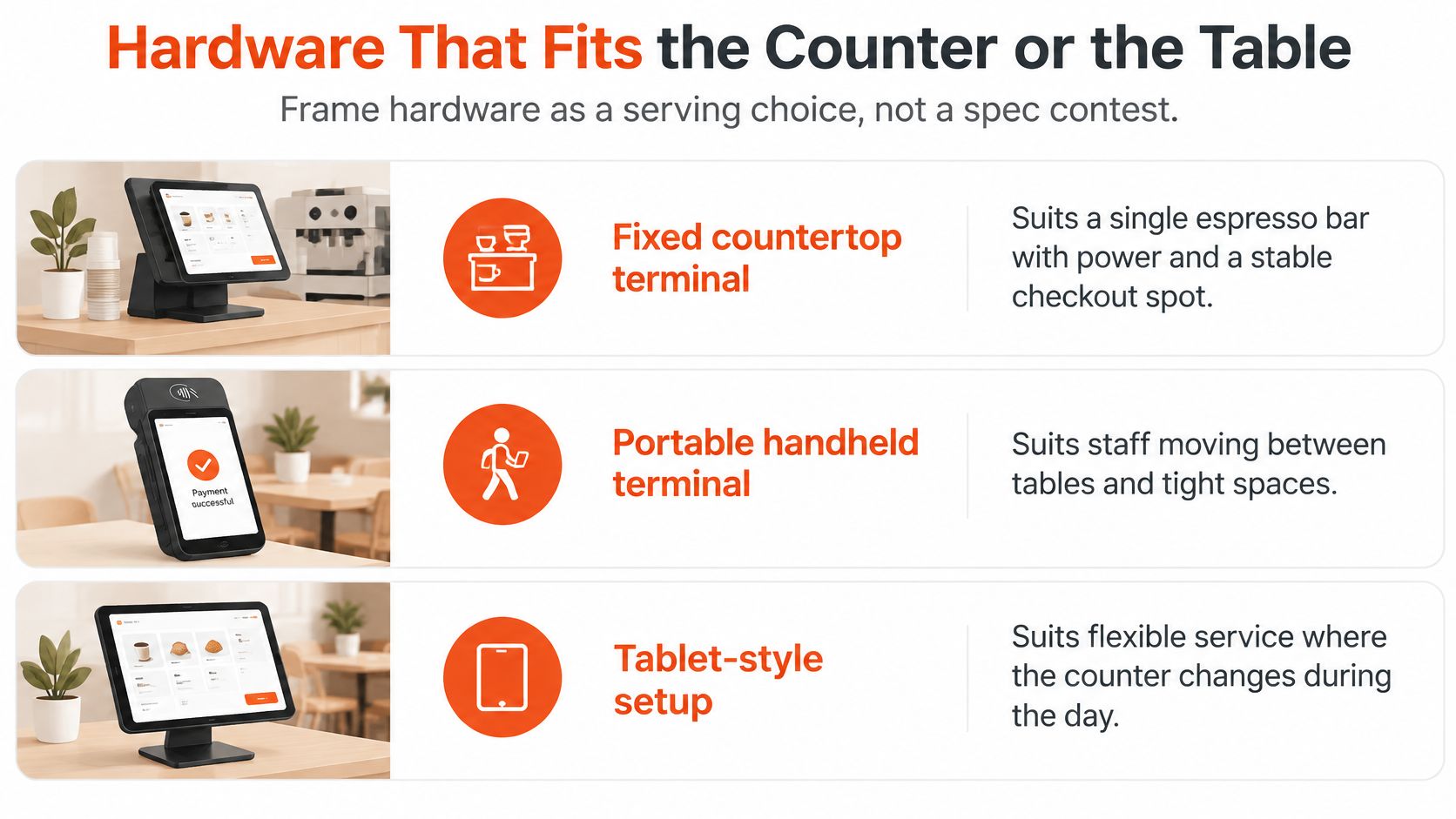
A fixed countertop terminal suits an espresso bar where the cashier stays beside the order screen. Power can remain connected, the customer knows where to tap and the device has a permanent home. The weakness is concentration: a failed device can block the whole checkout position.
A mobile Android terminal suits floor service or a queue that extends beyond the bar. Staff can bring payment to the table rather than asking guests to return to the counter. The trade-off is device discipline, including charging, handover between shifts and a place where staff can find it.
The physical differences are easier to assess against the actual counter layout.
A cafe with reliable modifier entry and preparation tickets may only need a payment device beside its existing POS. Replacing the whole ordering system introduces menu rebuilding and retraining that might not solve the actual problem.
The integration still needs scrutiny. If staff manually key the amount into the terminal, the order reference must remain available for checking discrepancies. Separate systems without that reference create double entry and an awkward search at closing.
For operators assessing device workflows, the Android POS system guide provides relevant context. During a new fit-out, AQEEK Coffee's guide to choosing equipment for your first café can also help place checkout equipment within the wider coffee-station plan.
Choose the simplest device arrangement that lets staff serve guests without abandoning their station.
Battery condition, a spare charger, a secure counter stand and accessible receipt paper deserve more attention than camera specifications. A portable device also needs a tested connection where staff use it, including tables away from the router.
Mostly takeaway favours countertop hardware. Floor service favours mobile. A working order system favours adding payment capability rather than replacing everything.
Payment methods should converge in the records even when they use different processing routes. A card tap, phone wallet and account-to-account QR payment shouldn't leave the closing supervisor assembling unrelated screenshots.
The Monetary Authority of Singapore described SGQR as the primary scan-and-pay mechanism, with acceptance at more than 210,000 merchants across service industries, representing over 90% of merchants. A unified label helps organise acceptance, but the cafe still needs to know which payment scheme processed the receipt and where the money will arrive.
| Tender | Record to keep | Daily check |
|---|---|---|
| Contactless card | Authorisation status, refund reference, settlement batch | Matched to processor settlement file |
| Phone wallet | Wallet confirmation, order number, refund reference | Matched to processor settlement file |
| PayNow or SGQR | Payment reference, confirmation time, refund reference | Matched to bank deposit |
| Cash | Amount tendered, change given, float count | Counted against till total |
| Service charge | Amount and treatment per order | Included in gross sales and receipts |
The order identifier should remain unchanged when staff retry a payment. Each attempt needs its own traceable status beneath that order.
The payment integration should also use idempotency controls, which let the system recognise a repeated request rather than create another charge. This is an implementation question for the integrator, not something a cashier should have to manage.
A supervisor needs explicit states such as authorised, captured, reversed, refunded and failed. A generic completed label hides too much. It may describe a saved order rather than money successfully collected.
Each sale should retain tender type, authorisation status, refund reference, tip or service-charge treatment and settlement batch. For QR acceptance, the PayNow QR code guide offers additional implementation context; the essential operating requirement remains a payment reference that can be matched to the order.
At close, the supervisor compares gross sales, tender totals, processor settlement files, refunds and chargebacks. Processing fees and settlement timing can explain a difference between sales and deposits, but they need identifiable entries.
A cashless total that merely looks close to the bank deposit isn't reconciled. Staff should investigate unexplained differences by transaction reference, then record the resolution.
The practical acceptance test is straightforward: ordinary staff can take, void, refund and reconcile every supported tender within the primary workflow. Specialist dashboards may support investigation, but routine closing shouldn't depend on them.
A smooth morning checkout depends on clear screen steps and a counter layout that keeps the line moving. Position the terminal where guests can tap without crowding the cashier, keep QR instructions visible, and place the receipt printer within reach. Behind each quick payment, the order and its payment status still need to match.
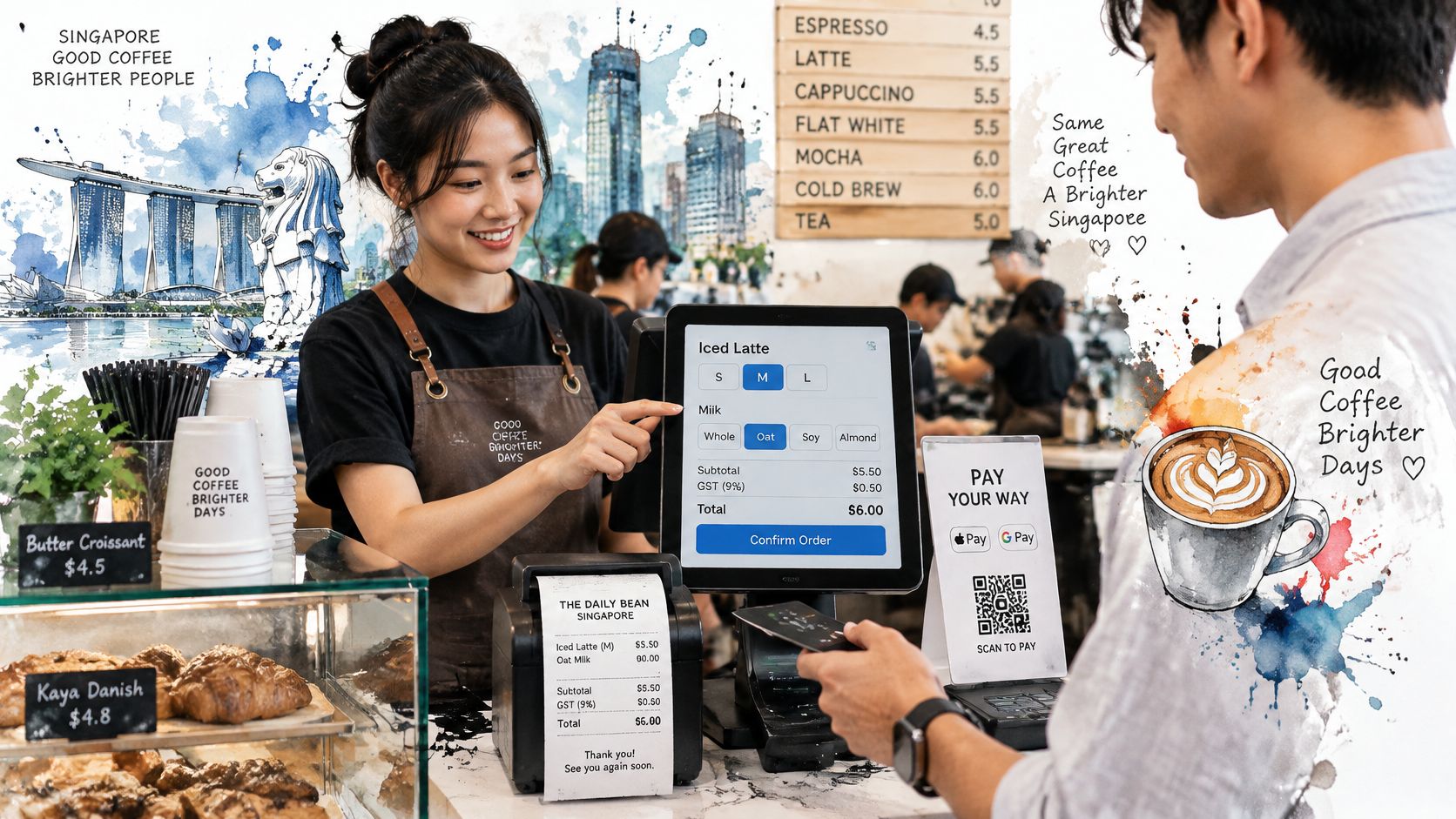
For a takeaway oat flat white, the cashier selects the drink, taps the size and milk modifier, then checks the displayed total with the guest. After the guest pays, the cashier confirms approval before marking the order paid. The preparation ticket should show the same drink details, so staff do not have to re-enter milk choices or shout corrections across the counter.
Put frequently ordered drinks on clear, easy-to-tap buttons. Keep seasonal items deeper in the menu, and place modifier buttons consistently. New hires can then follow the ordinary sale on screen instead of learning hidden gestures.
A few small checkout choices can add friction:
If a payment is declined, show a clear notice immediately. Staff can offer a retry or another payment method while keeping the ticket assigned and visible.
Scheduled catering orders need a separate preparation and collection workflow, so they do not compete with walk-in drinks for the same counter attention. Cafes can use tools to automate catering order management while keeping those orders distinct from immediate service.
A visual checkout reference can also help staff discuss terminal placement and handover.
Run a short trial during a quiet period with different drinks and payment methods. Watch for repeated logins, unclear screens, or spoken workarounds. Fix those configuration problems before the rush, when each extra step can slow the queue.
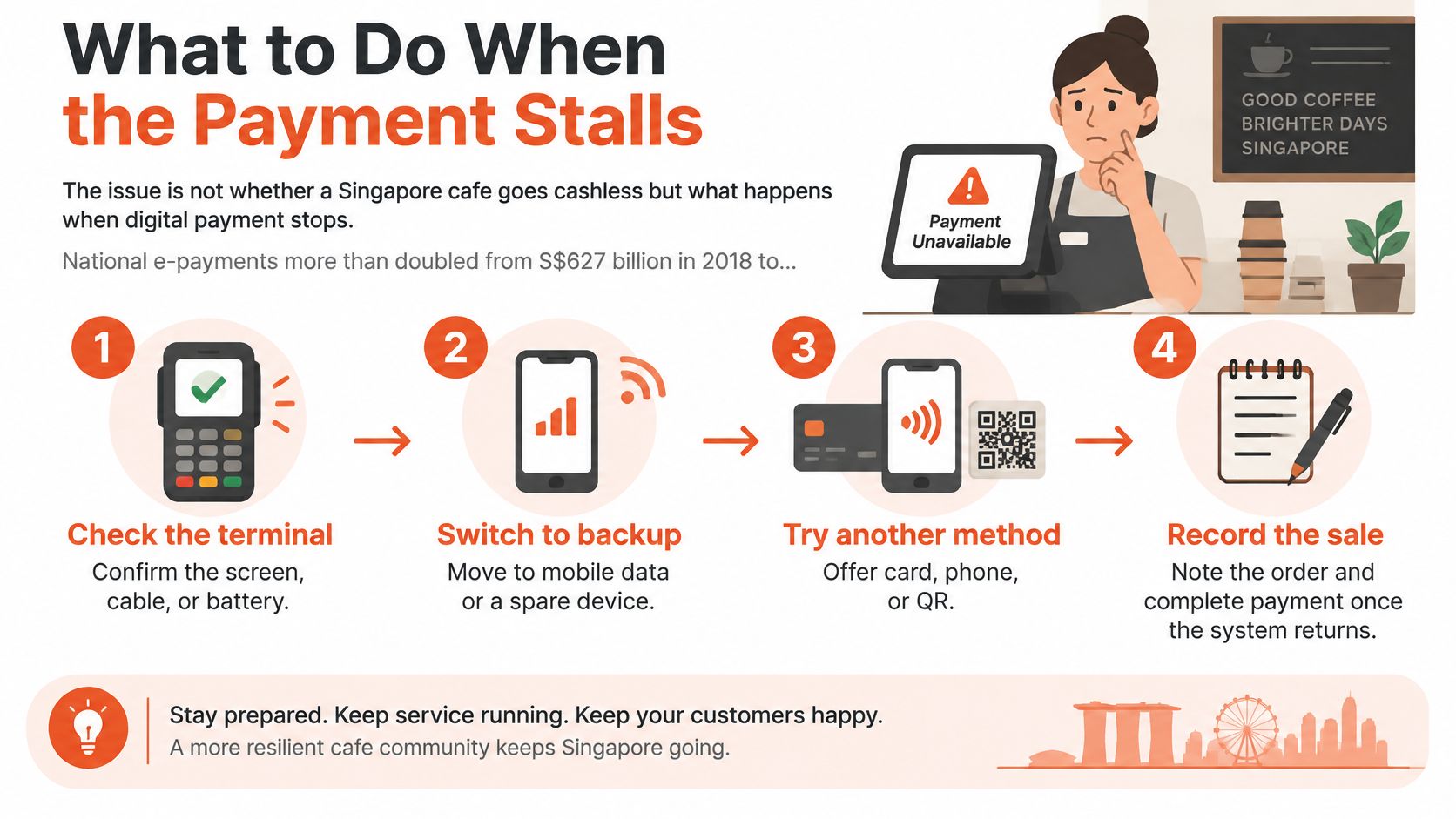
The issue isn't whether a Singapore cafe goes cashless, but what happens when digital payment stops. National e-payments more than doubled from S$627 billion in 2018 to S$1.25 trillion in 2023, while ATM withdrawals fell 10% over the same period, according to CNA's reporting on cashless payments.
A fallback needs to distinguish a definite decline from an uncertain result. A timeout is not permission to charge again.
The playbook should be visible beside the till.
| Failure | Staff action | Same-day check |
|---|---|---|
| Card terminal times out | Wait for approved or declined; don't re-tap blindly | Match the order number in transaction records and settlement files |
| Wallet confirmation pending | Treat as unpaid until confirmed | Check status before any refund |
| QR shows success but no order | Ask guest to show the success screen, then reconcile by QR reference | Initiate a refund for any confirmed duplicate the same day |
| Card declined | Offer retry or another tender at once | No ticket held without an owner |
| Network or processor outage | Queue the order; take cash if agreed | Match queued orders after close |
Exception discipline: Staff should never mark a bill paid merely to clear it from the screen.
A spare connection can help when the cafe's network fails, but it won't fix a processor outage. Staff need to identify which part has stopped before switching devices.
The opening team should rehearse this procedure before a busy weekend. A useful rehearsal includes a pending transaction, not just an unplugged terminal.
A small cafe needs a controlled switch, not an abrupt replacement during service. The old payment route should remain available until the new arrangement has produced a clean close.
Settlement timing belongs in the commercial conversation, not in a surprise after activation. Milk suppliers and payroll still need paying while card receipts move through settlement.
Go-live succeeds when staff can explain every tender in the day's report. A working screen alone isn't enough.
The owner's starting information should be the typical ticket, monthly card volume and payment location, whether at the counter, table or both. These details give a provider something more useful than a request for the cheapest terminal.
A written proposal should identify supported contactless cards and phone wallets, including Apple Pay and Google Pay, the device arrangement, settlement timing and installation support. The commercial comparison should cover processing charges, terminal purchase or rental, accessories and any software required to connect the order records.
Custom ordering software is a different purchase from card acceptance. Gegan's guide to estimate costs by app complexity is relevant when an operator is considering a bespoke app, but that project shouldn't delay fixing an unreliable checkout.
For a broader comparison, the Singapore POS selection guide can help frame the decision. The decisive evidence remains a demonstrated sale, correction and close using the cafe's own workflow.
Sambapay is a Singapore-based POS payments company offering countertop, mobile and smart Android terminals. Its card transaction rates can be as low as 1.8%, depending on industry, business structure, average ticket size and monthly processing volume. That's a conditional floor, not every cafe's price.
The right proposal explains both what staff will tap and how the owner will account for the money.
Sambapay offers payment terminals matched to cafe counter and table-service workflows, with merchant onboarding and practical support. Visit Sambapay with the cafe's typical ticket, monthly card volume and payment locations ready, and request a setup review and customized quote.