
A customer reaches the counter at a busy Singapore café, taps a phone, and waits. The terminal takes too long to respond. A second customer asks whether the shop accepts a particular wallet. Meanwhile, staff are trying to reconcile the till, check stock, and keep the queue moving. The payment itself may take seconds, but the operational cost of a poor setup can continue through the rest of the day.
For Singapore SMEs, choosing a point of sale system isn't only a hardware decision. It affects checkout speed, payment acceptance, settlement timing, inventory control, staff workload, and the amount of working capital available for stock and payroll. The attractive rate on a provider's website matters less than the full commercial arrangement behind it.
A modern Singapore retail counter rarely operates around cash alone. At a café, a staff member enters the order, applies a promotion, sends the details to the kitchen, accepts a card or wallet, and issues a receipt. At a clinic, the terminal may process a consultation payment while the front desk updates the patient's account and prepares the next appointment. The POS sits in the middle of that flow.
PwC reported that Singapore's digital payments reached US$39.37 billion in 2023 and were projected to reach US$113.65 billion by 2030, while 97% of retail point-of-sale transactions were cashless as of 2022. These figures are set out in PwC's Singapore payments report. For a shop, salon, gym, clinic, or restaurant, cashless acceptance has therefore moved from a useful extra to a basic operating requirement.
A business still using a cash drawer and a separate, ageing card terminal creates unnecessary hand-offs. Staff must key in amounts twice, check whether a payment succeeded, reconcile separate records, and investigate mismatches later. That arrangement may appear inexpensive because the equipment is already paid for, but it shifts the cost into staff time, errors, failed transactions, and slower service.
A capable POS coordinates several daily tasks:
The right system doesn't eliminate every problem. It does, however, place the transaction and its operational consequences in one workflow. Guidance on cashless payment in Singapore is useful for merchants assessing how that workflow should fit their counter, staff, and customer base.
Practical rule: A terminal should be judged by the number of daily tasks it removes, not by the number of features listed in a sales presentation.
Cashless checkout also changes the cost of downtime. If the terminal fails during a busy service period, the merchant may lose sales, delay customers, and create a manual reconciliation problem. Reliability, simple staff controls, and clear settlement records deserve as much attention as the screen size or receipt options.
Singapore's payment mix combines international card schemes, contactless wallets, and local account-to-account options. A terminal that accepts only one card family may work for a narrow customer base, but it can become a constraint for a tourist-facing boutique, a central business district restaurant, or a clinic serving a mixed local and international clientele.
MAS data shows the depth of card usage at the physical point of sale. In H2 2025, POS credit and charge card payments totalled SGD 56.49 billion across 726 million transactions, while POS debit card payments totalled SGD 28.40 billion across 960 million transactions. The figures come from the MAS H2 2025 retail payment statistics. The same dataset recorded total card payments of SGD 153.16 billion across 2.528 billion transactions during that half-year.
The transaction mix matters. POS credit and charge card payments averaged about SGD 80, while POS debit card payments averaged about SGD 35, based on the same MAS data. That range covers both larger purchases and frequent everyday spending, so a provider should explain how its pricing works across the merchant's actual ticket sizes.
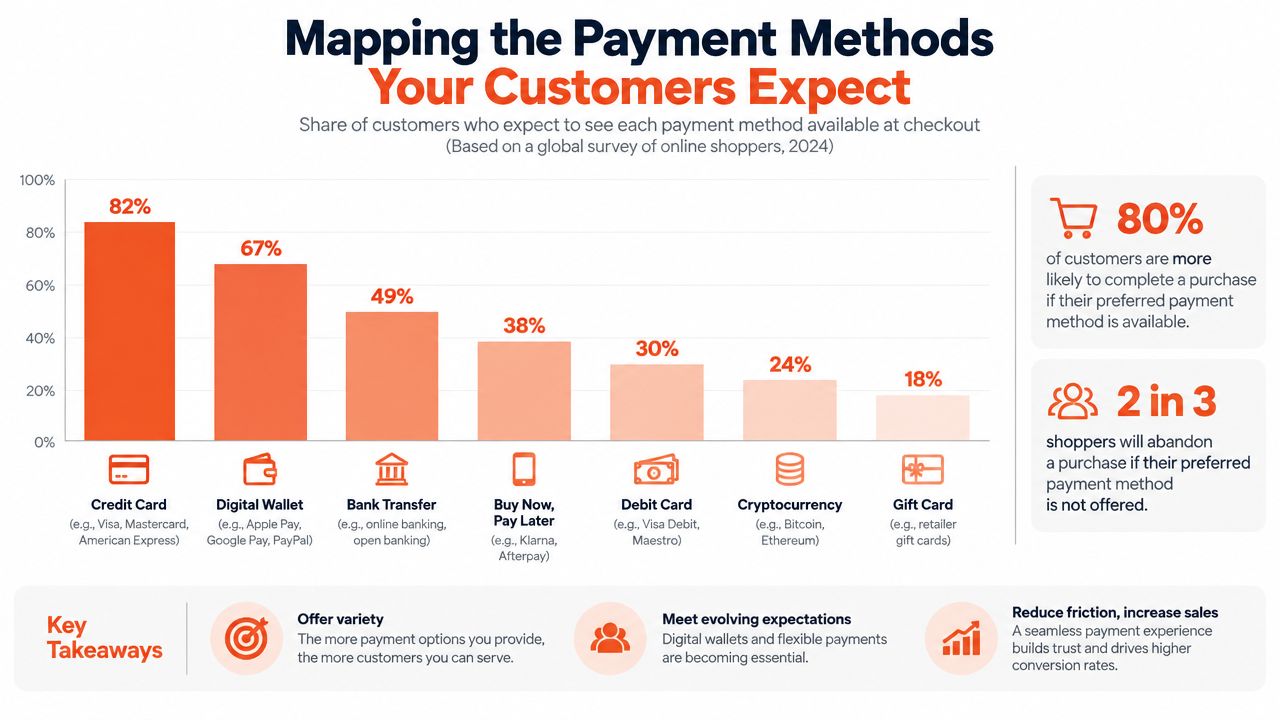
A practical acceptance checklist should include:
The decision shouldn't be based on a generic list of logos. A neighbourhood dental clinic may prioritise dependable card and contactless acceptance, while a tourist-heavy retailer may place greater weight on JCB, UnionPay, and Alipay. A gym may need mobile equipment that works at membership desks or events rather than a fixed countertop unit.
The Singapore e-wallet payment landscape provides useful context for merchants comparing wallet acceptance with card-led checkout. The commercial question is whether each added method integrates cleanly into the terminal, reporting, refund process, and settlement schedule.
A provider should also clarify whether a payment method is included in the quoted processing arrangement or carries a separate fee layer. Acceptance without understandable reconciliation can create a new administrative burden, particularly when the business handles refunds, split payments, or multiple outlets.
The video below offers another visual perspective on payment method selection and checkout behaviour.
The terminal is part of the shop floor, not an abstract technology purchase. It occupies counter space, receives constant handling, depends on connectivity, and determines how quickly a new staff member can complete a sale without calling a supervisor.
Legacy terminals often force staff through a narrow sequence of buttons and screens. They may still process a card successfully, but they can create friction when the merchant wants to combine payment acceptance with product selection, digital receipts, refunds, or a broader POS workflow. Separate hardware also gives staff more opportunities to enter the wrong amount or lose track of the transaction status.
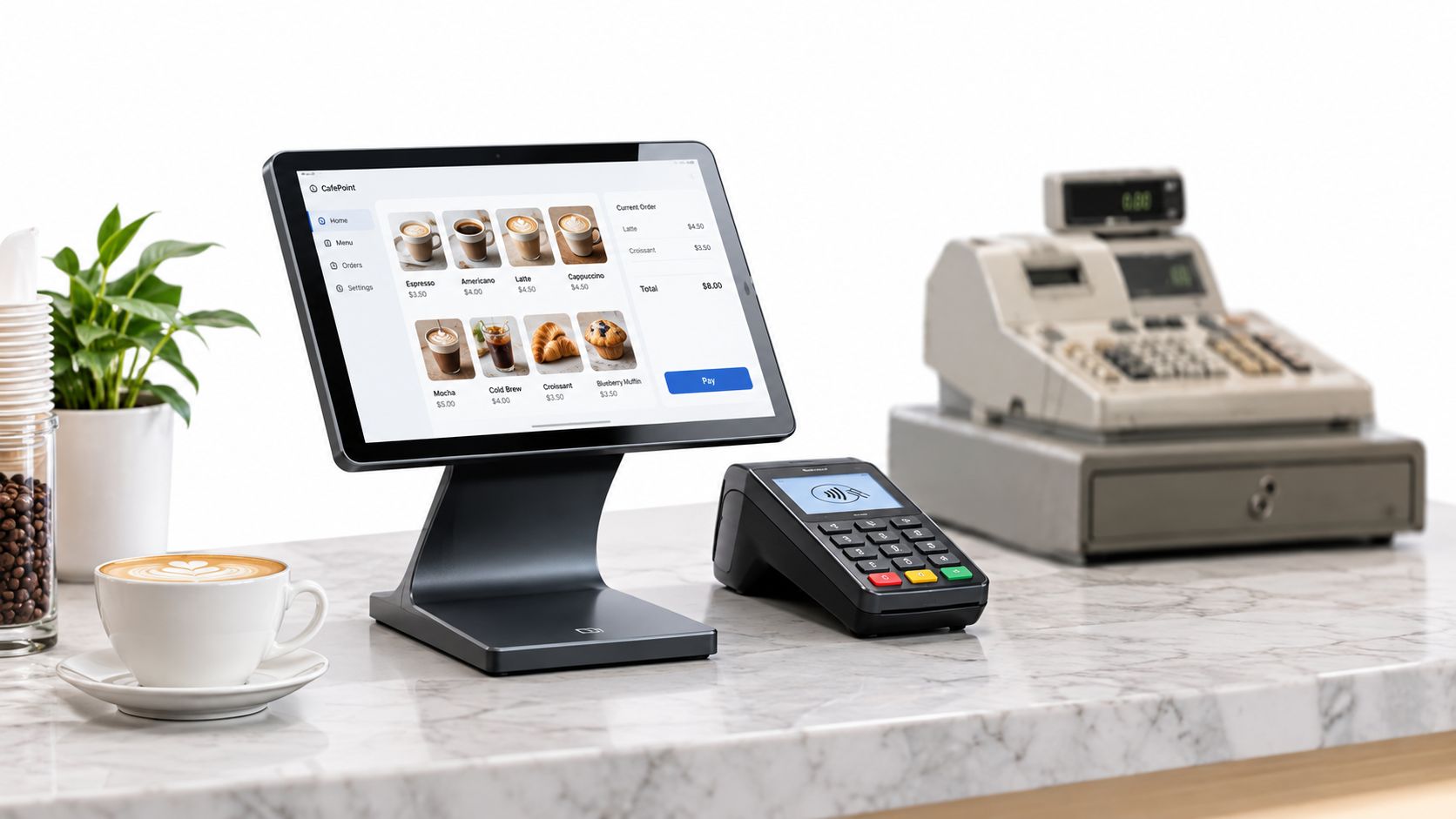
Modern Smart Android POS terminals, including hardware supplied by PAX, generally offer a more familiar touchscreen interface. That can help staff browse products, payment choices, and receipts without memorising a long button sequence. The benefit isn't cosmetic. A clearer workflow reduces the number of decisions staff must make while customers are waiting.
A compact terminal also suits Singapore's smaller counters. Cafés need space for order displays and collection points. Salons and clinics may have a reception desk shared with appointment systems. A bulky register, separate card reader, and receipt printer can make the working area harder to keep organised.
Connectivity deserves a direct test before signing. Ask how the device behaves when the primary network is unstable, whether a backup connection is available, and how staff can identify a pending transaction. “Waiting for connection” is not a minor inconvenience if the customer has already tapped and the cashier doesn't know whether to retry.
Hardware pricing can hide a recurring cost. Monthly terminal rental may look manageable on its own, but it becomes a permanent charge even during quiet periods, outlet closures, or seasonal trading changes. A setup with no monthly terminal rental can preserve working capital, provided the merchant also understands the purchase terms, warranty, replacement process, and optional accessories.
The POS machine options for small business should be compared against the actual counter workflow. A retail boutique may need a barcode scanner and stable countertop setup. A fitness studio may benefit from a portable terminal. A restaurant may need a device that moves between ordering and payment points.
Hardware should be tested with real staff before deployment. The test should cover a normal sale, a declined payment, a refund, a receipt request, a network interruption, and the end-of-day reconciliation process. A terminal that performs well in a product demonstration may still be unsuitable if staff can't recover confidently from an interrupted transaction.
The lowest advertised processing rate isn't necessarily the lowest cost. A merchant agreement may separate scheme costs, acquiring charges, gateway fees, terminal charges, wallet fees, minimums, support, and other adjustments. Each line can appear reasonable while the combined cost becomes difficult to predict.
Blended pricing takes a different approach. The provider quotes a clear transaction rate based on factors such as industry, average ticket size, payment mix, and monthly volume. The merchant still needs to read the exclusions, but the model makes it easier to forecast the cost of accepting payments and compare providers on the same commercial basis.
Settlement timing has equal importance. A merchant may be profitable on paper but short of cash when funds arrive after stock invoices, payroll, rent, or supplier deposits are due. Settlement from as early as T+1, depending on the merchant agreement and operational requirements, can give the business earlier access to completed sales. The provider must confirm the actual schedule, cut-off times, exceptions, and treatment of weekends or public holidays in writing.
| Feature | Legacy Provider Model | Modern Transparent Model |
|---|---|---|
| Rate presentation | Several layers that require reconciliation | A blended rate with stated assumptions |
| Hardware cost | May include recurring terminal rental | May offer ownership without monthly terminal rental |
| Settlement | Timing may vary by arrangement | Defined schedule, potentially from T+1 |
| Volume changes | Fixed commitments can become expensive in quiet periods | Quote can be reviewed against the real payment mix |
| Support | Escalation may pass through several teams | Direct account and technical assistance |
| Migration | Merchant coordinates multiple parties | Provider manages activation and handover |
A merchant should request a worked example using its own transaction profile. The document should show processing fees, hardware charges, refunds, chargebacks, wallet treatment, settlement timing, and any minimum commitment. If the salesperson can't explain the difference between the advertised rate and the final amount deposited, the offer isn't commercially clear enough.
Commercial test: Ask what the merchant will pay and what the merchant will receive, then require both answers in the agreement.
This same discipline applies to adjacent business software. A small operator comparing options for picking a first invoicing app should use the same test, checking recurring charges, integrations, export rights, and support rather than choosing on headline price alone.
Cash-flow analysis should include operational delays. A payment system that saves a small amount per transaction but creates uncertainty around settlement, reconciliation, or support can cost more through interrupted purchasing and management time. The best structure is the one the owner can forecast, audit, and explain to the finance team.
Provider migration fails when the merchant treats installation as a delivery appointment. A controlled change requires the business and the provider to coordinate hardware, account activation, payment testing, staff training, reporting, and the retirement of the old terminal.
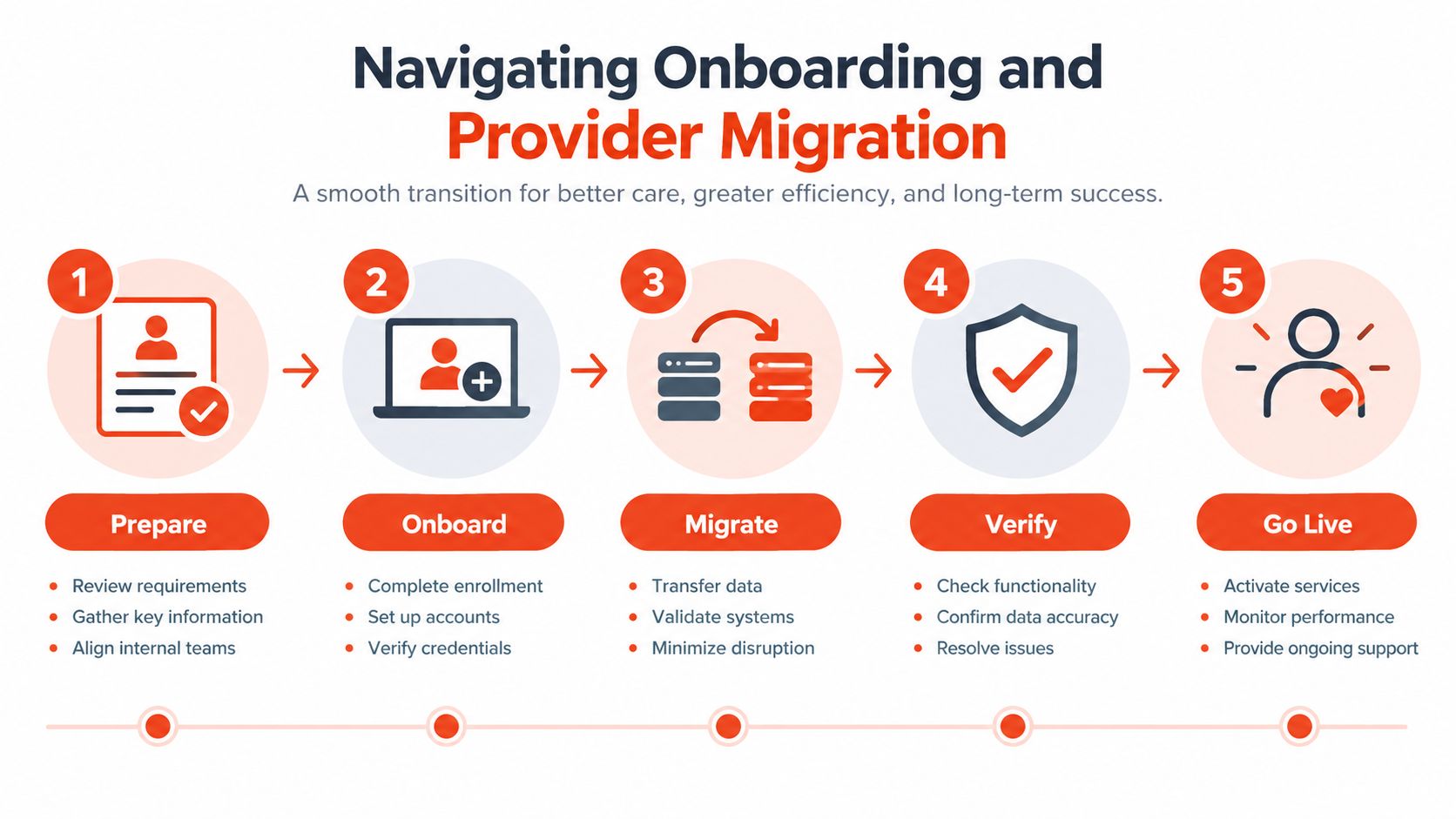
A clinic or salon should schedule the change outside its busiest appointment window. A café may need a short pre-opening test before the first service period. A retailer with several counters should activate one location or terminal at a time if the provider supports that approach.
The provider should name a responsible contact, give the merchant a written activation plan, and explain what happens if the terminal doesn't connect. Staff need a simple escalation route, not a generic support email discovered after a failed transaction.
The old terminal should not be returned or cancelled until the merchant has checked a live payment, a refund, a settlement report, and the export or integration required for bookkeeping. Decommissioning too early turns a technical problem into a sales outage.
Migration also has a data side. Product catalogues, user permissions, tax settings, receipt details, and reporting categories should be reviewed before staff use the new system. The merchant should keep copies of historical reports and confirm how disputes relating to transactions on the old provider will be handled after closure.
A payment terminal is part of the merchant's security perimeter. The provider should explain how card data moves through the system, which protections apply to online or wallet-linked flows, how user access is controlled, and how software updates are managed.
Three areas deserve explicit discussion. 3D Secure can add authentication protections for applicable transactions. SSL safeguards help protect data in transit. Processing through established global acquiring infrastructure gives the merchant a clearer basis for assessing reliability, although no security control removes the need for sound staff practices.
Staff still need individual access controls, secure handling of receipts, and a process for suspicious transactions. A shared password, unrestricted refunds, or an unattended logged-in terminal can weaken an otherwise well-designed payment environment. Guidance on practical data security for 2026 can help owners frame the broader controls around devices, accounts, and business data.
A support promise matters most during failure. The useful questions are practical:
An offshore call centre may resolve a standard password query adequately. It may be less useful when a Singapore merchant has a live queue, a pending payment, and an urgent need to confirm whether a retry will create a duplicate transaction. Local, human support can reduce that uncertainty by giving the merchant direct assistance during the operating day.
Security and support belong in the same evaluation. Strong controls protect the transaction, while responsive support helps staff apply those controls correctly when something goes wrong. A low processing rate isn't a bargain if the merchant can't get a clear answer during a payment incident.
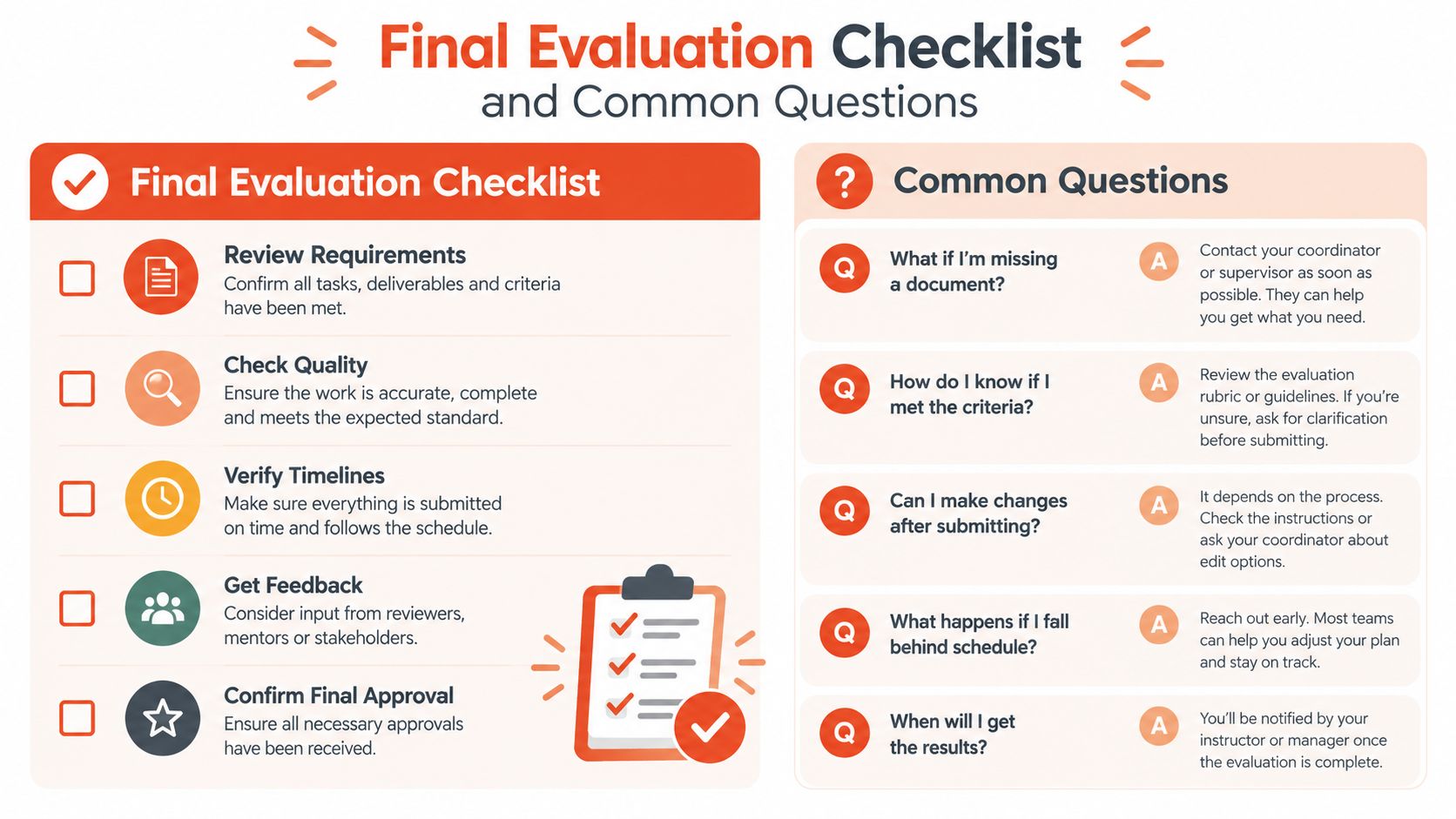
A provider should earn approval through documented answers, not a polished demonstration. The following checklist helps an SME owner compare a POS proposal against the actual demands of daily trading.
A merchant should also ask how public support affects the business case. The Productivity Solutions Grant information from Enterprise Singapore should be checked directly for current eligibility and support conditions, because grant rules can change. The verified Singapore payment coverage notes that PSG support can offset up to 50% for POS adoption, but grant assistance doesn't automatically make an expensive processing model economical. Hardware support is an upfront consideration. Blended fees and settlement timing continue through the life of the account.
Does a grant remove the ongoing cost of a POS system?
No. A grant may reduce an eligible adoption cost, subject to current rules and approval, but the merchant still needs to assess transaction fees, optional software, support, replacement hardware, and settlement economics. The quote should separate one-off costs from recurring costs.
What happens when transaction volume changes seasonally?
The merchant should ask whether the agreement has minimums, fixed commitments, or rate changes tied to volume. A provider that prices around the actual industry, ticket size, and payment mix may be easier to manage, but the terms still need to be documented for busy and quiet periods.
Should payment acceptance be evaluated separately from the rest of the business stack?
Not entirely. The POS may connect with inventory, accounting, appointments, or ecommerce systems, so export formats and integrations matter. Owners reviewing broader online operations can use this guide to technical SEO for ecommerce, but the same principle applies here: a system should support the complete customer and reporting journey, not one isolated feature.
For a Singapore SME, the final decision should come down to predictable cost, dependable acceptance, clear settlement, controlled migration, and reachable support. Sambapay offers Smart Android POS terminals, acceptance for major card schemes and selected wallets, blended pricing, settlement options from as early as T+1 subject to agreement, coordinated migration, and Singapore-based assistance for brick-and-mortar SMEs.
Sambapay helps Singapore retailers, cafés, clinics, salons, and gyms accept cards, wallets, and PayNow through modern POS terminals with transparent blended pricing and settlement options from as early as T+1, subject to the merchant agreement. Review the setup, pricing, and migration requirements with the team by visiting Sambapay before committing to another terminal arrangement.