
The lunch crowd is building. One customer taps an iPhone. Another opens GrabPay. A third asks whether the terminal accepts Apple Pay, then points to a contactless logo that already sits on the counter. The cashier sees three similar actions. The merchant sees one harder question. What was accepted?
That confusion matters more than most SME owners expect. When people use the terms loosely, they often treat every phone-based payment as the same thing. At the till, it isn't. One wallet may ride on card rails through a tokenised tap. Another may be a stored-value wallet with its own funding path and settlement behaviour. The front-end motion looks identical. The back-end can be different enough to affect setup, staff scripts, reconciliation, and what to test before go-live.
Singapore is exactly the kind of market where this distinction has become practical, not theoretical. Wallet use has moved into the mainstream, but not all wallets behave the same way in-store. Merchants that miss that point often make one of two mistakes. They either overcomplicate acceptance by trying to enable everything at once, or they underconfigure the terminal and assume one contactless mark covers every wallet their customers expect.
A clear digital wallet vs mobile wallet view helps with very ordinary decisions. Which logos belong at the counter. Which failed taps staff should retry, and which should be routed another way. Whether a wallet is really replacing cards, or presenting the same card more conveniently through a phone.
At a busy Singapore counter, the payment step has become faster but less obvious. The customer opens a phone, taps once, and leaves. Staff may record it mentally as “wallet”, but operations teams still need to know whether that tap came through as a card-linked mobile wallet, a stored-value wallet, or another rail entirely.
That difference shows up later in places merchants care about. It appears in settlement reports. It appears when one wallet works smoothly on the same terminal while another produces a decline or a timeout. It appears when a customer says, “But I used my phone here before,” and staff have to work out whether the store accepted the wallet brand, the underlying card scheme, or just one specific mode of payment.
The confusion usually starts with language, but it doesn't stay there.
| Question at the counter | Why it matters operationally |
|---|---|
| “Do you take mobile wallets?” | The merchant needs to know whether NFC tokenised taps are enabled on the terminal. |
| “Do you take digital wallets?” | That might mean in-app checkout, QR wallets, stored-value wallets, or card-linked wallets. |
| “Why did Apple Pay work but another wallet didn't?” | Different wallets can use different funding rails and acceptance paths. |
| “Why does the receipt look like a card transaction?” | Many mobile wallets are a presentation layer over the customer's card, not a separate tender in the old sense. |
For SMEs, this isn't about academic definitions. It affects checkout speed, staff training, and merchant signage. If the staff member at the till can't tell the difference between “tap your phone” and “scan this QR”, the queue slows down immediately.
Singapore households already use e-payments widely. The Department of Statistics reported that all resident households (100.0%) performed at least one e-payment transaction in 2023, and 60.4% of average monthly household expenditure, or about S$3,582, was paid via e-payment modes in the same year, according to SingStat's e-payment household data. That broad behaviour shift is why wallet confusion now turns up so often at physical checkout.
The merchant who understands the wallet path usually fixes checkout friction faster than the merchant who only adds more payment logos.
A useful working approach is simple. Treat the term issue as an acceptance issue. If a wallet changes how the transaction is presented, authorised, or settled, it deserves separate attention even if the customer experience looks similar.
The easiest way to handle the digital wallet vs mobile wallet question is to stop treating the terms as perfect substitutes.
A digital wallet is the broader category. It's software that stores payment credentials, value, or related items such as passes and IDs, and it can be used across different contexts. That might include browser checkout, app checkout, account-stored balances, or device-based payment credentials. For merchants that sell both online and in-store, the broader framing in this guide to digital wallets in ecommerce is useful because it starts from how wallets sit inside the checkout journey rather than just the device.
A mobile wallet is narrower. It's the phone-based layer customers use on a mobile device, especially for tap-to-pay and in-app payment on that device. Apple Pay and Google Pay are the most familiar examples for in-store card-linked taps. In practical Singapore retail terms, a mobile wallet is often the thing the customer presents at the terminal.
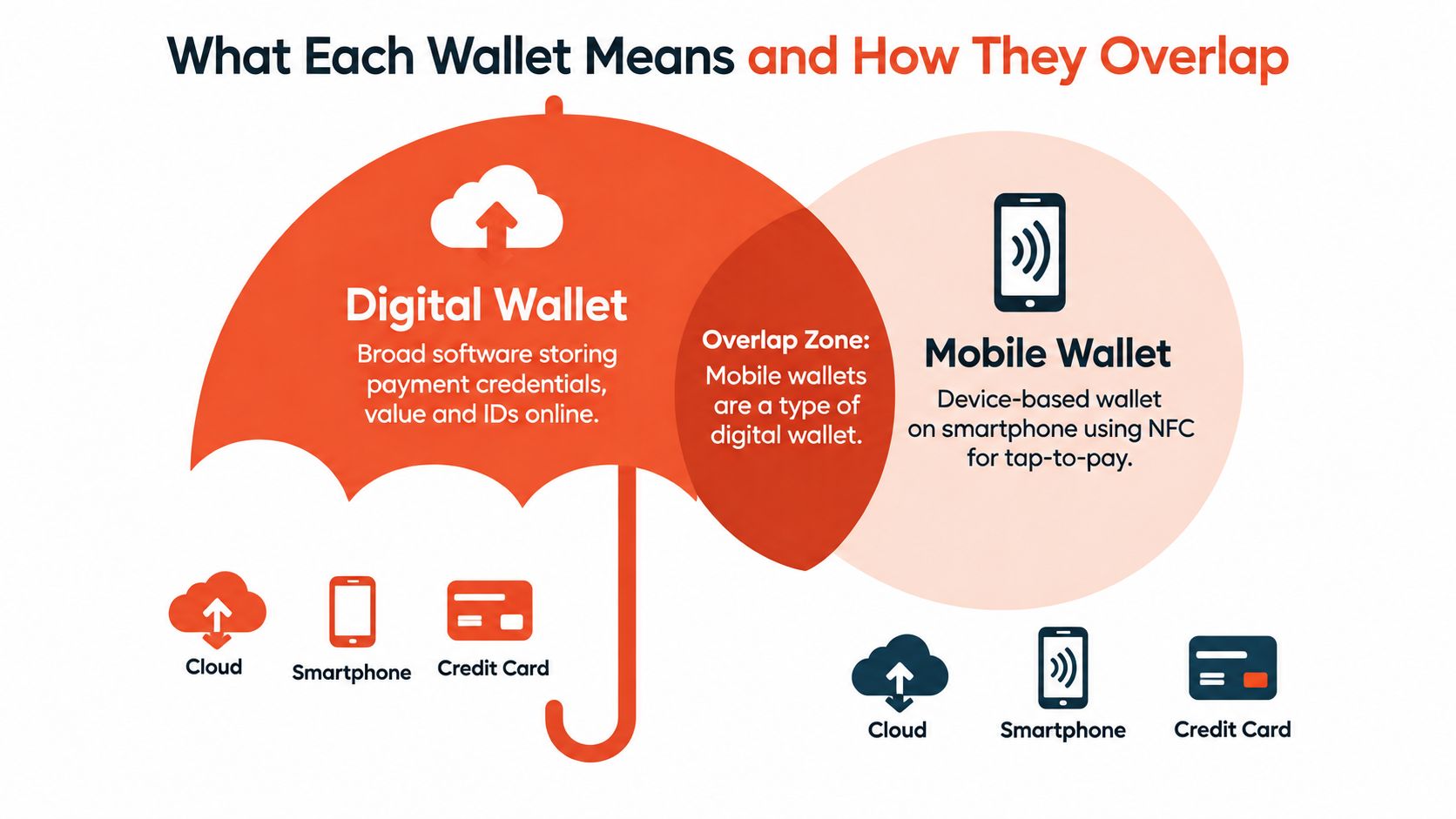
The cleanest explanation for front-line teams is this:
Digital wallet is the umbrella. Mobile wallet is the device-based version used on a phone for payment.
That means:
Merchants that need a local primer on wallet types can also review this Singapore e-wallet overview, especially when comparing customer-facing wallet brands against actual acceptance methods.
The overlap is real, which is why people mix the terms up. A mobile wallet is usually a type of digital wallet. But not every digital wallet is mobile-first, and not every digital wallet behaves like a tap-to-pay card substitute at the till.
That distinction matters because “accepting wallets” can mean very different things:
The practical outcome is that the merchant should define wallets by checkout behaviour, not by marketing labels.
Two customers can tap a phone on the same terminal and produce transactions that look identical to staff. Under the hood, they may follow different paths.
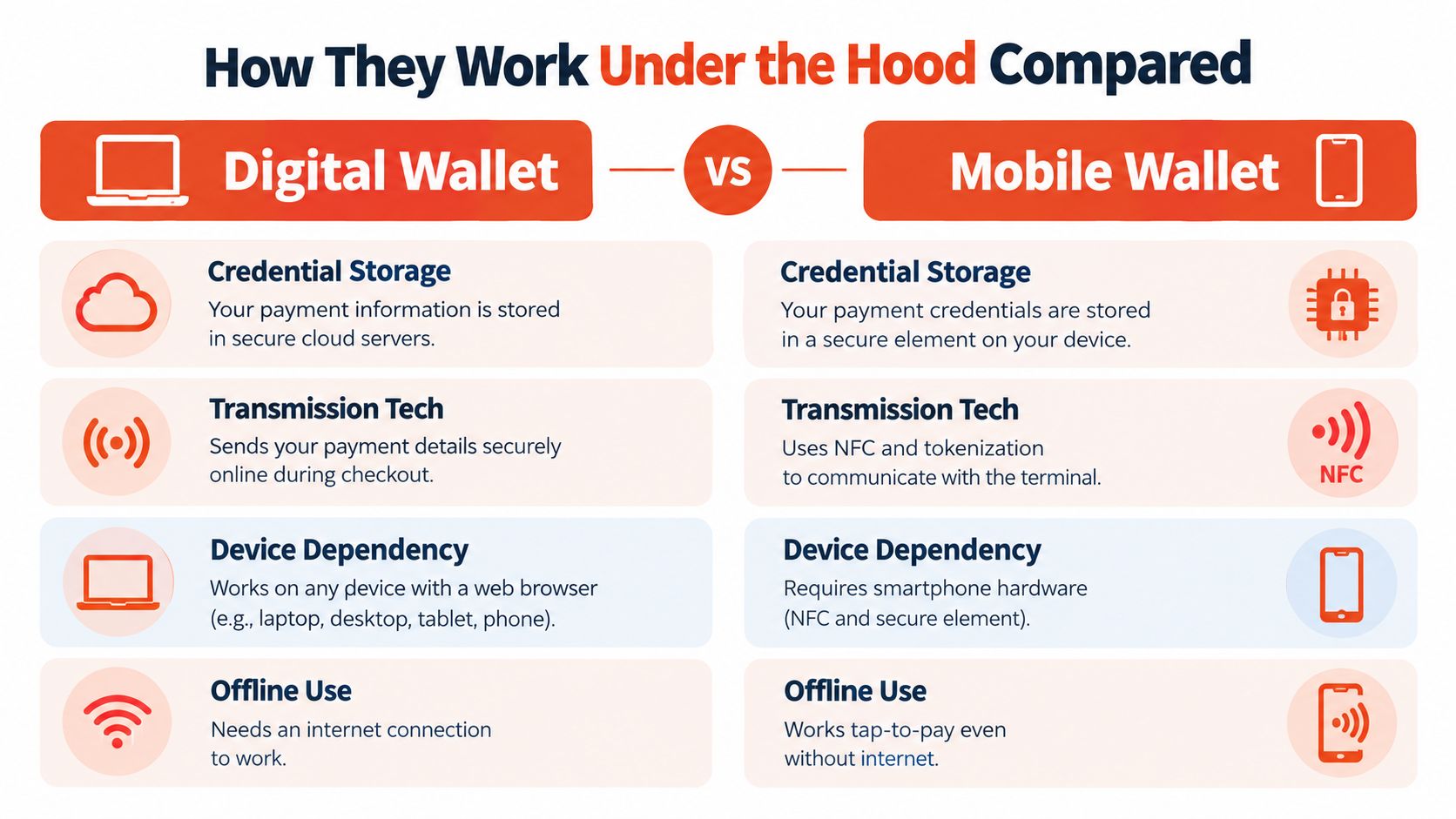
| Technical layer | Digital wallet | Mobile wallet |
|---|---|---|
| Primary role | Stores credentials, value, or payment options across channels | Executes payment on a phone or similar device |
| Typical in-store method | Can vary by wallet type, including app or QR-based flow | Usually NFC contactless tap at the terminal |
| Dependency | May work across browser, app, or account environment | Depends on supported device hardware and wallet setup |
| Merchant view | Acceptance may vary by wallet brand and funding method | Often appears as a tokenised card-style transaction |
With a mobile wallet such as Apple Pay or Google Pay, the customer usually presents a device token at the terminal. The terminal reads the contactless payment through NFC, and the transaction proceeds through the relevant card rail with wallet-specific token handling in the background. To staff, it looks like a phone tap. To the payment stack, it's a card-linked wallet event with device-based authentication and tokenisation.
A broader digital wallet may work differently. The customer might use stored balance, a linked bank account, or a card sitting inside the wallet account. Some digital wallets work comfortably online but have a more selective or separate in-store acceptance model. That's why a merchant can support digital wallets in principle but still need different configurations for physical checkout.
Singapore's wallet usage also sits on mixed funding sources. Visa's 2024 Singapore consumer survey found that existing e-wallet balances and bank accounts fund most mobile-wallet payments, while cards account for 20% of mobile-wallet funding, according to the Visa Singapore consumer payments report. For merchants, that means one wallet brand doesn't guarantee one consistent authorisation pattern underneath.
In practice, this creates three common realities:
Same customer experience, different backend path
A phone tap may route as a tokenised card transaction, while another wallet payment may rely on a different source of funds.
Same wallet brand, different funding behaviour
A customer can use the same wallet app but fund it differently from one transaction to the next.
Same terminal, different failure points
One wallet may fail at token presentation, another at issuer authorisation, and another because the accepted mode wasn't enabled for that wallet type.
A proper wallet acceptance test shouldn't stop at “the tap worked once”.
Test by wallet brand
Apple Pay, Google Pay, GrabPay, and other wallets may not behave identically on the same terminal stack.
Test by funding source
A wallet funded by card can behave differently from one funded by balance or bank account.
Test by checkout context
Counter service, table service, unstable connectivity zones, and peak-hour usage can expose different issues.
A successful pilot is not one clean tap. It's repeatable acceptance across the wallet types and funding paths customers actually use.
When merchants talk about wallet security, they often bundle everything together as “safer than cards”. That's too vague to be useful at the counter. What matters is how the wallet authenticates the user, what credential reaches the merchant, and which party handles the risk controls on the underlying rail.
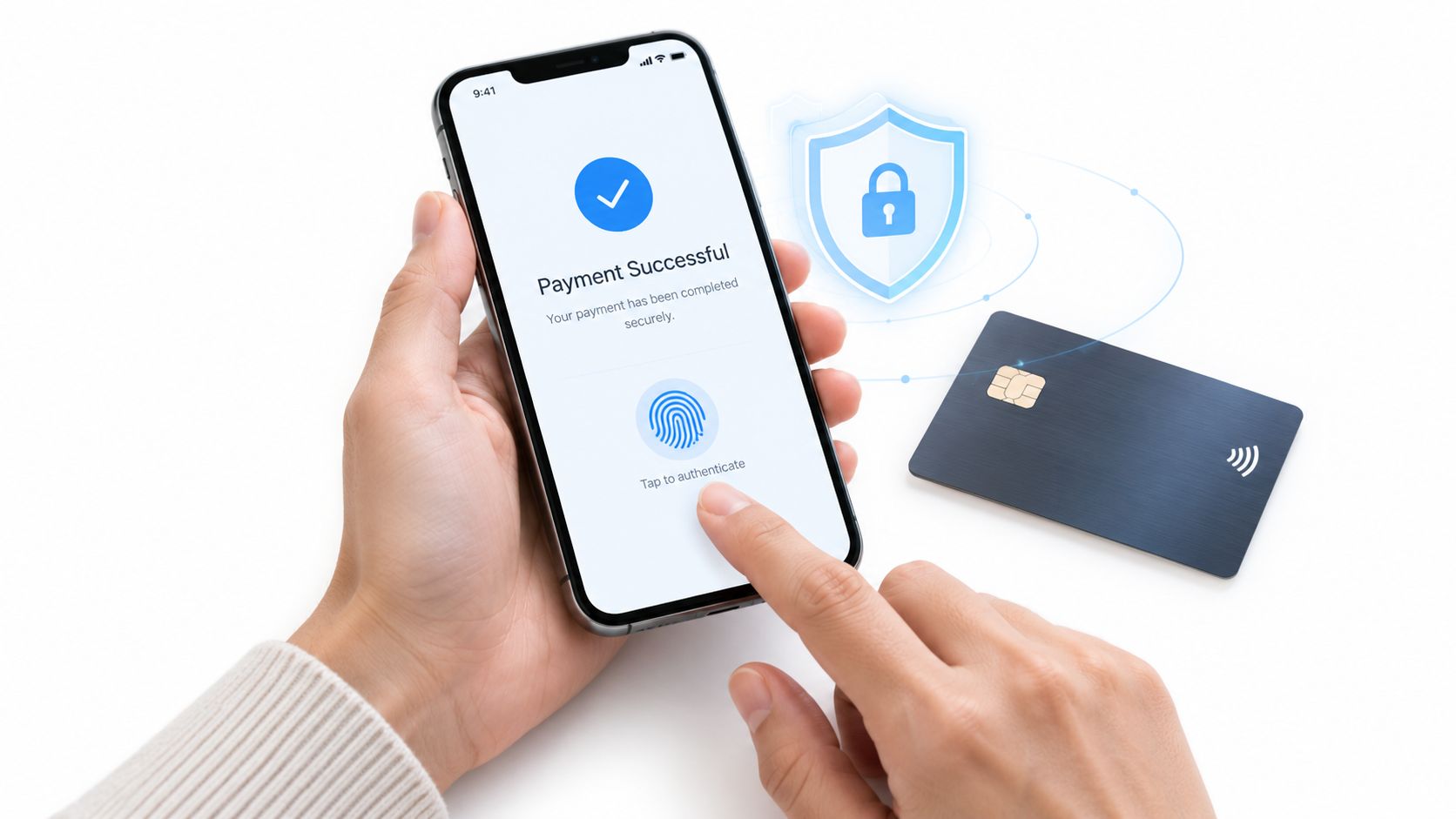
For in-store use, mobile wallets often have an advantage in one very practical area. The customer typically has to authenticate on the device before payment is presented. That means the merchant is not just receiving a payment attempt. The transaction also reflects device-level controls such as biometrics or passcode authentication, plus tokenisation rather than exposure of the original card number.
That doesn't remove all risk. It does change the risk profile. A stolen plastic card and a stolen phone are not equivalent payment objects when the phone requires local authentication to complete the tap.
Security rule at the till: If the wallet uses device authentication and tokenised card credentials, staff should treat it as a contactless card-like flow, not as an ordinary manually keyed payment substitute.
A digital wallet outside the pure tap-to-pay model may rely on different safeguards depending on where and how it's used. Online wallet checkout may involve password login, OTP, wallet account session controls, or issuer authentication flows such as 3D Secure when the underlying funding rail requires it. Merchants don't need to master every protocol detail, but they do need to know that “wallet” is not a single security model.
For in-store merchants, the right question for the acquirer is straightforward:
That conversation is often more useful than broad fraud claims.
A short visual explanation can help staff and owners align on what secure wallet acceptance should look like in real life.
Merchants should confirm these points before switching on wallet acceptance:
Authentication path
Ask whether the wallet uses device biometrics, app login, issuer challenge flow, or a mix depending on funding source.
Token handling
Confirm whether the merchant receives tokenised card-style transaction data or a separate wallet transaction type.
Dispute workflow
Clarify how chargebacks or payment disputes are handled when the wallet is only the presentation layer over an underlying card.
The strongest safeguard for a physical SME store is usually not a long feature list. It's a clean configuration where terminal settings, acquirer support, and staff behaviour all match the wallet types being accepted.
The most important digital wallet vs mobile wallet question for a Singapore SME isn't “Which term is correct?” It's “What does the terminal need to do, and what happens after the tap?”
Worldpay data cited by PwC shows that in Singapore, digital wallets accounted for 39% of e-commerce transaction value and 29% of point-of-sale transaction value in 2024, with projections of 47% online and 44% in-store by 2030, according to the PwC Singapore payments state of play report. That's large enough that wallet acceptance now affects checkout design, not just payment optionality.
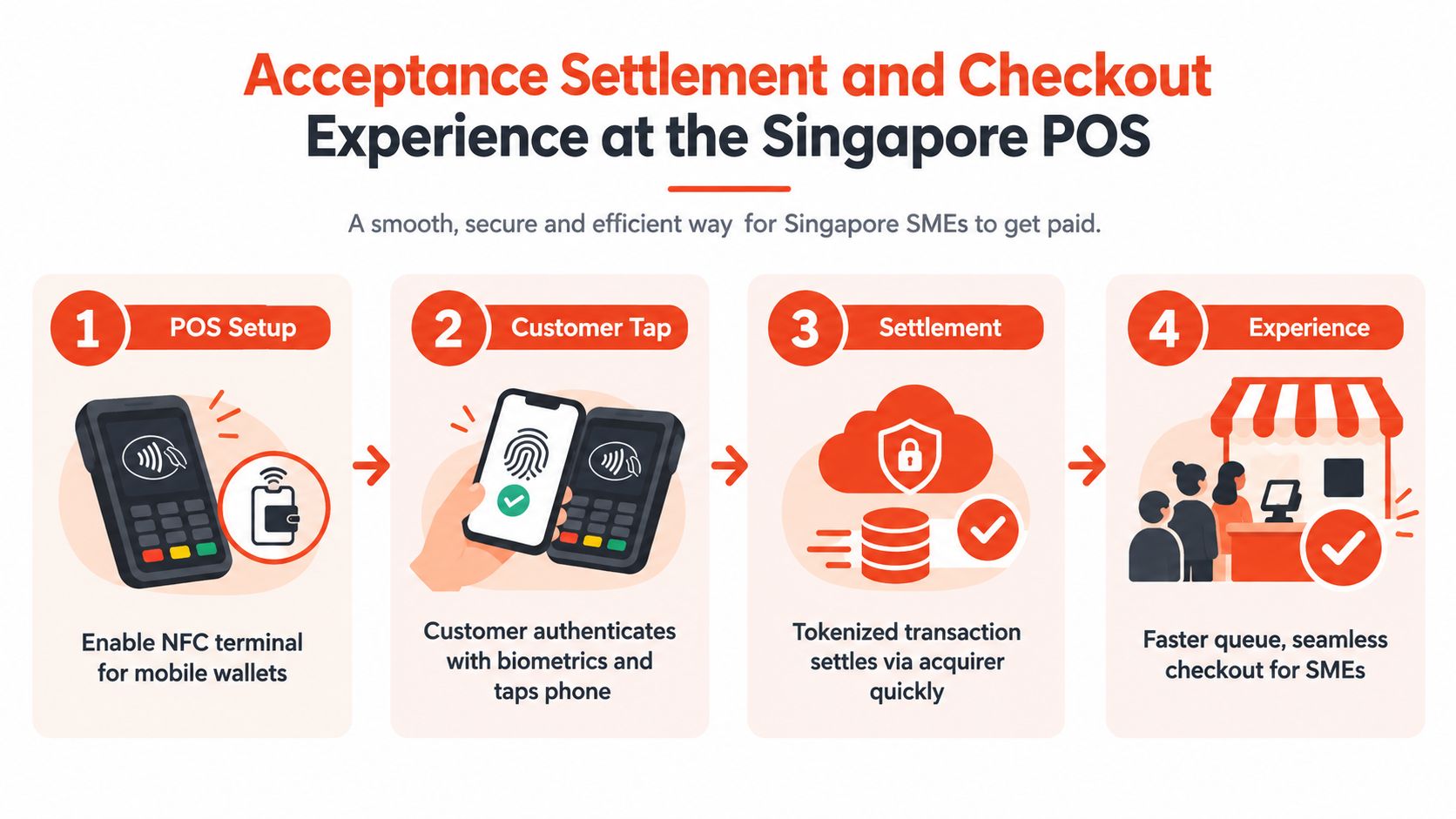
For card-linked mobile wallets, the terminal needs reliable NFC contactless acceptance, wallet token support, and stable connectivity so authorisation doesn't stall during peak periods. On modern Android hardware such as the PAX A920 Pro, this is usually less about whether the terminal is “new enough” and more about whether the acquiring setup, wallet acceptance parameters, and contactless flow are properly configured.
For digital wallets that don't behave like a simple NFC card substitute, merchants may need separate enablement or acceptance methods. That's where confusion starts. A merchant thinks “contactless is on”, but the desired wallet at the counter depends on another path.
When the setup is correct, mobile wallets usually reduce staff steps. The customer authenticates on the phone, taps, and leaves. That keeps queues moving in retail, cafés, salons, and clinics where seconds matter because each delay multiplies across the line.
When the setup is unclear, staff start improvising. They ask customers to try again without knowing whether the issue is device authentication, wallet funding, terminal read range, or unsupported acceptance mode.
A practical way to tighten this is to standardise staff prompts:
For phone tap wallets
“Please open and hold the phone near the contactless reader.”
For wallet app methods
“Please open the wallet app and choose the in-store payment option.”
For failures
“Please try once more. If it still declines, use another card or payment method.”
Settlement timing depends on the merchant agreement and the route used by the accepted payment. Some providers offer settlement from as early as T+1 for eligible setups. That's one reason merchants shouldn't assume every wallet has the same payout behaviour because the customer used a phone.
Merchants that also sell online may find it useful to compare the in-store tap experience with online wallet enablement. This walkthrough on how to accept Apple Pay online is helpful because it shows how the same wallet brand can sit in a very different acceptance flow depending on channel. For physical merchants evaluating hardware, this contactless payment terminal guide is a practical reference for what a modern POS setup should already support.
The best checkout experience usually comes from fewer accepted paths that are fully tested, not from a longer payment logo strip.
The answer isn't the same for every SME. A neighbourhood café, a clinic, and a boutique can all accept wallets, but the wallet mix that moves in-store conversion will differ by customer behaviour, average ticket, and how much queue friction the business can tolerate.
Recent Singapore coverage highlights an important split. Wallets are stronger online than at the physical counter. The same reporting says digital wallets led Singapore e-commerce in 2024 at 39% of transaction value, while in-store usage is led by DBS PayLah! at 25%, Apple Pay at 22%, GrabPay at 12%, and Google Pay at 12%, based on Worldpay-linked and market reporting in Fintech News Singapore's wallet coverage. That's a reminder that “wallet strategy” should focus on the checkout rails customers already use in person.
Retail boutiques usually benefit first from card-linked mobile wallets. Customers want a quick tap, especially when the purchase is straightforward and there's no appetite for extra QR or app steps.
Cafés and restaurants need to protect queue flow. That makes fast phone taps valuable, but wallet choices should still reflect whether the business runs counter service, table service, or both. If the restaurant also uses QR ordering, testing customer response to QR presentation matters. Teams exploring that side of the experience may find this guide to A/B testing menu QR codes useful because it ties ordering behaviour to actual checkout friction.
Beauty salons and clinics often see repeat customers and more varied age groups. In those environments, broad national wallet headlines can mislead. A customer base with stronger card habits may use Apple Pay or Google Pay happily while showing less interest in other wallet formats.
Gyms and fitness studios often combine recurring relationships with front-desk speed. Members who check in and pay quickly tend to favour methods that work with one tap and minimal explanation.
Singapore's adoption signals are strong overall, but not uniform. PwC notes digital payments adoption at 92.0% in 2025, while UOB's ASEAN Consumer Sentiment Study places Singapore e-wallet usage at 43%, the lowest in ASEAN, and Mastercard reports 92% of Singaporeans used an emerging digital payment method in the past year, but only 42% of Gen X consumers are open to new methods such as digital wallets and QR codes over traditional methods, according to PwC Singapore's payments market summary.
For SME owners, the implication is simple. Don't choose wallets by headline popularity alone. Choose by who stands at the counter.
The strongest setup usually starts with restraint. Most SMEs don't need every wallet on day one. They need the right mix, configured cleanly, tested properly, and explained to staff.
Start with these questions:
Which payment methods already dominate at the counter
If customers mostly tap cards and phones, card-linked mobile wallets should come first.
Which customer groups matter most
A younger office crowd may behave differently from family shoppers or older repeat customers.
What does the terminal already support
NFC acceptance, wallet token handling, and stable connectivity should be confirmed before launch.
Which payment types create operational drag
If one wallet path slows reconciliation or confuses staff, it may not deserve priority.
A sensible sequence looks like this:
Enable core contactless card and mobile wallet acceptance first
This captures the fastest in-store behaviour with the least staff explanation.
Add selected local or stored-value wallets where customer demand is clear
Only add them when the store can support the acceptance method properly.
Test by wallet brand and by funding source
A wallet logo on the terminal doesn't prove every wallet path is working.
Train staff on customer prompts, not technical jargon
Staff only need to know how to guide the tap, when to retry, and when to offer another method.
Merchants should ask direct operational questions:
For merchants reviewing acceptance options in Singapore, one route is to prioritise Apple Pay and other phone tap methods first, then expand selectively. This Apple Pay Singapore acceptance overview is useful for understanding that path. If the business wants a provider that supports in-store card acceptance with selected wallets, modern Android terminals, and local onboarding, Sambapay is one option to evaluate alongside other acquirer-linked setups.
For Singapore SMEs that want cleaner wallet acceptance at the counter, Sambapay provides modern POS terminals, in-store card processing, and support for selected wallet methods including mobile tap payments. That matters when the question isn't just digital wallet vs mobile wallet, but which setup will reduce friction, settle predictably, and work properly during a busy trading day.