
A lunch queue is already forming when a customer asks, “Can I PayNow?” The cashier points to a QR stand, the customer opens a banking app, and the payment appears to go through. But unless the store has a clear confirmation habit, the next customer may be waiting while staff check whether the transfer arrived, whether the amount is correct, and whether the QR display is still valid.
That small moment captures the merchant challenge. A PayNow QR code isn't difficult to display, but reliable acceptance depends on the surrounding workflow, including SGQR signage, staff instructions, payment confirmation, reconciliation, and a card fallback when speed matters more than payment method.
Singapore customers increasingly expect merchants to support instant account-to-account payments alongside cards and wallets. PayNow has become a large-scale national payments rail. By December 2025, it had more than 11 million proxy registrations, while 2025 transaction value reached about S$154 billion for consumer payments and S$147 billion for business payments. MAS and ABS also noted that more than 90% of Singapore's adult population was registered on PayNow. These figures are reported in the PayNow Generation 2 Phase 1 report.
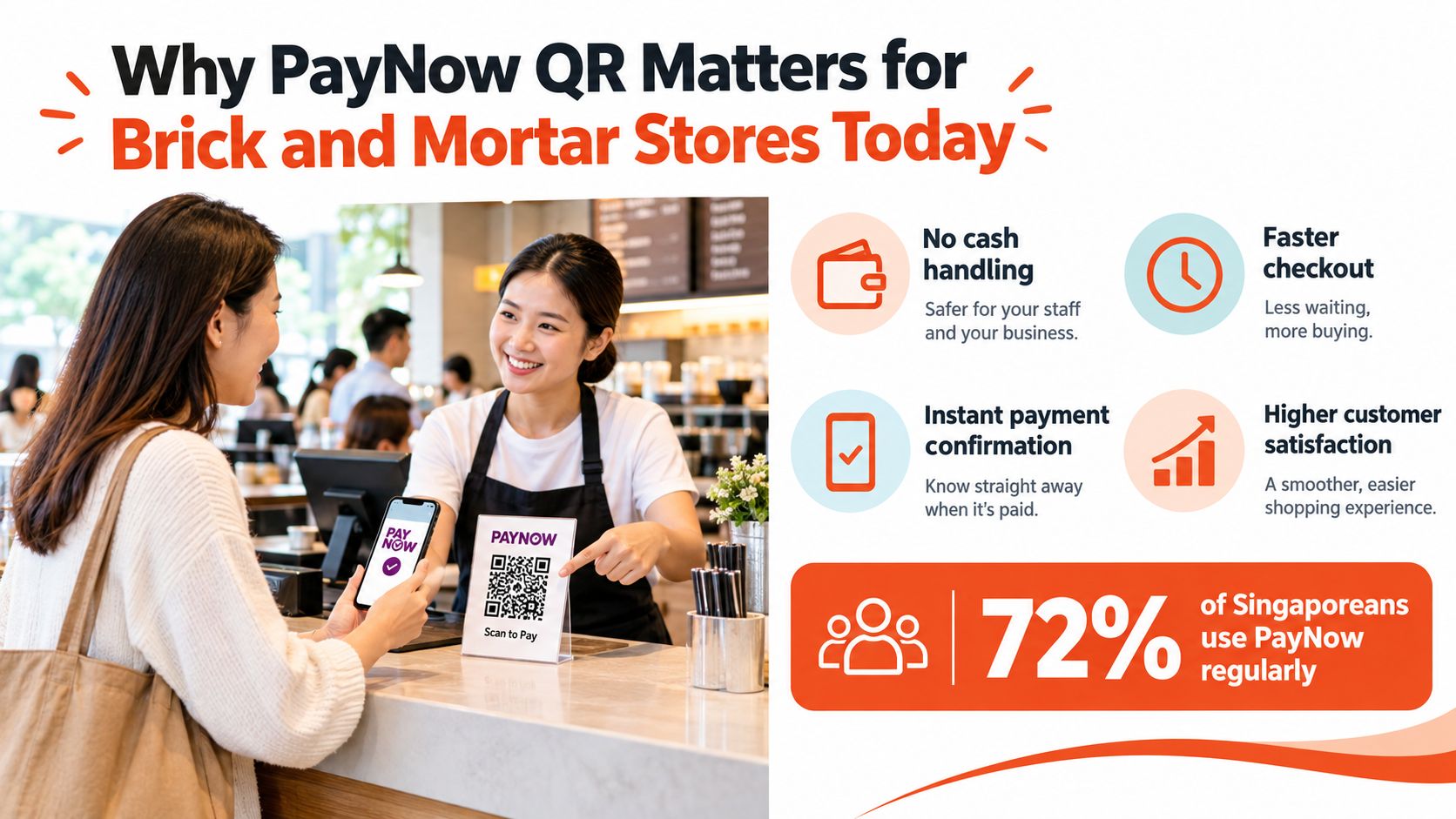
At a café counter, the practical benefit is straightforward. A customer can scan instead of handling cash, and the cashier doesn't need to key card details or pass a terminal across the counter. That doesn't make QR universally faster, however. A customer may need to open a phone, open the right app, scan, enter an amount, authenticate, and wait for confirmation. A contactless card or mobile wallet can be more direct for a simple, time-sensitive purchase.
The strongest setup treats PayNow QR as one part of a unified acceptance workflow rather than a replacement for every other method. SGQR provides the common display layer, while the POS gives staff a consistent place to select the amount, accept cards or wallets, and record the sale. The result is less counter clutter and fewer conversations about which code a customer should scan.
A QR code hidden behind a receipt printer creates hesitation. A code placed at eye level, with the business name visible in the payment app and a clear confirmation request from staff, creates a predictable routine.
Stores also need to decide whether they want customers to enter the amount manually or receive a transaction-specific amount through a dynamic QR generated by the POS. The first option is simple to launch. The second can reduce keying errors and make reconciliation cleaner.
The practical path is to set up the correct SGQR arrangement, test it with real staff, train a short checkout prompt, and retain card acceptance for situations where queue speed or payment certainty matters most. The remaining sections focus on those operating details rather than treating QR as a standalone sticker.
SGQR and PayNow QR aren't interchangeable terms. SGQR is Singapore's unified QR code standard, launched in September 2018 to replace fragmented competing QR codes and create one common acceptance mark for domestic and international schemes. The Monetary Authority of Singapore's e-payments materials describe the broader development of this payment environment.
A standalone PayNow QR points customers towards PayNow acceptance. An SGQR label can combine multiple supported e-payment schemes behind one displayed code. PayNow is one of the core rails behind SGQR, and MAS has reported that it is the top payment scheme in SGQR, accepted in more than half of SGQR labels island-wide. The same MAS material notes that more than 210,000 merchants use SGQR, covering more than 90% of merchants.
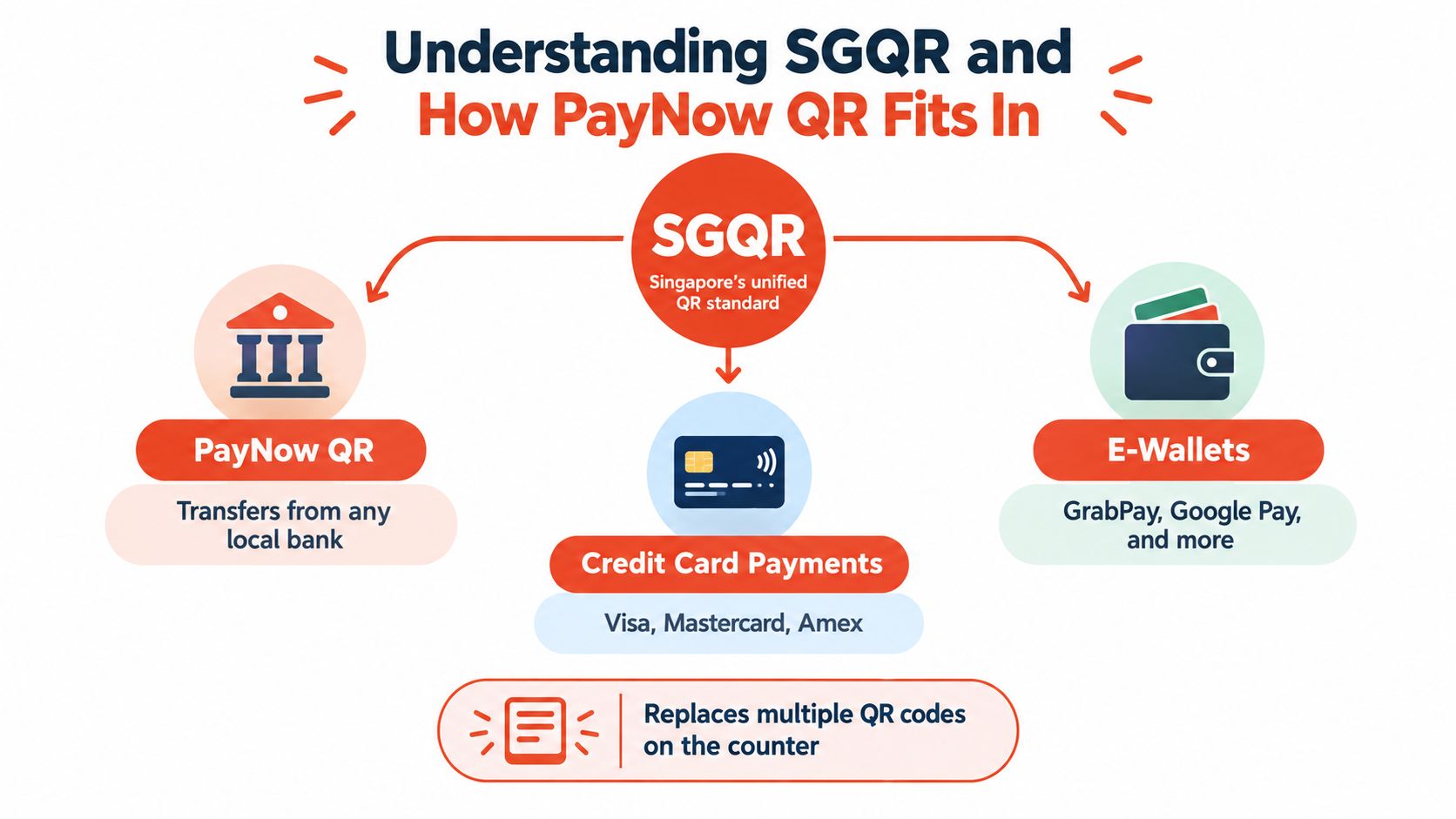
The customer sees one QR code, but the available payment methods depend on the schemes activated for that merchant. A bank app supporting PayNow may route the payment through PayNow. Another supported wallet may use a different scheme within the same SGQR arrangement. The merchant shouldn't assume that every banking app or wallet will work because an SGQR label is present.
SGQR is mainstream infrastructure, not a niche counter accessory. Adoption had grown to about 280,000 merchant locations by Q1 2026, with around 12 million merchant transactions a month valued at roughly S$3.2 billion. In hawker centres, about 81% of 18,000 stalls reportedly displayed SGQR codes, according to background reporting on PayNow and SGQR adoption.
The signage decision should follow a simple rule:
Merchants planning a migration can also review this practical guide to cashless payment options in Singapore. The important question isn't merely whether a PayNow QR code exists. It's whether the displayed code, the merchant account, and the checkout process all represent the same acceptance setup.
A merchant needs more than a downloaded QR image. The code must be connected to the correct business account, displayed where customers can scan it, and tested under the same conditions staff will face during service.
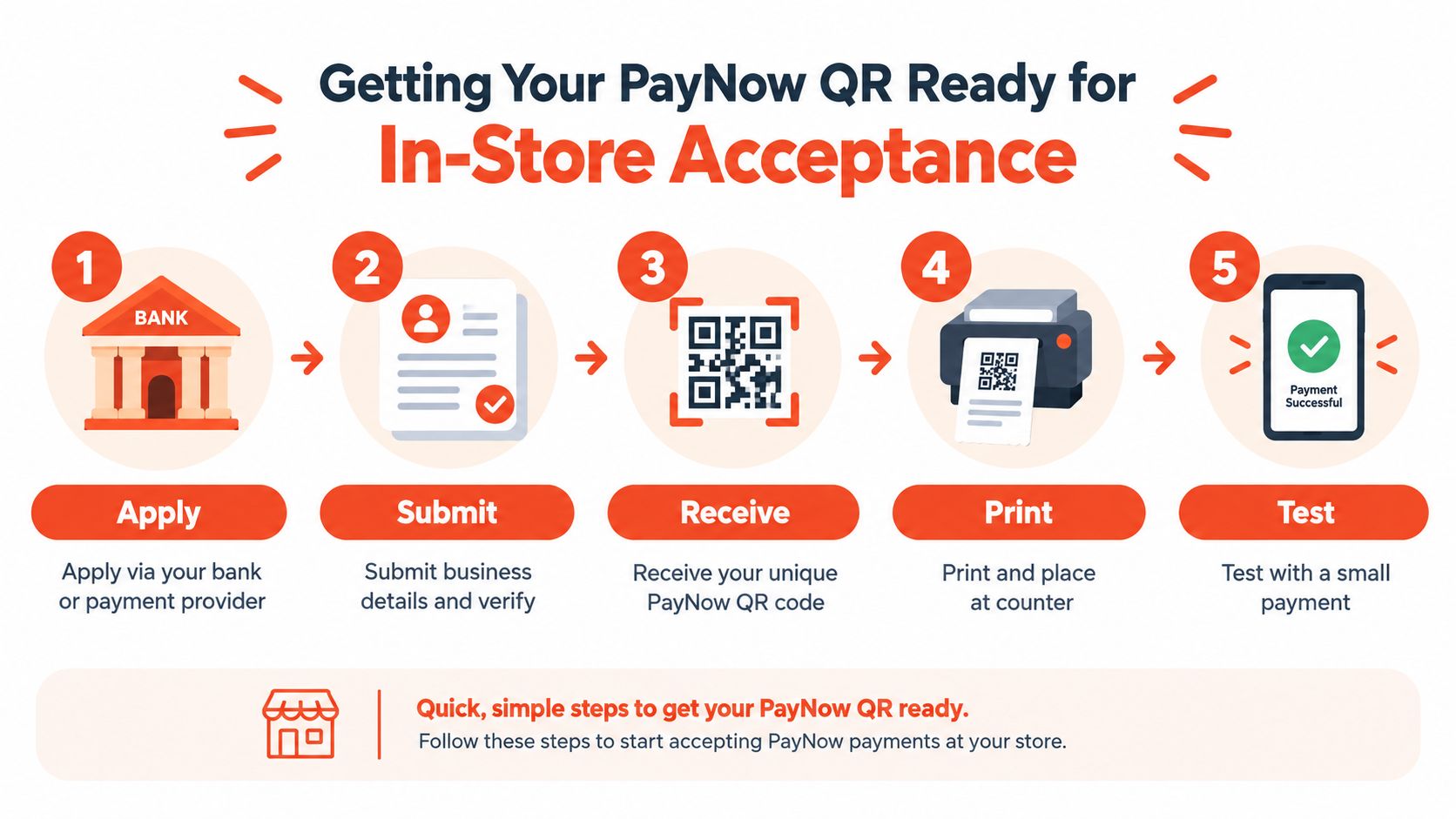
The application normally begins with a bank or payment provider. The merchant submits business information, verifies the entity, and links the acceptance profile to the intended settlement account. For a registered company, the business should ensure that the displayed recipient name matches the entity customers recognise at the counter.
Avoidable mistakes begin. A merchant may have more than one bank account, an old UEN-linked account, or a personal PayNow registration used before the business was formalised. Staff shouldn't discover that problem during a live sale.
Before printing or activating the code, the owner or authorised operator should confirm:
A static QR is fixed at the counter. The customer scans it and enters the amount manually. It can work well for a small stall or a low-complexity service, but the cashier must check that the customer entered the right amount and that the payment belongs to the current sale.
A dynamic QR is generated for a particular transaction, often by the POS. The amount can be pre-filled, and the transaction can carry an order reference. That makes it more suitable for stores that need cleaner matching between payment records and POS receipts.
A PAX Smart Android POS can support a more integrated workflow when the merchant's payment provider has configured PayNow QR acceptance on the device. Staff enter or confirm the sale on the POS, present the generated QR, wait for confirmation, and close the transaction in the same system. Merchants comparing hardware and workflows can review this guide to POS systems in Singapore.
The POS should remain the source of truth for the sale. A bank notification is useful as a secondary signal, but staff shouldn't rely on a customer's screenshot as the only proof of payment.
A proper test starts before opening hours. The merchant should scan the live code using a supported banking app, enter or confirm the amount, complete authentication, and verify both the customer-facing result and the merchant-side record.
The test should also cover a declined or interrupted attempt. Staff need to know whether the POS remains open, whether a new dynamic code must be generated, and how to prevent the same order from being marked paid twice.
The video below demonstrates the type of QR payment flow merchants can use as a reference when training counter staff.
A printed backup display is sensible, but it must show the same active merchant arrangement. Old stickers should be removed rather than left beside the replacement, since customers may scan the wrong code and staff may not know where to check the payment.
QR acceptance fails operationally when the customer has to ask what to scan. The code should face the customer, remain unobstructed by a receipt tray or display stand, and sit close enough to the payment position that scanning doesn't require the customer to lean across the cashier.
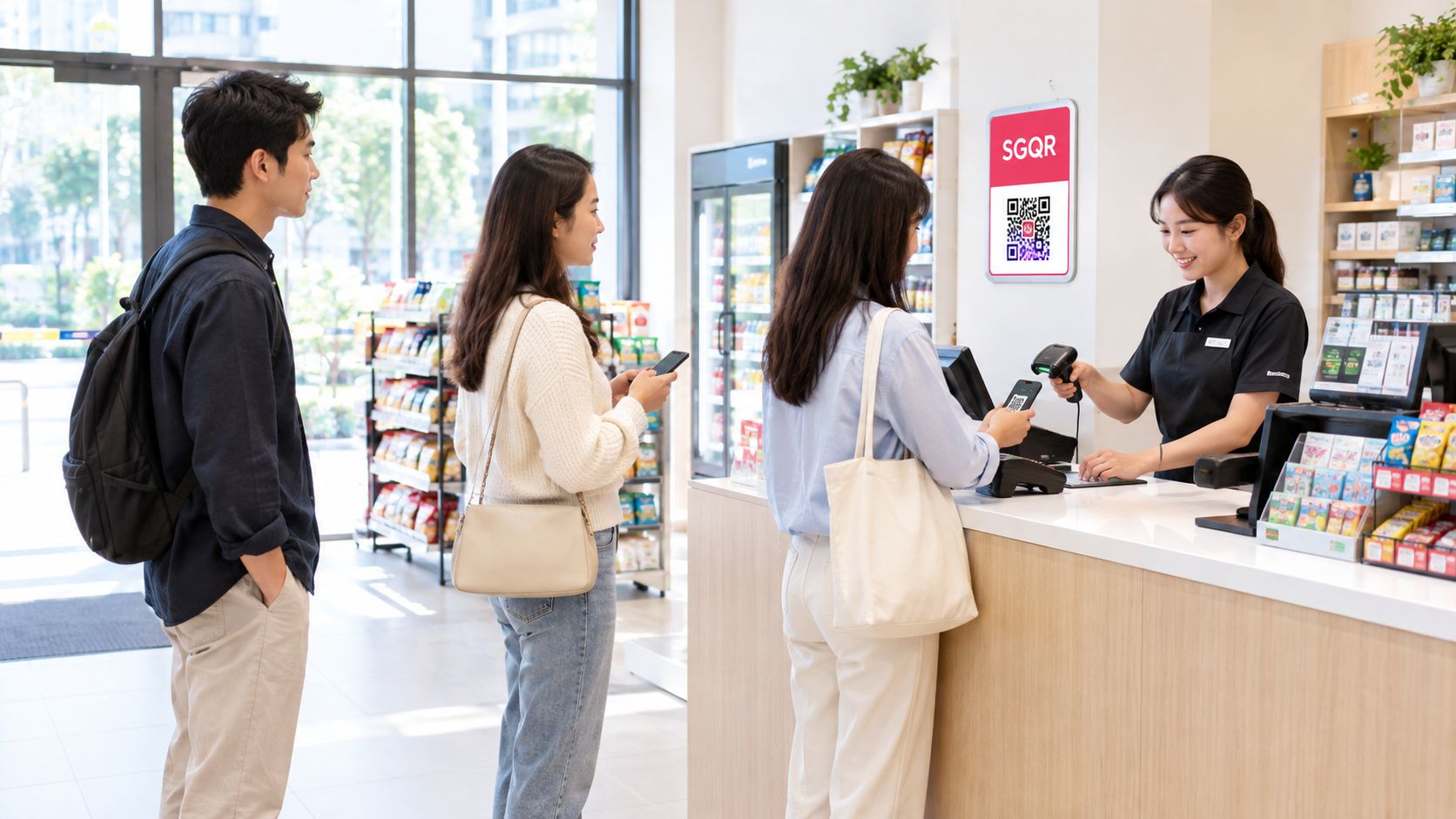
A useful staff prompt is short: “The amount is shown on the POS. Please scan the SGQR and show the successful payment screen when it's done.” That sentence tells the customer what to do without forcing the cashier to explain the whole PayNow system during a queue.
An F&B outlet needs the customer to scan without blocking the next order. A QR stand at the side of the collection point can work better than a code directly in front of the till, particularly when drinks or takeaway bags are being handed over.
A boutique can allow more time for the customer to inspect the payment screen, but staff still need to keep the order open until confirmation. A clinic or salon may handle larger, less frequent bills, making a dynamic QR and clear receipt reference more valuable than a self-service stand.
The same terminal can provide a fallback. Staff can select card or wallet acceptance when a customer is struggling with a camera, has poor mobile connectivity, or needs a faster tap-based payment. That prevents the cashier from treating PayNow as a test of patience.
A short briefing should cover the moments that cause most disputes:
Queue rule: A QR payment should never leave the next customer guessing whether the transaction has finished.
The best staff workflow separates scanning from fulfilment. One employee can monitor payment confirmation while another prepares the order, where staffing allows. In a single-person counter, the POS should make the status obvious enough that the cashier doesn't need to switch between multiple apps.
A customer's screenshot may show a legitimate-looking payment page, but it could relate to an earlier attempt or a different amount. Staff should verify the recipient, amount, and transaction status before releasing high-value goods or completing a service.
PayNow QR can feel instant at the customer's end, but the merchant still needs to understand how the provider records and pays out transactions. Settlement timing depends on the bank or payment agreement, while card settlement may follow a separate schedule. A store that mixes both methods should track the expected payout by channel rather than treating every successful checkout as identical cash flow.
Fees also need to be read from the merchant agreement, not guessed from the payment label. Some providers use transparent blended pricing across card and digital payment acceptance, while others separate processing, scheme, terminal, or service charges. The relevant comparison is the total cost for the merchant's actual transaction mix.
| Feature | PayNow QR via SGQR | Card and Wallet via POS |
|---|---|---|
| Customer action | Scan, review, authenticate, and confirm | Tap, insert, or use a mobile wallet |
| Amount entry | May be manual with a static code, or pre-filled with dynamic acceptance | Usually sent directly from the POS to the terminal |
| Checkout strength | Convenient when the customer is comfortable with QR payment | Often more predictable for fast queues |
| Confirmation | Staff should verify the merchant or POS status | Terminal normally provides a clear approved or declined result |
| Reconciliation | Can be clean with dynamic references, but manual checks may be needed | POS transaction records can link directly to the sale |
| Settlement | Depends on the merchant's bank or provider arrangement | Depends on the acquiring agreement, with some options from as early as T+1 |
| Best operating role | A strong account-to-account option within SGQR | A dependable fallback and primary route for tap-based customers |
Daily reconciliation should happen while the shift is still fresh. The cashier or supervisor can compare closed POS receipts with the PayNow or SGQR report, flag unmatched transactions, and record whether a payment was refunded, duplicated, or abandoned.
A useful process separates three questions: was the sale recorded, was the payment authorised, and was the payout received? A payment can appear successful while still requiring later settlement matching. Merchants that need a structured method can use this resource to master the reconciliation process.
If a payout appears delayed, the operator should check the transaction reference, settlement report date, bank account, and provider status before asking staff to repeat the customer's payment. Repeating a payment because the first result is unclear creates a duplicate-payment risk.
Merchants reviewing provider options can compare the account setup, merchant account arrangements in Singapore, settlement window, refund handling, and reporting format together. A low-looking transaction rate isn't useful if the reports are difficult to reconcile or the payout schedule doesn't match stock and payroll needs.
A PayNow QR code is convenient, but it isn't immune to checkout problems. Public guidance notes that customers may scan a QR code from a phone screenshot or desktop display, and PayNow QR sessions can expire when the payer doesn't confirm within the required time. In that situation, the merchant may need to generate a fresh QR code, as explained in the PayNow QR FAQ from IRAS.
The correct response is operational, not argumentative. Staff should close the expired attempt, generate a new code if the POS requires it, and ask the customer to scan again. They shouldn't keep waiting on a stale screen or assume that a customer who saw a success message completed the current order.
The camera won't read the code. The cashier can move the stand into better light, remove glare, and ask the customer to clean the camera lens. A card or wallet tap should be offered if the problem continues.
The customer sees the wrong recipient. The transaction should stop until the displayed business name is checked. The merchant should inspect the SGQR label and provider setup rather than asking the customer to proceed on trust.
The amount doesn't match. Staff should void or correct the open POS sale according to the store's procedure. A customer who paid the wrong amount needs a documented correction, not a second untracked transfer.
The customer shows a screenshot. Staff should verify the merchant-side status and transaction reference. Screenshots can help identify an attempt, but they don't replace confirmation from the acceptance system.
The label looks altered. The merchant should remove the suspicious display, switch to the verified backup, and contact the provider. QR stickers should be positioned so tampering is visible.
Security check: Verify the recipient name, amount, and transaction status before goods or services are released.
PayNow QR works well when customers have time to scan and the merchant can confirm the result without slowing service. It is less suitable as the only route at a tightly packed lunch counter, a rapid takeaway collection point, or any checkout where mobile data, authentication, or session expiry can hold up the next customer.
Cards provide a practical fallback because contactless acceptance can reduce the number of steps between the customer and an approved result. That doesn't make cards universally superior. QR can support customers who prefer bank transfers, and SGQR can reduce the number of labels displayed. The resilient approach gives staff one POS workflow with both options, then lets the situation determine which route is sensible.
Merchants should review the process during a real service period, not only during a quiet test. If staff can explain the QR option, confirm payment, reconcile the sale, and switch to card acceptance without restarting the order, the setup is ready for daily use.
Sambapay supports Singapore SMEs with in-store payment acceptance through Smart Android POS terminals, including card, selected wallet, and PayNow payment flows, with local onboarding and merchant support. Visit Sambapay to discuss a checkout setup that combines SGQR with card acceptance and fits the store's queue, settlement, and reconciliation needs.