
A supplier's invoice arrives with GST added, and the accounts team is ready to approve payment. The company name looks familiar, the quotation matches the purchase order, and nothing appears unusual. Yet a quick check of the supplier's GST status could reveal that the invoice details, legal entity, and registration record don't align.
For Singapore businesses, knowing how to check if a company is GST registered is more than a search-engine task. The reliable approach links the supplier's legal identifiers, the official IRAS register, the GST effective date, and the physical invoice into one documented control.
A business that pays GST to a supplier assumes the supplier is authorised to charge it. If that assumption is wrong, the buyer may pay an amount described as GST without having reliable support for treating it as input tax. The resulting issue isn't limited to the supplier relationship. It can also affect the buyer's accounting records, tax calculations, and response during an audit.
The risk usually starts with an ordinary document. An invoice carries the supplier's trading name, a GST number, and a separate tax line. The accounts payable team checks that the goods or services were received, confirms the amount, and processes payment. If nobody verifies the entity against the official register, the business has approved the tax charge based on presentation rather than evidence.
Practical rule: A GST line on an invoice is an assertion by the supplier. It isn't proof of current or historical GST registration.
The control becomes particularly important when a supplier uses a brand name that differs from its registered legal name. A retail business might trade under one name while its invoices are issued by another entity. A contractor may also provide several documents with inconsistent UEN or GST references. The same principle applies to other forms of business due diligence. For example, a team assessing a home-services provider may use HomeProBadge license verification as one part of checking whether the contractor's credentials support the engagement.
A finance team should treat GST verification like a vendor approval control, not an administrative formality. The supplier's details should be collected before the first purchase order, checked against IRAS, and retained with the invoice or vendor file. Payment terms and related documentation should also be reviewed consistently, including the applicable Sambapay terms and conditions where that relationship is relevant.
This process protects both sides. The buyer reduces the chance of processing an unsupported tax charge, while the supplier gets an early opportunity to correct an outdated registration number, an incorrect legal name, or a document issued before registration took effect.
Singapore's official method for checking GST registration is the IRAS GST Registered Business Search. The service is available to the public and doesn't require a myTax Portal login. IRAS allows a search by business name, GST registration number, or UEN, but the quality of the result depends heavily on the identifier entered.
The supplier's Unique Entity Number, or UEN, is usually the best starting point. IRAS recommends searching by UEN or GST registration number for the best results because a legal tax reference is more precise than a brand name. Business names can contain abbreviations, punctuation differences, spelling variations, or trading names that don't match the registered entity.
A practical search sequence looks like this:
IRAS supports a search using one business name or up to four tax-reference entries. That can help a small finance team check several suppliers in one session, although each result still needs to be matched to the correct vendor record. Bulk searching shouldn't replace individual review where a supplier has multiple entities or inconsistent paperwork.
A result is useful only when it identifies the same legal entity that issued the invoice. A familiar brand name isn't enough. The UEN on the invoice should correspond with the UEN returned by IRAS, and the GST registration number should also be consistent where it appears.
The search result should then be saved with the vendor's onboarding records. A screenshot that shows the search key, entity details, and status gives the accounts team an audit trail. It also makes later investigation easier if the supplier changes its invoice template or disputes the outcome.
A supplier may not appear in the register because it has never reached the point at which registration is required. For Singapore businesses, the central milestone is S$1 million in annual taxable turnover, as stated in IRAS guidance on applying for GST registration/gst-registration-deregistration/applying-for-gst-registration). The obligation can arise under either a retrospective or prospective assessment.
Under the retrospective view, a business must assess whether its taxable turnover has exceeded S$1 million in a calendar year, based on the IRAS registration framework. If that test is met, the business must apply between 1 January and 30 January of the following year, and registration takes effect on 1 March of that year. These dates matter when a buyer is reviewing a supplier that has recently started adding GST.
The practical implication is that a supplier may have been trading with a customer for some time before its registration status changes. An older invoice and a newer invoice may therefore need different treatment, depending on the effective date attached to the supplier's registration.
The prospective view applies where the business has a reasonable expectation that taxable turnover will exceed S$1 million in the next 12 months. In that case, the business must apply within 30 days after the forecast date, and registration takes effect on the 31st day after that forecast, according to the same IRAS guidance.
A supplier's explanation that registration is “in progress” shouldn't automatically validate a GST charge. The accounts team needs to establish the registration status and effective date relevant to the transaction. Until those details are clear, the tax line deserves review rather than automatic approval.
An overseas supplier serving Singapore may be assessed under the overseas vendor registration regime rather than the local-business approach. IRAS describes a two-tier test involving more than S$1 million in global turnover and more than S$100,000 in B2C supplies of low-value goods and remote services to Singapore customers, as set out in the registration guidance linked above.
That distinction prevents a common mistake. A Singapore buyer shouldn't assume that every overseas software provider, digital service vendor, or low-value goods supplier will appear under the same circumstances as a local company. The supplier's location, customer type, and supply category all affect how the register should be interpreted.
An active result today doesn't automatically validate a GST charge on an invoice from an earlier period. The decisive comparison is between the invoice date and the supplier's effective GST registration date.
IRAS' general GST guide confirms that a business's GST status can be checked on the IRAS webpage and through the GST Registered Business Search e-service. It also supports the operational sequence of obtaining the supplier's invoice or quotation, checking the UEN or GST number, searching the register, and comparing the effective date with the invoice date. The IRAS GST general guide for businesses65e0cbd7-23cb-450d-b2e3-a8491bc4733b98f1.pdf?sfvrsn=1c04f150_5) is the relevant reference for this control.
The invoice should be treated as the starting evidence, not the conclusion. The reviewer should capture the following:
If an invoice predates the supplier's effective registration date, the supplier should explain and, where appropriate, issue corrected documentation. An accounts team shouldn't rely on the fact that the supplier is active at the time of review. Status is time-sensitive, and the supporting record needs to relate to the transaction being recorded.
Audit evidence should answer three questions: Which entity was checked, which identifier was used, and was the entity registered on the relevant invoice date?
The same discipline applies to transaction records connected with card payment settlement processes. Payment documentation, supplier invoices, and tax records should each identify the relevant parties consistently. A screenshot saved with the invoice gives the reviewer a clear trail without relying on memory or an informal email exchange.
A “No records found” result is a warning to investigate, not conclusive evidence that a supplier is fraudulent. The search may have used the trading name instead of the registered entity, the company name may contain a spelling error, or the supplier may not be registered under the tax reference entered.
The first response should be to check the source document carefully. Compare the invoice with the quotation, purchase order, supplier master record, and bank-payment details. If the invoice shows only a brand name, the supplier should provide the legal entity name and UEN used for tax registration.
A useful escalation process is:
A supplier that responds promptly with matching identifiers and a coherent explanation presents a different risk from one that refuses to provide basic tax details. The distinction should be documented rather than assumed.
No record means “pause and validate”, not “approve” and not “accuse”.
The review should also consider whether the supplier is a local business or an overseas vendor. Different registration tests apply, so absence from a search may reflect the wrong verification route rather than misconduct. If the entity details remain inconsistent after escalation, payment approval should stay on hold until the finance manager resolves the discrepancy.
GST verification works best when it happens before a supplier's first invoice, not after an accounts clerk discovers an unfamiliar tax line. A short vendor control form can capture the legal name, UEN, GST number, search date, result, effective registration date, reviewer, and exception notes.
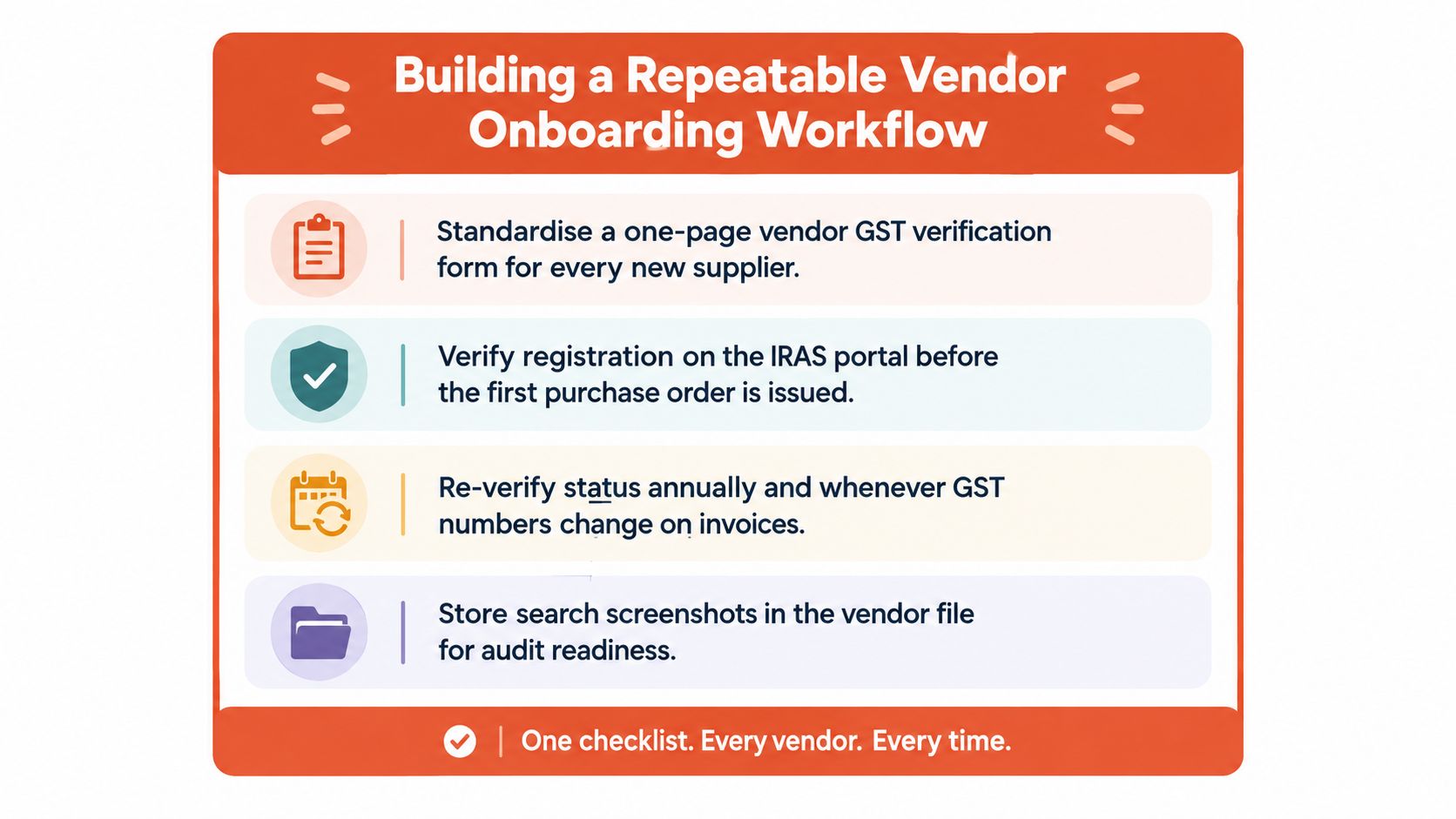
A practical standard operating procedure can follow this order:
This makes the check repeatable across retail suppliers, restaurant vendors, clinics, salons, and service contractors. Teams looking to formalise approvals can also use guidance on a seamless vendor onboarding workflow to connect document collection, sign-off, and record retention.
A recurring review is sensible for high-value or high-volume suppliers, particularly when invoice details change. The exact frequency should match the business's risk assessment and internal policy. The important point is that registration verification remains a living control rather than a one-time checkbox.
For merchants comparing payment providers or setting up a new merchant account in Singapore, the same vendor-file discipline can help keep commercial documents, settlement records, and supplier tax information organised. Clean identifiers at onboarding reduce avoidable queries later and give the finance team evidence when an invoice is challenged.
Sambapay provides Singapore SMEs with modern POS terminals, card and selected digital-wallet acceptance, transparent blended pricing, and settlement options from as early as T+1 depending on the merchant agreement. Visit Sambapay to discuss a payment setup with local onboarding, installation, and practical support.