

A customer taps a phone at a Singapore café counter. The cashier checks the amount, waits for approval and offers a receipt while the next customer steps forward. When the screen stalls, nobody in that queue cares how many payment logos the terminal supports. They want to know whether the payment went through.
That's the practical test for a point of sale: can staff take the right payment, confirm the result and account for the money without creating extra work? For a shop owner, the strongest setup isn't necessarily the one with the longest feature list. It's the one with payment methods that customers use, manageable costs and clear responsibility when something goes wrong.
At the counter, a payment looks simple. Staff enter the amount, the customer presents a card or phone, and the terminal returns a result. Behind that exchange, the in-store payment system communicates with the relevant payment network and starts the process that eventually puts the takings into the merchant's account.
A cash register records a sale. A payment terminal requests and confirms payment. Some point-of-sale setups connect those jobs; others require staff to enter the amount separately. The distinction matters because a capable card reader doesn't automatically prevent an incorrect amount, update stock or reconcile the day's sales.
Singapore merchants were handling substantial card volumes before the recent expansion of mobile wallets. Credit and debit cards processed 993 million transactions worth S$97.936 billion in 2018, according to MAS's parliamentary reply on electronic payments.
That scale makes card acceptance an operating decision, not an upgrade to the counter's appearance. A boutique needs confidence when taking a higher-value purchase. A café needs the same confidence when handling modest purchases repeatedly during a busy service.
Counter test: A terminal earns its place when staff can distinguish approved, declined and unresolved payments without guessing.
A responsive screen helps, but it's only part of the job. Staff also need clear payment choices, reliable connectivity and a useful transaction record. Otherwise, the apparent convenience of a tap can turn into a search through receipts while customers wait.
A merchant should assess the whole arrangement around the device:
These are separate responsibilities. Adding wallets won't repair poor connectivity, and replacing hardware won't make an unclear settlement agreement predictable. The useful buying question is whether the complete setup supports the venue's trading day, including the awkward transactions after the initial tap.
Payment-method coverage is a portfolio, not a collection of logos. Each method should justify the customer reach it provides against its processing cost, reconciliation work and operational risks. A method that looks attractive on a sales page may contribute little at a particular counter.
There's good reason to avoid assuming that digital-payment dependence only moves upwards. In Singapore, 63% of small businesses received more than 10% of sales through digital-payment platforms in 2025, down from 76% in 2024, according to CPA Australia's Singapore small-business survey summary. That doesn't establish what any individual shop should accept. It supports measuring the shop's own mix rather than adding every available wallet.
The payment options can be grouped before individual schemes are assessed.
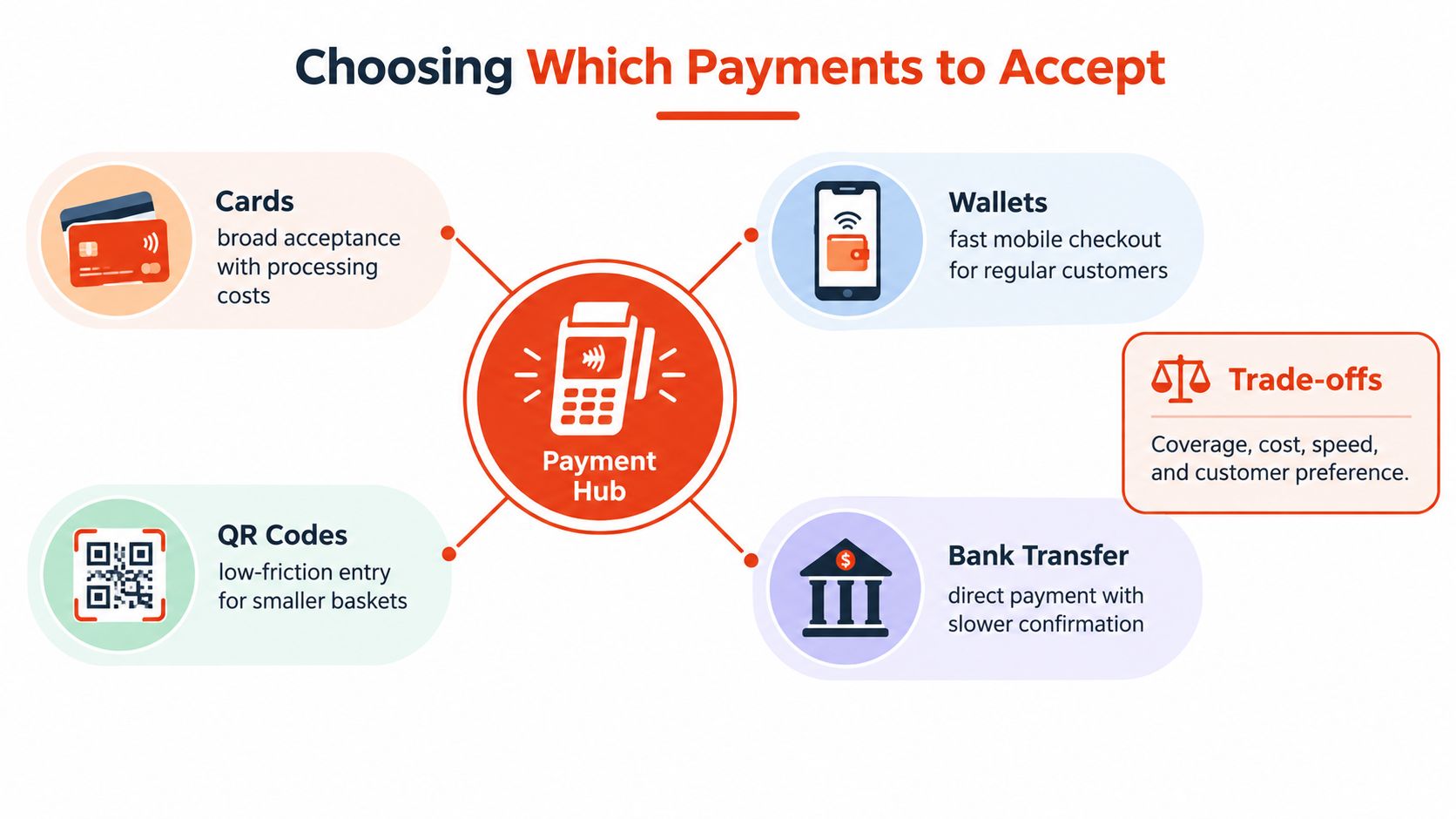
For a retail boutique or clinic, card and contactless coverage may be the starting point. A café should assess wallet and PayNow visibility against customer requests and checkout handling. Salons and gyms should give particular attention to what happens when a customer changes a booking or requests money back.
Possible coverage includes Visa, Mastercard, American Express, JCB and CUP, alongside Apple Pay, Google Pay, Alipay, GrabPay and PayNow. These are choices to verify, not a mandatory shopping list. A payment-method coverage guide can help frame questions about the exact acceptance available under a proposed agreement.
A monthly reconciliation sheet should give each method a row and record:
The resulting decision can be keep, promote or retire. Keep useful methods, make overlooked but suitable methods visible, and consider retiring low-use options that create disproportionate work. Before removing one, check whether it serves customers who lack an acceptable alternative.
Commercial structure matters too. Capital Express's discussion of merchant account options for business owners offers another resource for examining account and processor arrangements. Singapore merchants should still confirm their own local terms rather than assume an overseas arrangement applies.
The hardware demonstration should resemble a trading day, not a presentation at an empty desk. Staff should enter an amount, select a method, read the result and retrieve the transaction while handling the device as they would during service.
The counter layout is part of that test.
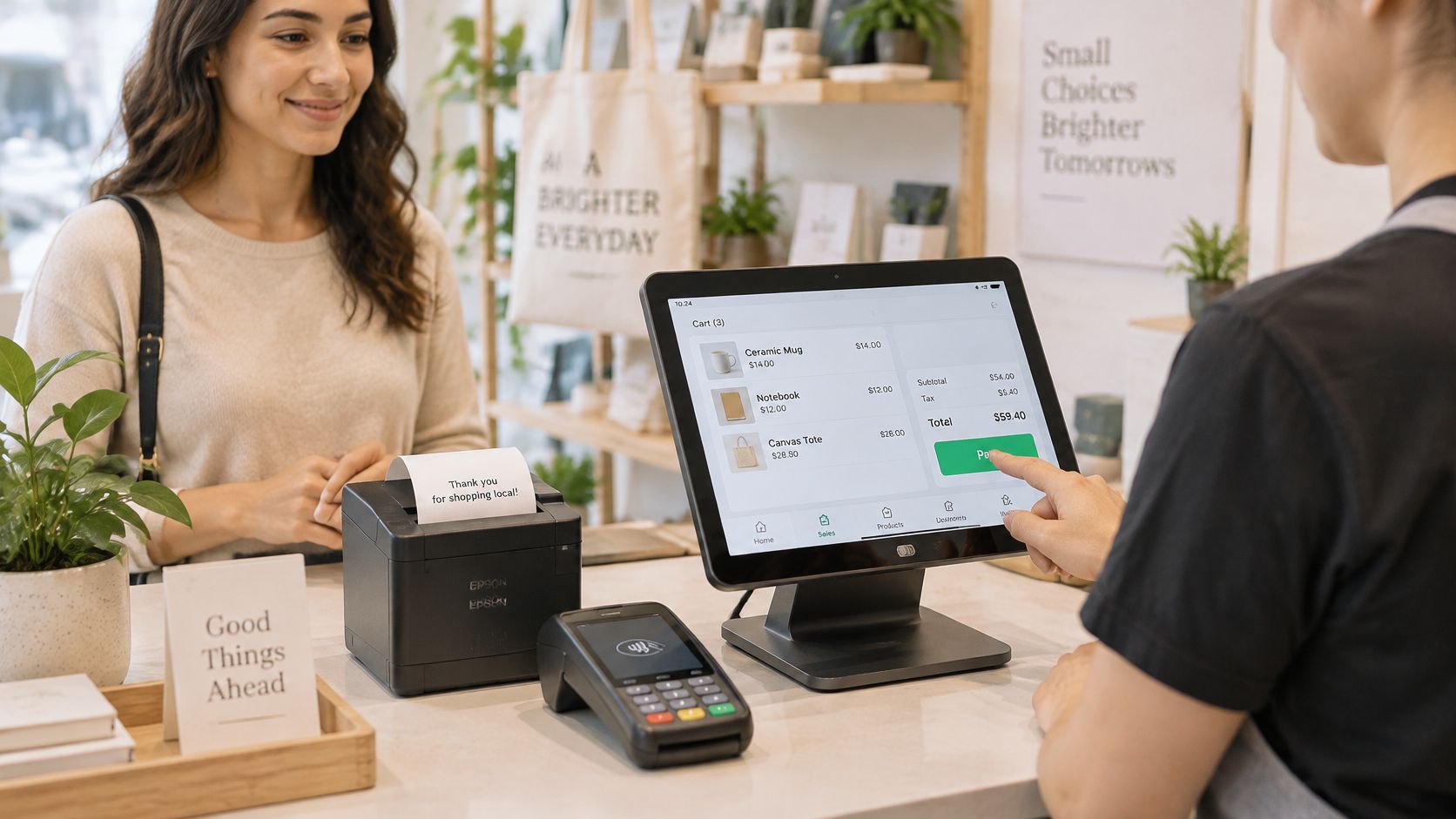
A smart Android payment terminal, such as a suitable PAX model, is worth assessing against the workflow rather than treating it as interchangeable with a tablet and card dongle. For countertop use, check screen readability and where the customer presents the card. For table-side service or a market-style setup, check the device's weight, charging arrangement and connectivity where staff take payments.
A large touchscreen is useful only if the interface makes the important actions clear. Staff should be able to recognise the amount, payment choice and final status without navigating unrelated business applications. Ask which functions are built into the payment software and which require a separate system or integration.
Modest purchases deserve the same responsive handling as larger ones. MAS's half-year figures report average tickets of S$79 for credit and charge cards and S$31 for debit cards in H1 2025, illustrating the different purchase values a merchant's setup may need to handle, as recorded in the MAS retail-payment statistics.
A smaller ticket doesn't make a stalled payment less disruptive to a café queue. Equally, a higher-value purchase shouldn't depend on a cashier interpreting an ambiguous screen.
A demonstration video can supplement, but shouldn't replace, a hands-on test.
The most useful checks are practical:
An outdated terminal may be frustrating, but replacement alone won't fix poor placement, an unreliable connection or unnecessary manual entry. The equipment should remove those obstacles, not merely give them a newer screen.
A certification sticker isn't a complete security plan. The merchant still needs rules for what staff collect, who can access payment records and how exceptions are approved.
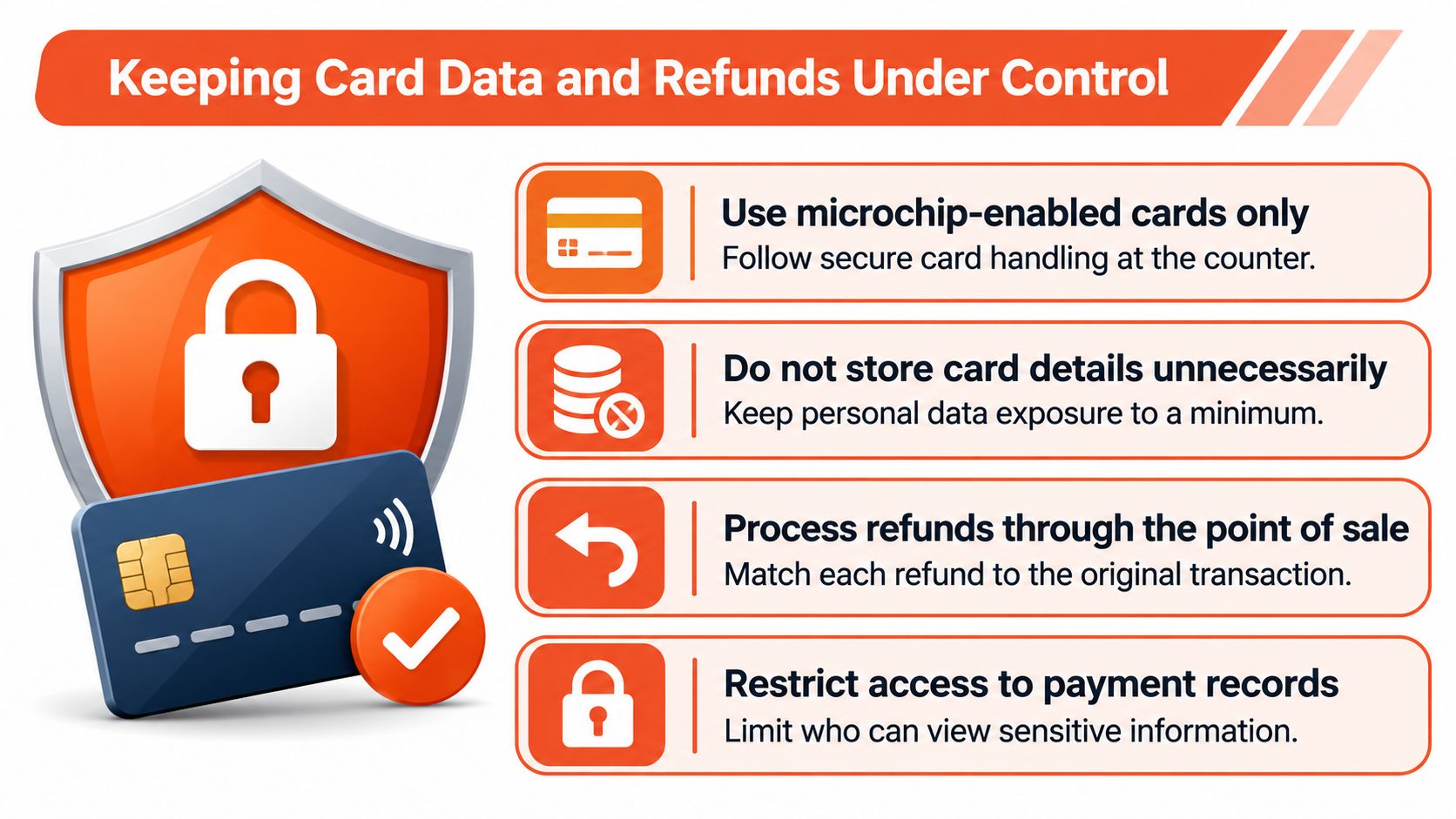
The Personal Data Protection Commission advises merchants not to capture or store sensitive cardholder data and explains that reading personal data from a payment card's chip or magnetic stripe constitutes collection under the PDPA. Its advisory on magnetic-card swiping also sets out the need for reasonable security arrangements against unauthorised access and other misuse.
The practical approach is to prefer EMV chip and contactless acceptance, avoid retaining raw card data in terminal or back-office systems, and use encrypted or tokenised processing where supported. Staff shouldn't photograph cards or copy card details into appointment notes to make later handling easier.
Access should follow responsibility. A cashier may need to locate a transaction, while a supervisor authorises a refund. The provider should explain how those permissions work and who manages secure updates.
These counter controls should sit alongside the provider's technical safeguards.
The need for an operating process isn't theoretical: 44% of Singapore small businesses lost time and/or money because of a cybersecurity incident, according to CPA Australia's cybersecurity findings in its Singapore summary. That finding doesn't measure POS fraud specifically, so it shouldn't be presented as evidence that ordinary card payments are suspicious by nature.
Different venues need different exception instructions:
An unverified refund request is a reason to check the transaction, not a reason to improvise a payout.
Staff should also check for unexpected terminal changes or signs of tampering and know whom to contact if something looks wrong. 3D Secure and SSL protect parts of the payment journey, but neither replaces staff permissions, terminal governance or account monitoring. A suspected compromise needs a named escalation route, not a search for a support number during service.
An approved payment isn't yet usable working capital. Settlement is the process through which takings reach the merchant's account, subject to the agreed processing arrangements. A shop that replenishes frequently needs to plan purchases against available funds rather than the total displayed on the terminal.
A predictable payout schedule may therefore matter more than an attractive headline rate. Merchants should ask how settlement operates around cut-offs, non-business days, adjustments and any conditions in the agreement.
The payment-to-cash-flow sequence is useful as a discussion aid, although the contract determines the actual treatment of fees and payouts.
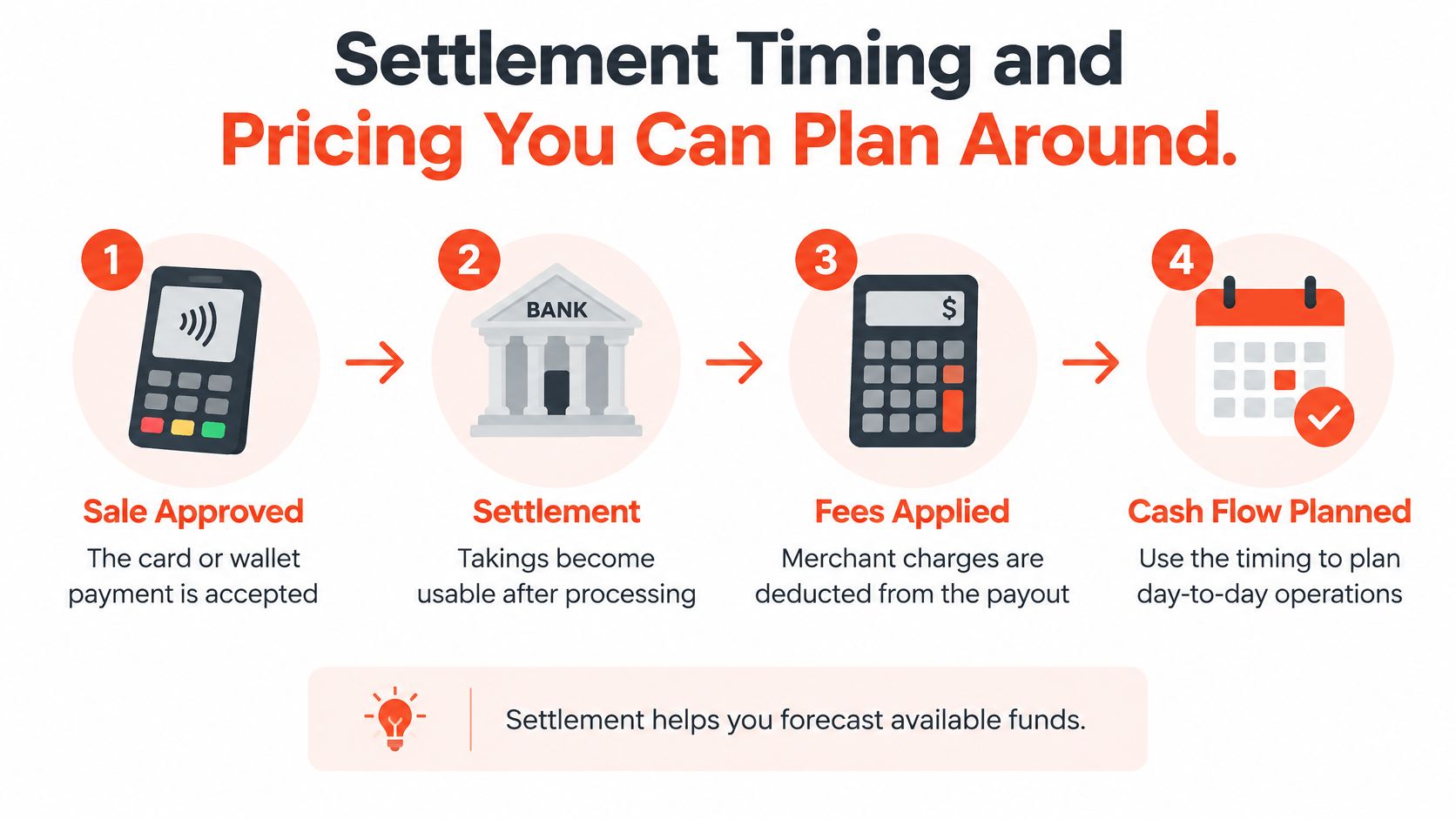
An offer described as settlement from as early as T+1 should be treated as conditional, not as a guarantee that every sale reaches every merchant the next day. The owner needs the applicable timeline in writing, including what starts the clock and what can delay payment.
A card-payment settlement guide can help prepare that conversation. The decisive evidence remains the merchant agreement and the provider's explanation of how it applies to the venue.
Quote check: Compare when the money becomes available and what remains after charges, not just the most prominent rate.
Blended pricing can make a quote easier to understand by presenting an agreed transaction rate rather than leaving the owner to interpret multiple pricing layers. The quote should still reflect the industry, typical ticket, monthly volume and card mix.
A missing public percentage isn't, by itself, a red flag. The concern is whether the provider explains the rate, its scope and the circumstances under which it can change.
Ask for written answers on:
No monthly rental doesn't mean every possible configuration is free. Likewise, no cancellation fee doesn't remove the need to clarify device-return obligations and outstanding charges. An understandable quote identifies both the charges that apply and those that are absent.
A boutique and a fitness studio can use similar hardware while needing different operating arrangements. The useful comparison starts with purchase patterns, customer flow and the staff member responsible when a normal sale becomes an exception.
The following checks are buying criteria, not claims that every business in a category behaves alike.
| Venue | Payment priority | Checkout constraint | Verify before signing |
|---|---|---|---|
| Retail boutique | Card and contactless coverage suited to the customer mix | Higher-value purchases may require careful approval and receipt checks | How supervisors retrieve transactions and handle returns or disputes |
| Restaurant or café | Convenient payment choices for regular customers | Queues, table-side handling and interrupted payments | Connectivity in service areas and a clear unresolved-payment workflow |
| Beauty salon or spa | Acceptance suited to appointment and service payments | Booking changes and adjustments can involve reception and therapists | Who authorises refunds and how records identify the original sale |
| Medical or dental clinic | Clear amounts and dependable payment confirmation | Reception staff manage payment alongside appointment administration | Partial-refund handling and restricted access to payment records |
| Gym or fitness studio | Suitable in-person payment for memberships and services | Front-desk staff handle membership questions alongside checkout | Whether membership administration is separate from payment acceptance |
For fitness operators, the important distinction is between taking a payment and managing a membership. A terminal shouldn't be assumed to handle recurring billing, attendance or contract changes unless those functions are explicitly demonstrated. Gym Membership Tips on POS selection is an additional discussion resource; the provider's written scope should settle what is included.
A Singapore-based in-store payments option described for these SMEs supplies PAX Android terminals and major card acceptance, with selected wallets and local onboarding, installation and support. Its stated processing arrangement uses global acquiring infrastructure with stable connectivity and 3D Secure and SSL safeguards.
The provider also describes itself as an authorised independent sales organisation of established payment-infrastructure providers. That describes its role, but the merchant should still identify the contractual parties and the team responsible for account servicing.
No provider should be selected solely because its product description mentions the right business category. A clinic needs its own adjustment workflow demonstrated; a restaurant needs its own service-area connection checked. The right match addresses a documented weakness in the current setup without introducing an unnecessary system elsewhere.
Switching should begin with the merchant's records, not the next provider's brochure. The owner or accounts lead should assemble recent statements, list the payment methods in use and identify which ones pass the keep-or-retire test.
The same preparation should capture the current payout pattern and every visible charge. Unexplained entries belong on the question list rather than being carried into a comparison as an assumed cost of accepting cards.
A useful provider enquiry contains enough trading detail to avoid a generic offer:
The merchant should ask for a blended quote based on that information, not an introductory rate detached from the shop's transactions. Any exception to the advertised arrangement should be visible before acceptance.
A store POS switching checklist can support installation planning. The handover should identify when the new service becomes usable and when the old arrangement can safely end.
Installation and activation aren't interchangeable. The owner should arrange a test payment, confirm that staff can retrieve the result and agree how the first payout will be checked. A named local contact should take responsibility for activation and subsequent troubleshooting.
The staff brief should fit on a page and cover the ordinary sale, unresolved payment, authorised refund, tamper check and escalation contact. It should also state who can approve exceptions when the owner isn't present.
A switch is ready when staff know what to do with an unclear result, not merely when the terminal powers on.
Before cancelling the existing service, the merchant should confirm responsibility for outstanding refunds, disputes, final charges and equipment returns. Those details prevent a tidy-looking installation from becoming an untidy account closure.
The practical next step is a provider conversation backed by actual records: the payment mix, statement charges, operating constraints and unresolved questions. That gives the shop owner a basis for choosing, rather than another feature list to interpret.
Sambapay offers Singapore SMEs PAX Android payment terminals, in-store card and selected wallet acceptance, blended pricing customised to each business and local installation support. Shop owners can visit Sambapay with their current statements and payment-method checklist to request a quote based on the shop's real trading mix and confirm the terms before switching.