
A customer reaches the counter, taps a card, and the terminal freezes. The queue grows while staff restart the device, search for a QR code, or ask whether the customer can pay another way. In a clinic, the same failure can force the front desk to reconcile payments manually. In a salon, a stylist may finish a service but still need to escort the customer back to a fixed till.
That's why a card payment machine isn't a device purchase. The right setup depends on three decisions: which hardware suits the checkout, which fee structure protects margins, and how quickly settled funds reach the business account. A countertop terminal, Android smart POS, Bluetooth reader, and tap-to-phone setup can all accept card payments, but they behave very differently during a busy Singapore trading day.
This guide focuses on the practical choice for retail shops, F&B operators, clinics, salons, gyms, and mobile merchants. It treats the terminal as part of the operating workflow, not as a brochure full of processor logos.
Singapore merchants rarely discover the need for a card payment machine during a quiet afternoon. The problem usually appears during a peak period. A retail queue stalls because the terminal has lost connectivity. A customer expects contactless payment, but the device only handles a limited scheme. A clinic receptionist spends time entering the same transaction into separate systems. A café staff member carries receipts between tables because the payment device can't move.
The hardware price is only one part of the decision. A poorly matched terminal can create slower checkout, duplicate reconciliation, failed wallet payments, and avoidable staff handling. Those costs are difficult to see on an invoice, but they appear in longer queues, more manual corrections, and customers who choose another merchant next time.
First, choose the hardware category. A fixed retail counter usually benefits from a wired or stable wireless countertop terminal. A restaurant that takes payment at the table needs portable hardware. A salon may need a reader that travels between treatment areas. A pop-up operator may prefer a phone-based option that avoids carrying another device.
Second, examine the fee structure rather than the headline rate. A blended rate is easier to forecast, while tiered merchant discount rates can vary according to domestic, international, commercial, or premium card mix. The merchant should ask for the effective cost based on actual transactions, not just the lowest advertised rate.
Third, check settlement timing. A business that pays suppliers frequently may value earlier settlement more than a small difference in hardware cost. A salon with irregular volume also needs to identify terminal rental, minimum monthly charges, and statement fees before signing.
Practical rule: The best terminal is the one that reduces work at the busiest point of the day, not the one with the longest feature list.
A reliable card payment machine should support the payment methods customers use, connect through a suitable network, handle refunds and reversals cleanly, and give staff a workflow they can learn quickly. The device also needs to suit the average ticket. Higher-value transactions may require additional authentication, while low-value contactless payments depend on fast NFC performance.
The right choice therefore starts with the business flow. Retail prioritises queue speed and inventory integration. F&B may prioritise portability and table service. Clinics need clear receipts and accurate front-desk reconciliation. Salons and gyms often care more about repeat billing, appointments, or membership records than about a traditional till.
A customer reaches the counter, taps a phone, and the terminal declines. The queue stalls, staff retry the payment, and the customer switches to another method. In Singapore, cashless acceptance is no longer a nice extra. The decision is whether your setup handles the payment methods customers already use, without slowing the busiest part of the day.
MAS retail payment statistics for 2024 recorded S$148.909 billion in total card payments across 2.286 billion transactions. In-store point-of-sale payments contributed S$54.540 billion for credit and charge cards and S$28.516 billion for debit cards, according to Singapore card payment market data. The same dataset recorded average POS ticket sizes of about S$80 for credit and charge cards and about S$33 for debit cards. Those figures place card acceptance inside normal SME checkout activity, from everyday retail purchases to clinic and salon payments.
The MAS data for H2 2025 showed further expansion, reaching S$153.164 billion in total card payments and 2.528 billion transactions. Reliability therefore affects more than convenience. A failed terminal can interrupt queues, table service, consultations, or appointment-based payments.
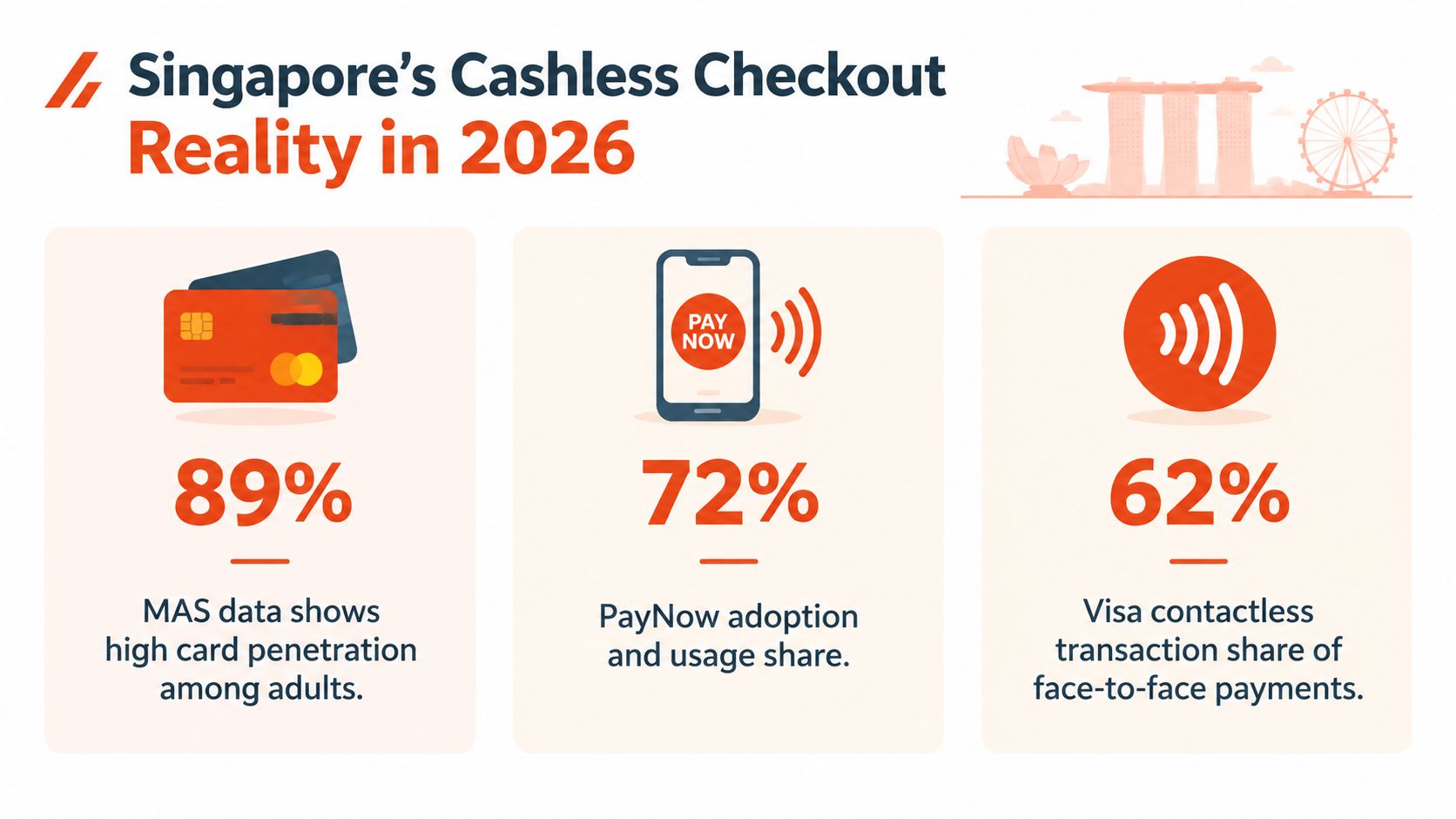
Singapore has dense payment infrastructure. A market report cited 53,562 POS terminals per million people and described unified terminals accepting major debit and credit card brands as widely deployed since 2017, as recorded in the BIS payment statistics.
Visa's consumer payment study found card payments had overtaken cash as Singapore's most-used payment method, with card usage at 97% versus cash at 82%, while contactless card usage reached 82%. For merchants, a terminal limited to card inserts or a single local method leaves an obvious service gap.
Use this guide to cashless payment in Singapore as an acceptance checklist. PayNow QR, NETS, Visa, Mastercard, American Express, JCB, Apple Pay, Google Pay, Samsung Pay, and GrabPay can run through different rails or integrations. Confirm the provider's supported methods at the actual point of sale before signing.
The terminal should also match the business workflow. Retail needs fast queues, F&B may need portable table payments, while clinics and salons need clear receipts and dependable reconciliation. Customers expect the tap to work first time, refunds to follow a recognisable process, and staff to complete both without relying on one technically confident employee.
Four categories cover most Singapore SME needs. They should not be treated as interchangeable, because each solves a different operational problem.
| Type | Best For | Connectivity | Key Limitation |
|---|---|---|---|
| Countertop terminal | Fixed retail tills, clinics, central restaurant counters | Ethernet, Wi-Fi, or 4G depending on model | Limited mobility |
| Android smart POS | Businesses needing sales, inventory, receipts, or workflow apps | Wi-Fi and 4G, with model-dependent options | More setup and staff training |
| Mobile reader | Salons, table service, delivery, pop-ups, and service businesses | Bluetooth paired to a phone or tablet, sometimes cellular | Depends on the paired device and app |
| Tap-to-phone softPOS | Very small operators, occasional sellers, and temporary acceptance | Smartphone internet and NFC | Phone dependency and provider or acceptance limits |
A countertop terminal remains the dependable choice for a fixed till. Ethernet is particularly suitable for a busy checkout because the device stays connected to the store network and doesn't depend on a staff member carrying it around. A built-in PIN pad and receipt printer can also keep the payment interaction self-contained.
This format suits a boutique, pharmacy-style retail counter, or clinic reception desk where the customer and staff member meet at one location. The trade-off is obvious. Staff can't take payment at a table, treatment chair, or delivery point without moving the customer to the terminal.
An Android smart POS combines payment acceptance with a larger software environment. Depending on the provider, it can support sales entries, product catalogues, inventory, staff permissions, customer records, and reporting on one device.
This is the strongest choice when the payment is only one part of the checkout process. A retailer can reduce duplicate entry when the sale and payment sit in the same workflow. An F&B operator may use a compatible system for orders and receipts. The cost is operational complexity. The business must train staff, manage software access, and test integrations rather than switching on a payment device.
A mobile reader usually pairs with a phone or tablet through Bluetooth. It works well when payment must follow the service, such as a salon payment at the chair, restaurant payment at the table, or a technician collecting payment at a customer location.
The reader itself may be compact, but the phone becomes part of the payment system. If the phone battery dies, Bluetooth disconnects, or the payment app loses internet access, the reader can't compensate. Staff also need a clean process for pairing, refunds, receipt delivery, and daily reconciliation.
Tap-to-phone turns a compatible smartphone into the acceptance device, without an additional reader. It can be practical for a low-volume seller, a market stall, or a business testing card acceptance before investing in dedicated hardware.
It isn't the default recommendation for a busy permanent checkout. The phone must remain available, charged, updated, and handled securely. The screen and NFC performance may also be less suitable for queues or complex POS workflows. A phone-based reader makes sense when portability and low hardware commitment matter more than dedicated reliability.
The cheapest reader often becomes expensive when staff queue customers, re-enter sales, or chase failed transactions.
A merchant comparing these options should test the complete payment journey, not just the tap. The test should include a chip transaction, a contactless transaction, a refund, a failed connection, a receipt, and the handoff between the POS and payment device. Connectivity, security, and wallet compatibility then become decisive rather than decorative specifications.
A card payment machine needs more than a working screen. It needs a connection plan, recognised security controls, contactless capability, and a wallet acceptance map that matches the merchant's customer base.
Singapore SMEs commonly choose among four practical connection modes:
A dual-path setup is usually more resilient than relying on one network. However, staff still need a clear outage procedure. They should know whether the terminal supports an approved fallback flow, when to retry, and when to avoid duplicate charges after a delayed response.
In Singapore, a POS terminal must be EMV-capable and enabled for EMV chip payments, including contact and contactless chip cards, mobile phones, and other chip-enabled devices, according to the Singapore EMV terminal requirements. A device that looks modern but isn't enabled for the complete EMV flow can block ordinary tap, insert, and mobile-wallet payments.
PCI controls also matter. The merchant should ask how the provider protects payment data, whether the terminal is approved for the intended deployment, and how decommissioned devices are handled. Businesses reviewing disposal and retirement procedures can use this resource on PCI compliant asset disposition as part of their equipment lifecycle planning.
Apple Pay, Google Pay, and Samsung Pay typically use NFC at a compatible terminal. PayNow via QR follows a different customer flow, while GrabPay and other wallets may depend on the provider's specific integration. The terminal or QR display should be tested with the methods advertised at the counter.
Singapore's contactless threshold is S$200, above which PIN or biometric verification is typically triggered, according to the contactless payment guidance. Merchants with higher average tickets should test the full tap-to-authentication journey, not only a small-value tap.
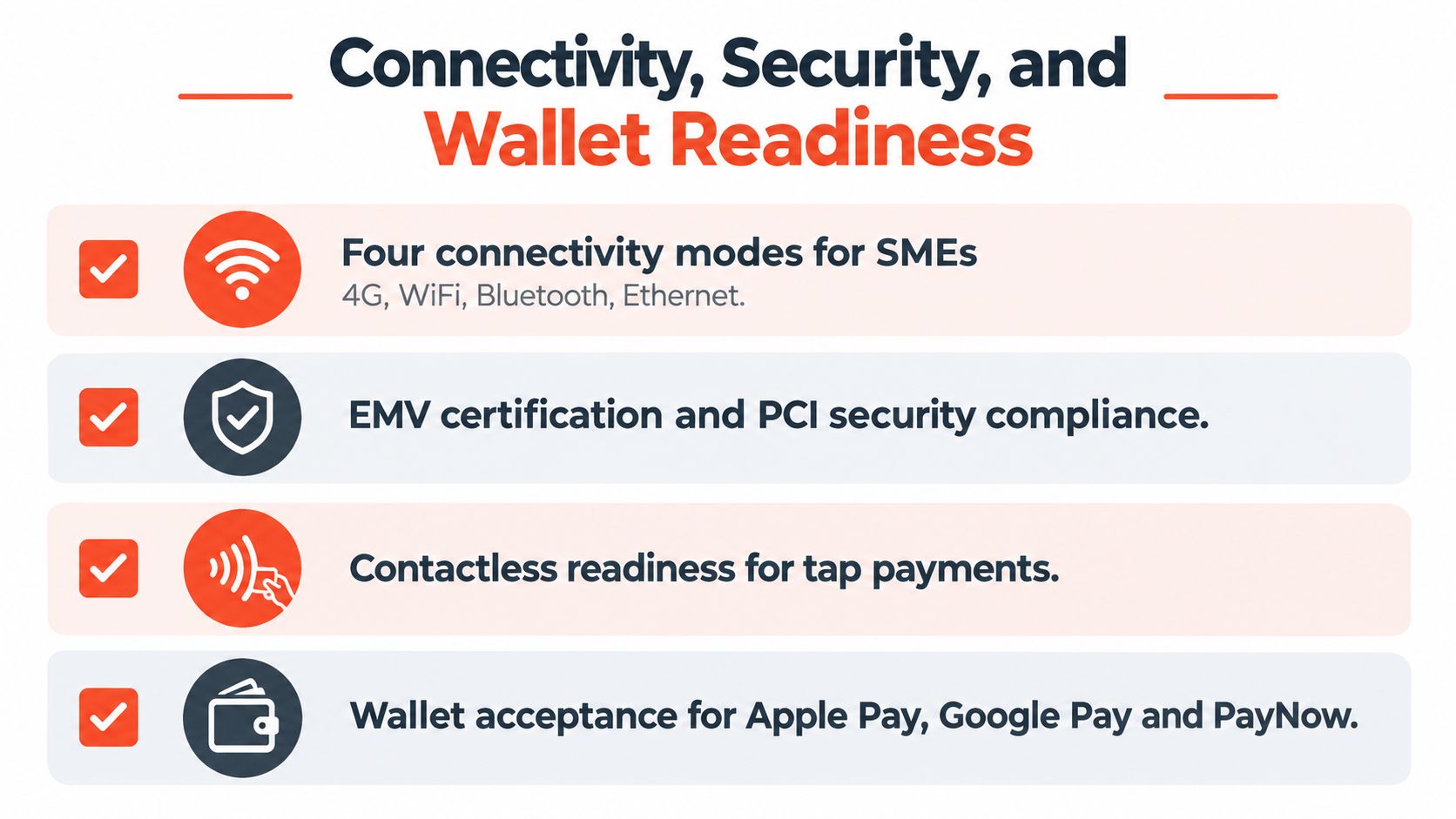
A five-minute readiness audit should ask:
A terminal can take every major card and still cost more than expected. The deciding figure is your effective acceptance cost after card mix, fixed charges, refunds, chargebacks, surcharges, and settlement timing are included.
Singapore payment guides commonly cite local Visa and Mastercard consumer card rates around 1.5% to 2.0%, international cards around 2.0% to 2.5%, commercial or corporate cards around 2.0% to 3.0%, and American Express around 2.5% to 3.5%, as outlined in this Singapore payment gateway fee guide. These are market bands, not a quote for every provider. Request an offer based on your actual monthly volume and card mix.
A blended model applies one agreed rate across eligible transactions. That makes forecasting and reconciliation easier for a small business. Tiered MDR pricing can match costs more closely to transaction types, but the merchant must understand which cards move into higher-cost categories.
Suppose a retailer processes S$12,000 per month. At a quoted blended rate of 1.5%, processing costs S$180. At 2.0%, they cost S$240. These are arithmetic examples, not market claims. Replace the assumed rate with the written offer, then check whether terminal fees, refunds, chargebacks, or scheme surcharges sit outside it.
With tiered pricing, the final bill follows the transaction mix. International cards, commercial cards, and American Express may push the effective rate higher even when the local consumer rate appears competitive. PayNow may avoid MDR where the provider and arrangement offer zero MDR. A contactless card transaction remains a card transaction when the customer taps a phone.
| Component | Typical SME Range | When It Hurts Most |
|---|---|---|
| Local consumer card MDR | Around 1.5% to 2.0% | High card volume with tight gross margins |
| International card MDR | Around 2.0% to 2.5% | Tourist-heavy retail, hotels, and attractions |
| Commercial or corporate card MDR | Around 2.0% to 3.0% | B2B purchases and corporate expense cards |
| American Express MDR | Around 2.5% to 3.5% | Premium customer segments and business travel |
| Settlement timing | Provider-dependent | Daily supplier payments and payroll pressure |
| Terminal or account charges | Contract-dependent | Low-volume salons and seasonal operators |
The table's fee bands are drawn from the Singapore payment gateway fee guide. Use them as a comparison starting point, not as a guaranteed tariff. Providers may define eligible cards, exceptions, and additional charges differently.
D+1, T+1, and T+2 describe different payout timing conventions. Cut-off times, weekends, and public holidays can change the actual arrival date, so confirm the provider's written settlement rules before signing.
A café that buys stock frequently may value earlier settlement more than a small MDR saving. A clinic with predictable invoices may accept slower payout if the rate and reporting are stronger. A low-volume salon should check for minimum monthly charges, especially during quiet periods.
The merchant should calculate:
Monthly acceptance cost = card volume × effective MDR + fixed charges + exception costs.
Then compare that cost with the effect of slower settlement. A modest MDR difference may matter less than funds arriving late during a cash-sensitive trading cycle. Use this guide to lower card transaction fees to prepare specific questions about blended rates, card categories, settlement schedules, and charges outside the quoted rate.
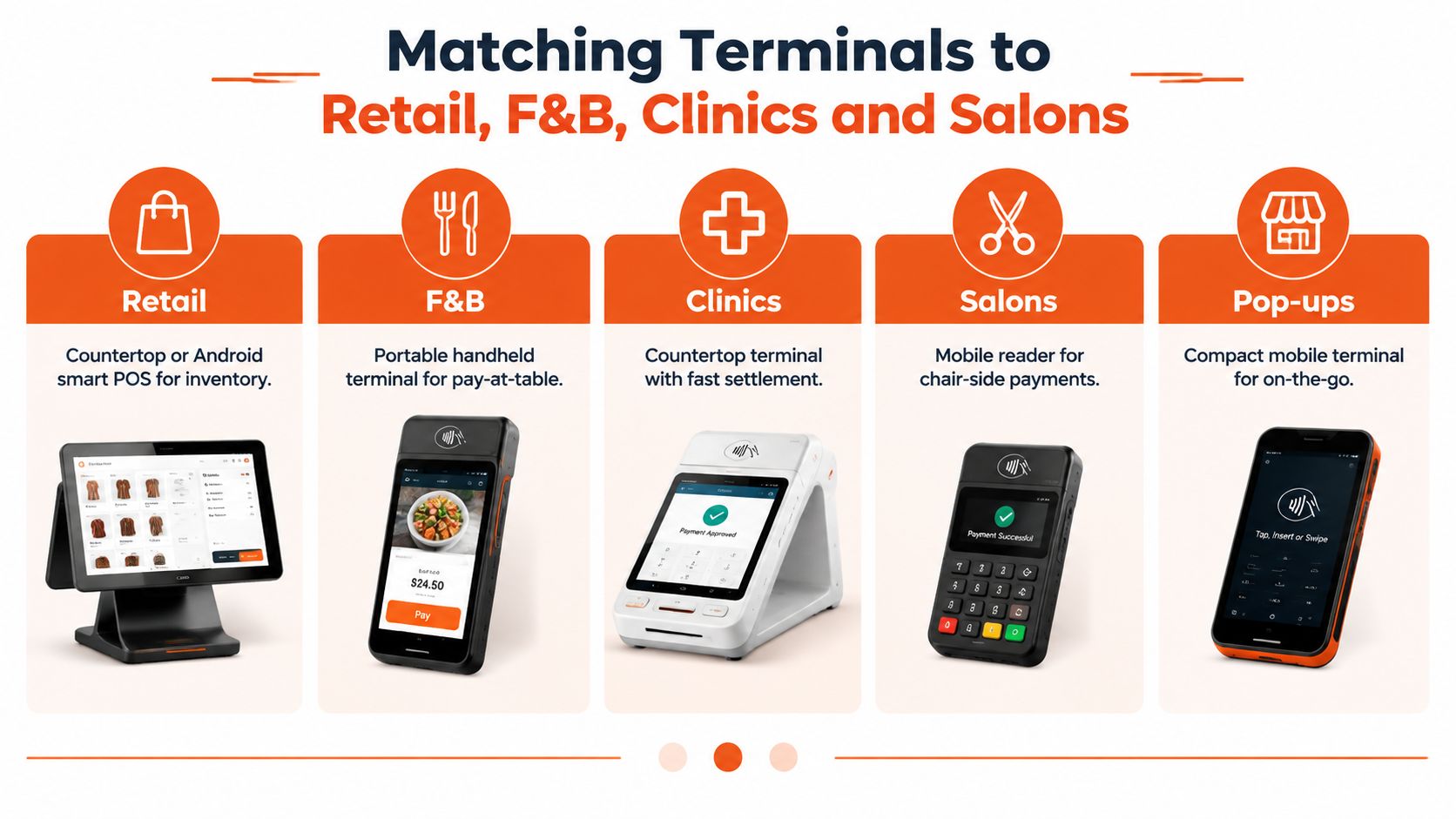
A boutique may process the same card types as a clinic, yet the wrong terminal can slow staff and create reconciliation work. Choose around where payment happens, how quickly customers must clear the counter, and whether a phone-based reader can handle the busiest period.
Retail shops and boutiques should generally use a countertop terminal or Android smart POS at the main till. A customer-facing display lets buyers verify the amount, while inventory integration avoids duplicate sales entry. Ethernet or reliable Wi-Fi suits a fixed counter. For busy queues, a dedicated terminal is usually a better choice than a phone-based reader because staff need consistent speed and fewer workflow interruptions.
F&B operators need a portable terminal or Android smart POS that reaches the table. Combining ordering and payment in one workflow can reduce handoffs, especially when staff must manage table status and receipts. Price the printer, charging dock, accessories, and support as part of the setup. A low headline rate does not help if the device slows service or requires extra equipment.
Clinics and dental practices usually benefit from a fixed countertop device at reception, where patients pay at checkout. Clean reconciliation with the practice-management system often matters more than a large screen. If consultation rooms take payment separately, a mobile reader gives staff controlled mobility and avoids sending patients through the waiting area.
Salons and spas should consider a mobile reader or Android POS that fits the appointment workflow. Chair-side payment shortens the final handoff, while tokenised repeat billing can support authorised recurring services. The device must be easy to disinfect, recharge, and assign to the correct staff member. For low-volume salons, check whether blended fees and fixed charges outweigh the convenience of a dedicated terminal.
Gyms and fitness studios should separate walk-in purchases from recurring membership billing. A physical card payment machine suits front-desk sales, while tokenised recurring payments or an approved auto-debit arrangement better fits memberships. Set a clear process for failed recurring payments, cancellations, and account updates.
Businesses adding outlets should check that devices, software, permissions, and reporting can scale together. Guidance on seamless scalability in retail IT helps when payments must fit the wider store technology plan rather than run as an isolated terminal.
A practical choice starts with three questions:
A fixed retail counter with heavy peak traffic should lean towards a countertop or smart Android POS. A salon, restaurant, or mobile service business should prioritise a portable device. A very small operator with occasional card volume can test tap-to-phone, but shouldn't use it as the permanent solution for a demanding checkout without testing the full workflow.
Migration should happen in stages. Pilot one terminal for two weeks, compare approved transactions with expected MDR and settlement timing, then expand only after staff can process sales, refunds, reversals, and end-of-day reconciliation without assistance. Sambapay offers countertop terminals, mobile terminals, and Android POS devices, so a merchant can evaluate several hardware tiers through one provider. Its stated settlement options can begin as early as T+1, subject to the merchant agreement.
Press providers on the commercial details that affect operating cost:
Common migration failures include overlapping terminals on one merchant ID, unresolved chargebacks with the previous provider, and old PayNow QR codes remaining at the counter. A store POS switching guide can help organise the changeover.
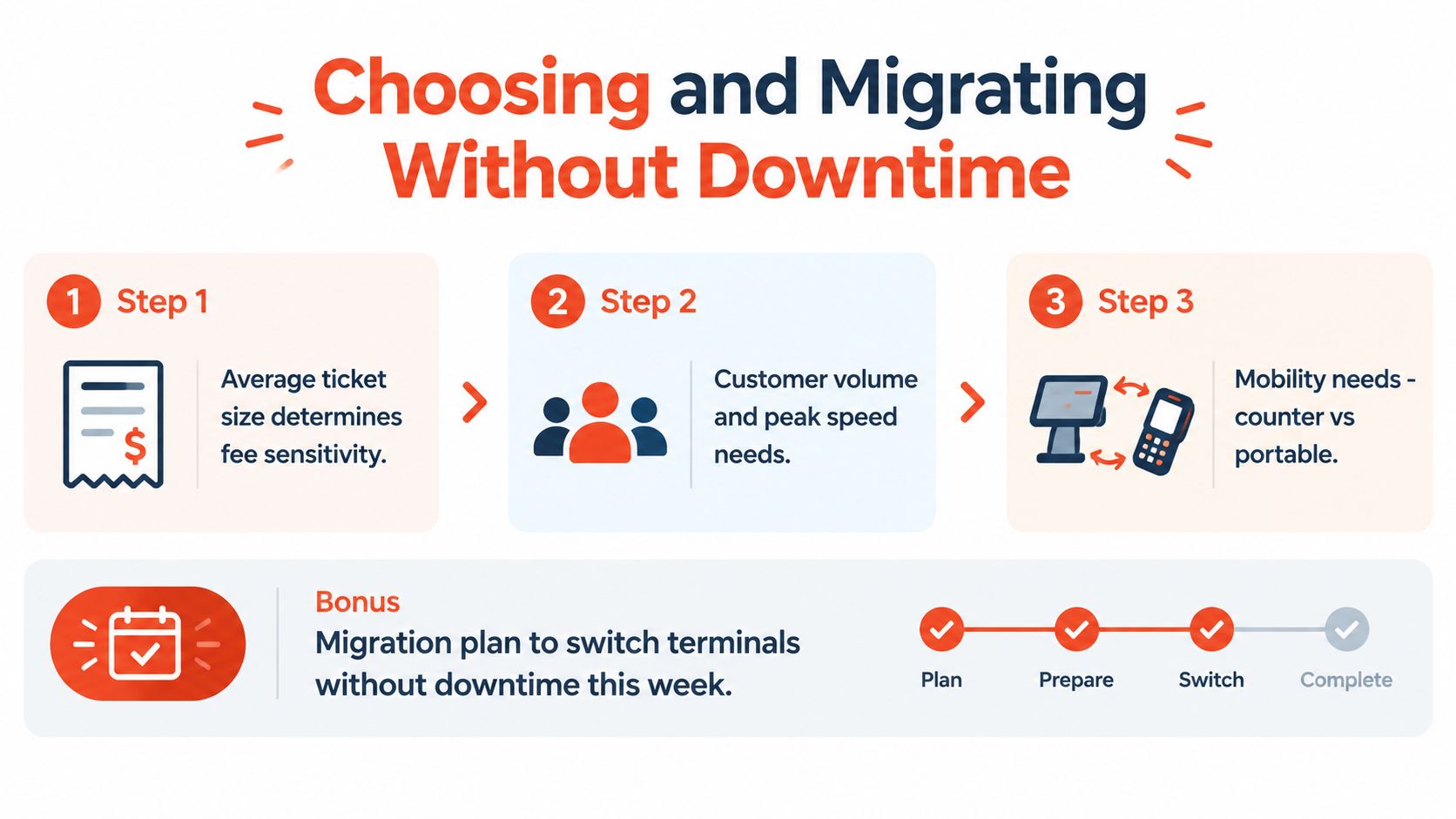
On migration day, confirm the activation window, reset staff PINs, run a refund test, verify receipt delivery, and schedule cutover outside the lunch or dinner rush. The business should keep the old process available until the first live transactions reconcile correctly.
Sambapay provides countertop, mobile, and Android POS options for Singapore SMEs that need card, contactless, selected wallet, and PayNow acceptance with transparent pricing and settlement options from as early as T+1, subject to agreement. Merchants comparing a new card payment machine or planning a controlled migration can visit Sambapay to review the available setup and request a workflow-based quote.